
Keep every important client detail inside the ticket history.
Bodo Notes help teams document phone calls, decisions, consultation details, customer preferences, follow-up context and internal information directly inside the client history.
Instead of relying on memory, private inboxes or scattered documents, your team can see what happened, why it matters and what should happen next.
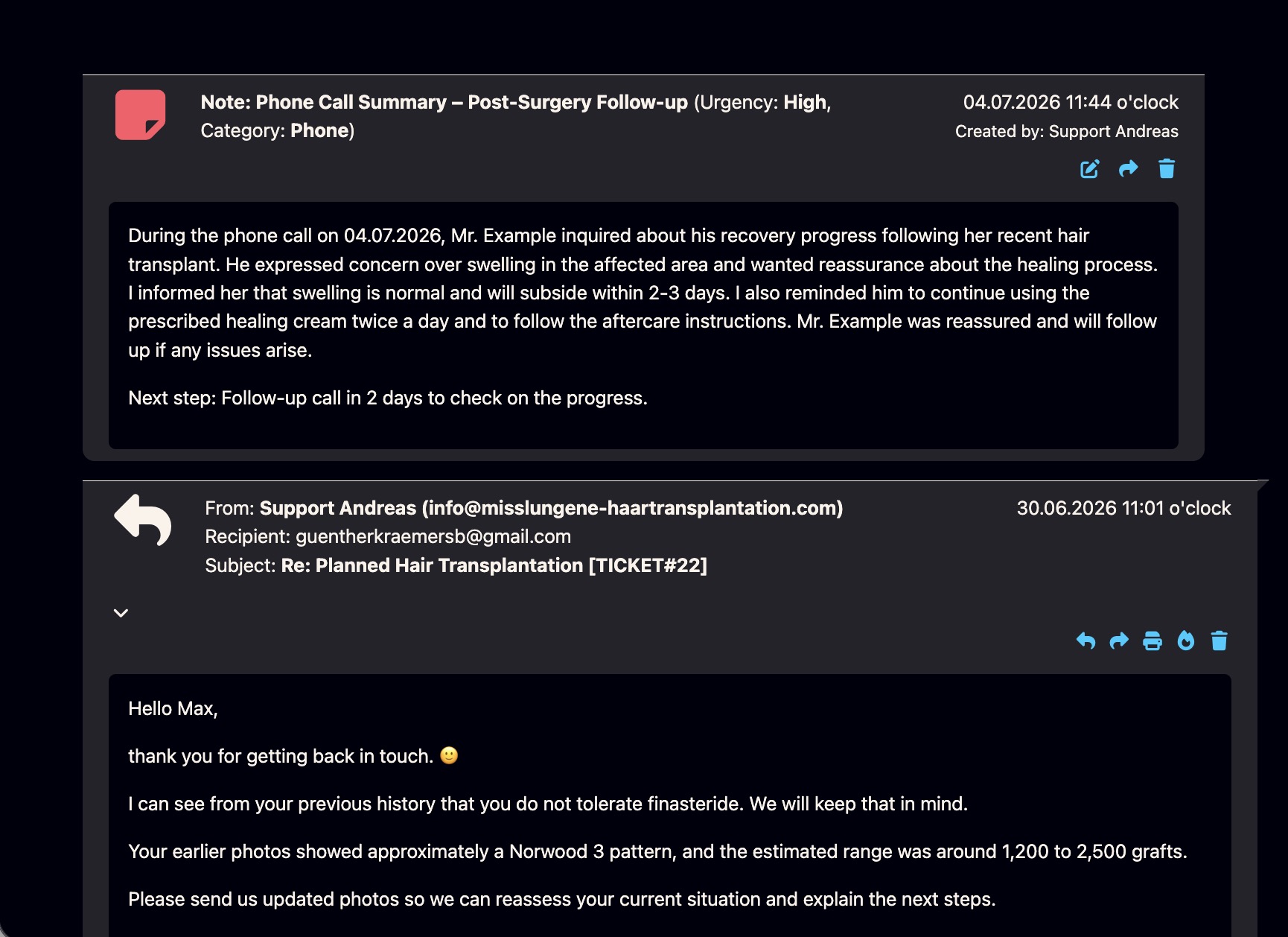
What are Bodo Notes?
Bodo Notes are internal documentation entries inside the customer history. They help your team record information that is important for the client case, but does not belong inside an outgoing email.
A note can describe a phone call, a consultation, an internal decision, a client preference, a reminder context, a treatment detail, a tax-related discussion, or anything else that helps the next person understand the case.
Emails show what was sent. Notes explain what should be remembered.
Many important client details happen outside the email itself: phone calls, internal decisions, treatment planning, document reviews, personal preferences or next-step agreements. Notes keep this context visible in the same client history as the emails, files and follow-ups.
From scattered information to documented client context.
Notes are especially useful when the client conversation continues across emails, phone calls, internal reviews, follow-ups and team handovers.
Add the note
Document a call, a decision, a client preference, an internal instruction, an important case detail or add an image when visual context matters.
Choose a category
Use categories such as phone, consultation, follow-up, internal information or other relevant note types.
Keep it in history
The note or image stays connected to the customer and can be reviewed together with emails, files and previous activity.
Continue with clarity
The next team member can understand what happened before and answer with better context.
A client file is not only made of emails.
Professional client work often depends on details that never appear clearly in an email thread. Notes help keep that information structured and visible.
Phone calls
Record what was discussed during a call, what the client asked and what should happen next.
Internal decisions
Document decisions, assessments and internal context without sending them to the customer.
Follow-up context
Explain why a follow-up is needed, what the timing means and what should be checked later.
Team handover
Help another team member understand the case without reading every email from the beginning.
Organize notes by category, date and customer.
Bodo Notes are designed for practical daily work: add notes quickly, classify them clearly and keep them accessible inside the client history.
Detailed notes per client
Add relevant information directly to the customer case: phone call summaries, preferences, next steps, decisions or internal instructions.
Complete client history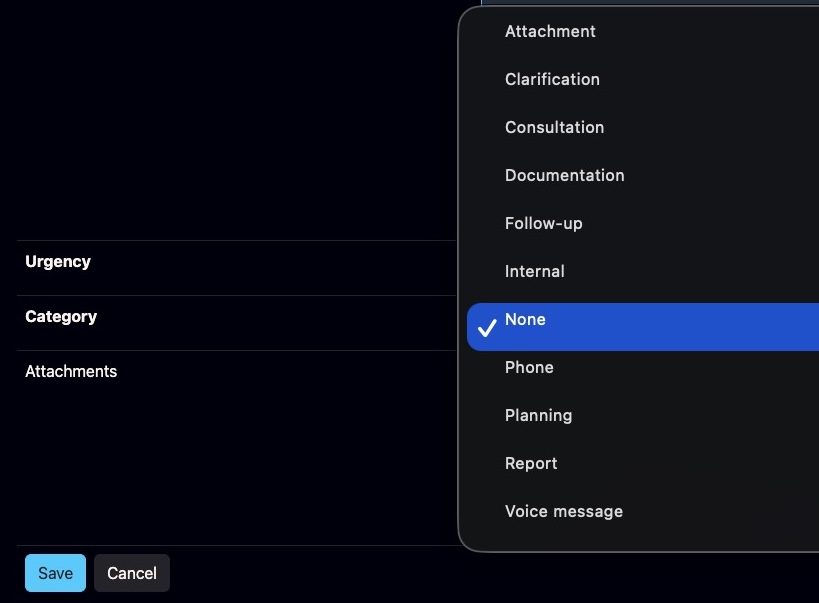
Clear note categories
Categories help distinguish phone calls, internal information, follow-up context and other types of documentation.
View all Bodo features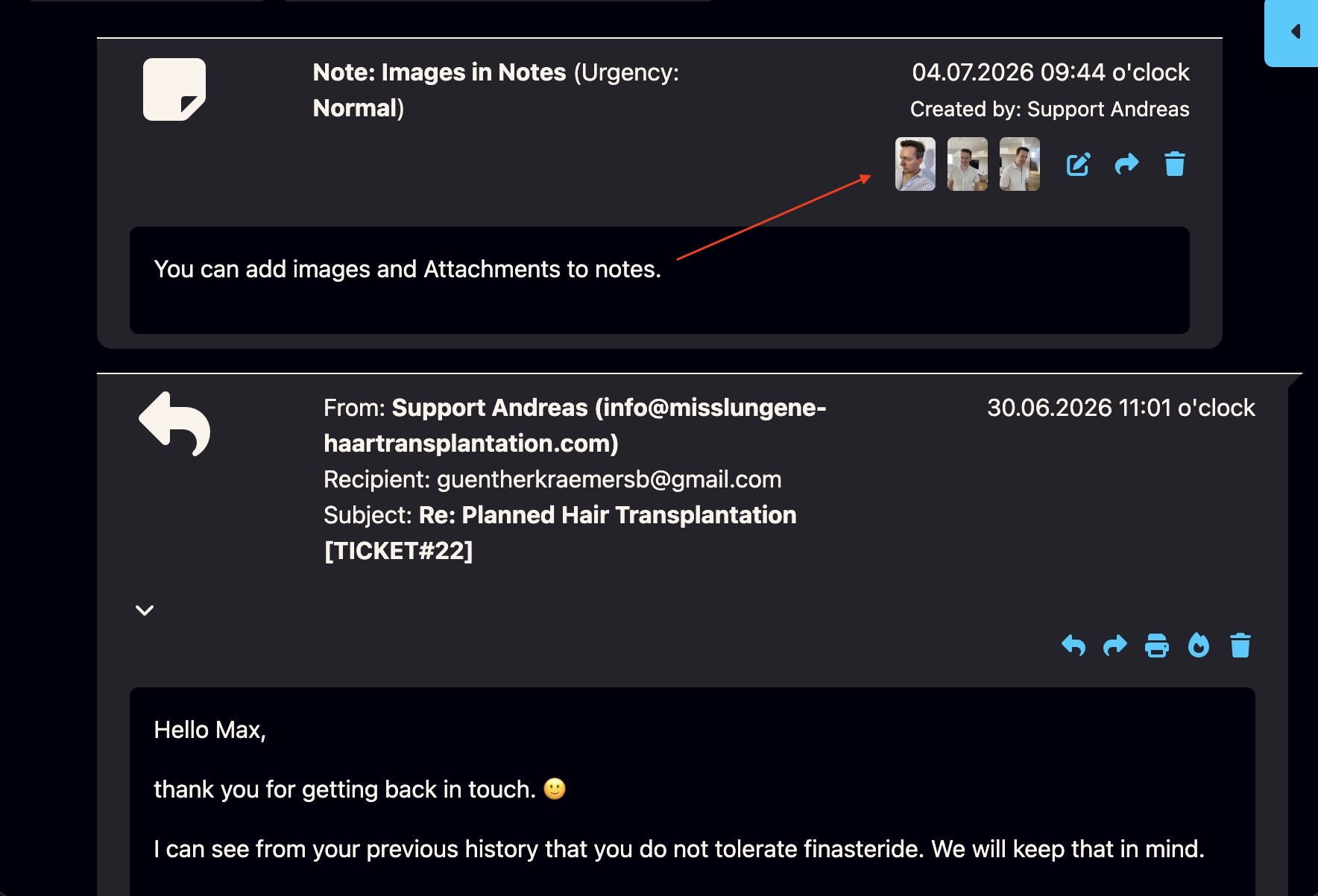
Add images to notes
Images can be added directly to notes when visual context matters. This is useful for clinics, documentation workflows, case reviews and situations where an image explains more than a short text entry.
Image documentation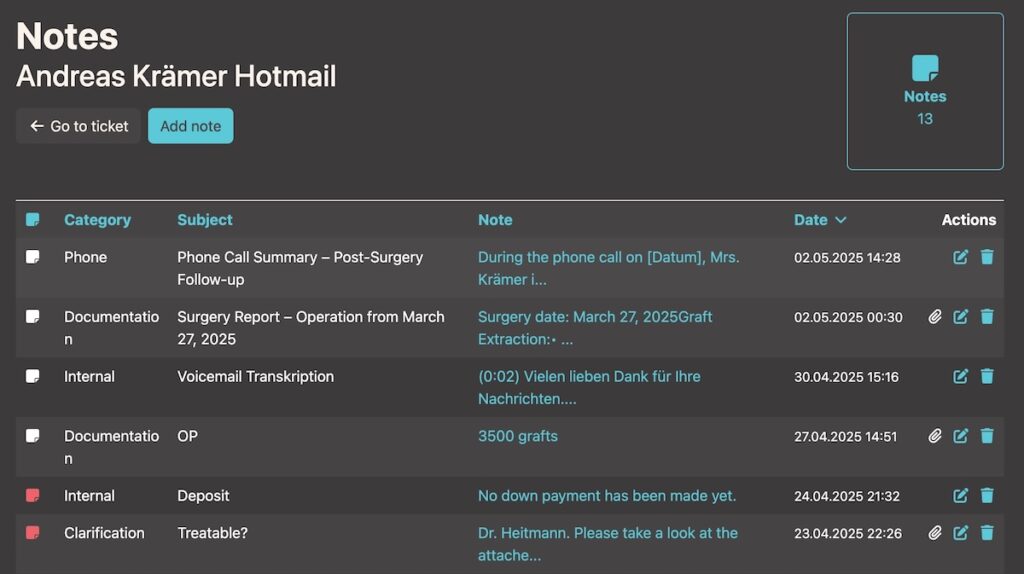
Note list per customer
Review the relevant notes for a client without searching through separate tools, private documents or old email threads.
Team workflowMark important internal notes with high priority.
Some internal notes are more important than others. In Bodo, a red priority marker can make urgent or highly relevant notes stand out directly inside the client history.
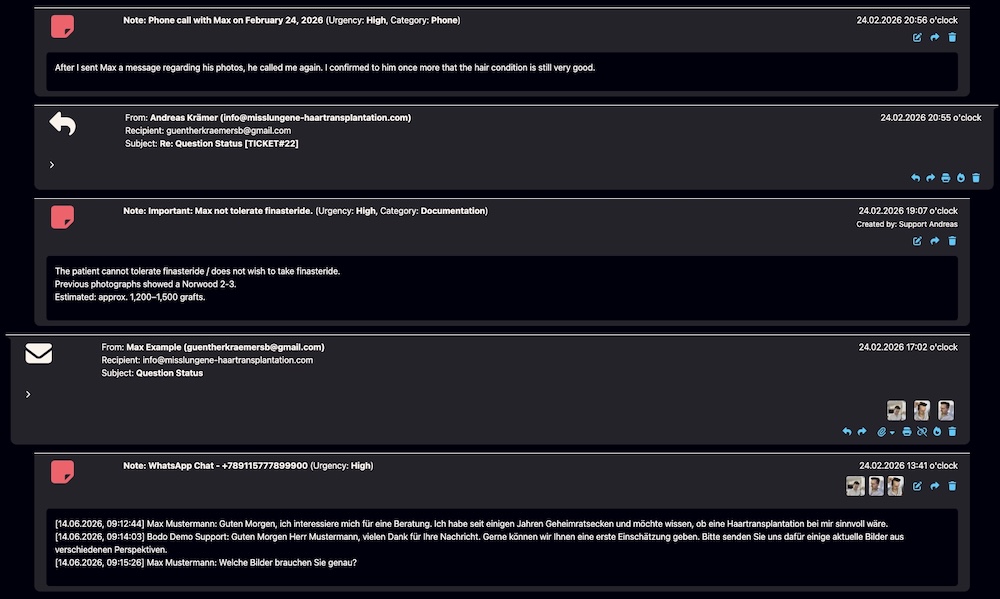
Red priority marker in the notes overview
The notes list can show which internal notes need special attention. This helps your team quickly identify important context without reading every entry first.
Team workflow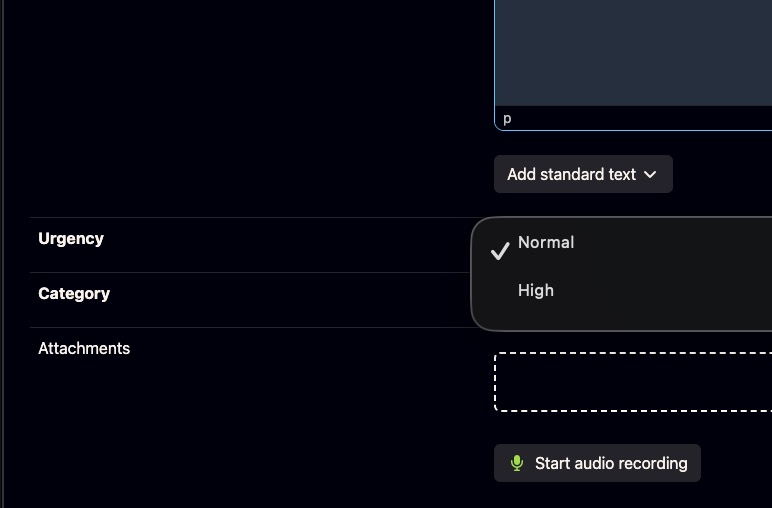
Important internal note inside the client history
High-priority notes are useful for sensitive information, urgent next steps, important client preferences, critical follow-up context or team instructions that should not be overlooked.
Why follow-ups get lostUseful wherever client details matter.
Notes are not just a small add-on. They are part of the documentation layer that makes Bodo valuable for long-term client communication.
Surgical documentation and image management
Document treatment context, pre- and post-procedure notes, images and relevant internal observations.
Open documentation pageMedical use caseHair transplant and cosmetic clinics
Keep consultation details, treatment planning, patient photos, progress notes and follow-up context in one client history.
Clinic use caseAdvisorsTax advisors and consultants
Record client discussions, document-related notes, recurring questions, next steps and case-specific context.
Advisor use caseNotes work best as part of the whole ticketing system.
Notes become much more valuable when they sit next to emails, files, follow-ups, responsibilities, voice messages and AI-supported writing.
View all Bodo features
See how Bodo combines ticketing, client history, notes, files, follow-ups, responsibilities, voice messages and AI-supported writing.
View all Bodo featuresVoiceVoice messages and transcription
Voice communication can become easier to review when transcriptions stay connected to the client history.
Open voice featureAIAI-supported email editor
AI can help write and improve replies, while notes preserve the internal context behind the case.
Open AI editorQuestions about Bodo Notes.
A quick overview for teams that want to document client context without losing structure.
What is the Bodo Notes feature?
The Bodo Notes feature lets teams document important client context directly inside the client history. Notes can be used for phone calls, internal decisions, preferences, follow-up information, consultation details and other information that should remain connected to the customer.
How are notes different from normal email messages?
Emails are client communication. Notes are internal documentation. They help teams record context, decisions and next steps without sending that information to the client or hiding it in private inboxes.
Can notes be used by teams?
Yes. Notes are useful for teams because multiple users can review documented context, understand what happened before and continue the client conversation with more clarity.
Can Bodo notes support follow-ups?
Notes can document why a follow-up is needed, what was discussed and what should happen next. They work especially well together with Bodo follow-up dates and reminder workflows.
Can notes be marked as high priority?
Yes. Important internal notes can be highlighted with a red priority marker so the team can quickly recognize sensitive context, urgent next steps or important instructions inside the client history.
Are notes useful for clinics and advisors?
Yes. Clinics can use notes for consultation details, treatment context and image-related documentation. Advisors and consultants can use notes for client discussions, case details, recurring questions and next steps.
Do Bodo notes replace the complete ticket history?
No. Notes are one part of the complete Bodo client history. Emails, attachments, files, images, follow-ups, assignments and internal notes work together to create a more complete view of the client case.
Can images be added to Bodo Notes?
Yes. Images can be added to notes when visual documentation is important. This can be useful for clinics, image-based consultations, case reviews, internal documentation or any workflow where visual context should stay connected to the client history.
Do not let important client details disappear.
Bodo Notes keep phone calls, decisions, follow-up context, preferences and internal information connected to the client history — right where your team works.