
Keep surgical notes, images and patient history in one place.
Bodo helps clinics document consultations, procedures, graft details, zone information, images, files, aftercare and email communication directly inside the patient ticket history.
Instead of separating surgical notes, patient images and email communication into different tools, Bodo keeps the full case context visible in one structured workflow.
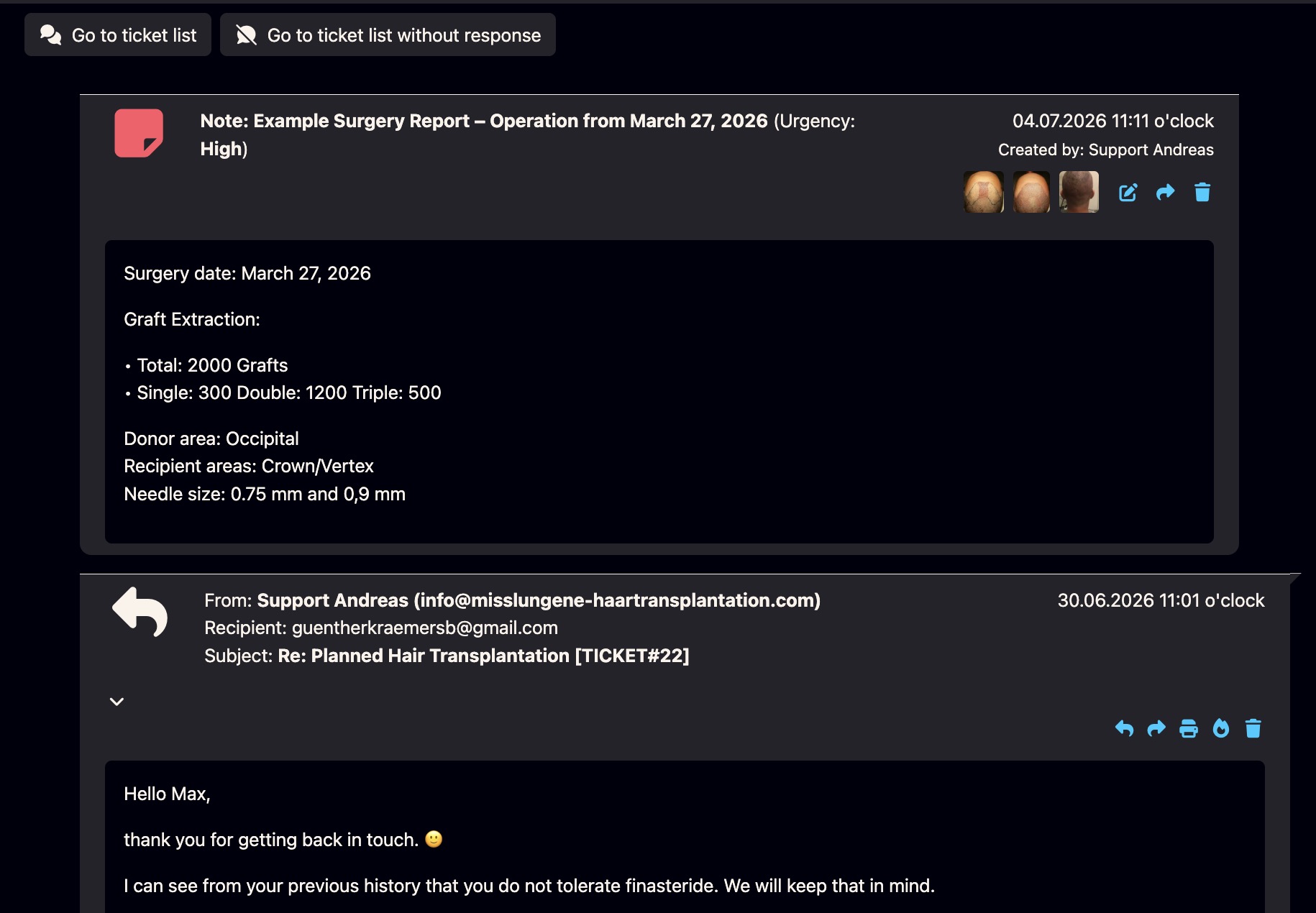
Bodo can make separate OR documentation tools unnecessary for many workflows.
In surgical work, documentation is not just one isolated note. It includes consultation history, procedure details, image material, graft information, zone planning, follow-ups and communication before and after the operation.
Bodo brings these elements together inside the same patient history. This can reduce duplicate data entry, separate image folders, spreadsheets and parallel documentation tools.
Example from daily practice: Dr. Lars Heitmann
In surgical documentation, Dr. Lars Heitmann uses the Bodo note function to document procedure details such as graft information, zone notes, needle diameters and images in one central note.
The result is a searchable patient context that remains connected to the chronological ticket history instead of being separated into another tool.
From consultation to surgery to aftercare — one connected patient file.
Bodo is designed for real clinical communication, where emails, images, files, notes and follow-ups all belong to the same case.
Consultation
Store consultation notes, patient questions, expectations, images and planning context directly in the patient history.
Documentation
Create a surgical note with graft details, zone information, needle diameters, internal comments and image references.
Chronology
Use customizable dates so retrospectively entered surgery notes appear where they belong in the timeline.
Aftercare
Keep follow-up questions, healing updates, images and aftercare instructions connected to the same case.
Surgical documentation loses value when it is separated from the patient conversation.
A clinic may have excellent documentation — but if it is split between folders, inboxes, spreadsheets and separate image tools, the team still loses time and context.
One patient history
Consultation, operation, aftercare and email communication remain visible chronologically in the same case.
Less duplicate entry
Images, notes, graft details, documents and follow-ups do not need to be copied into multiple separate systems.
Clear categories
Categories and subject fields help structure consultation, surgery, aftercare, internal notes and image documentation.
Searchable context
Important documentation remains easier to find when it is connected to the patient and not hidden in a folder structure.
Everything important stays close to the patient case.
Related Bodo feature visuals support this documentation topic: images in tickets, files in tickets, notes, file manager and later uploads.
Surgical notes inside the history
Use notes to document surgical details such as graft numbers, zones, instruments, internal comments and other procedure-related information.
Notes feature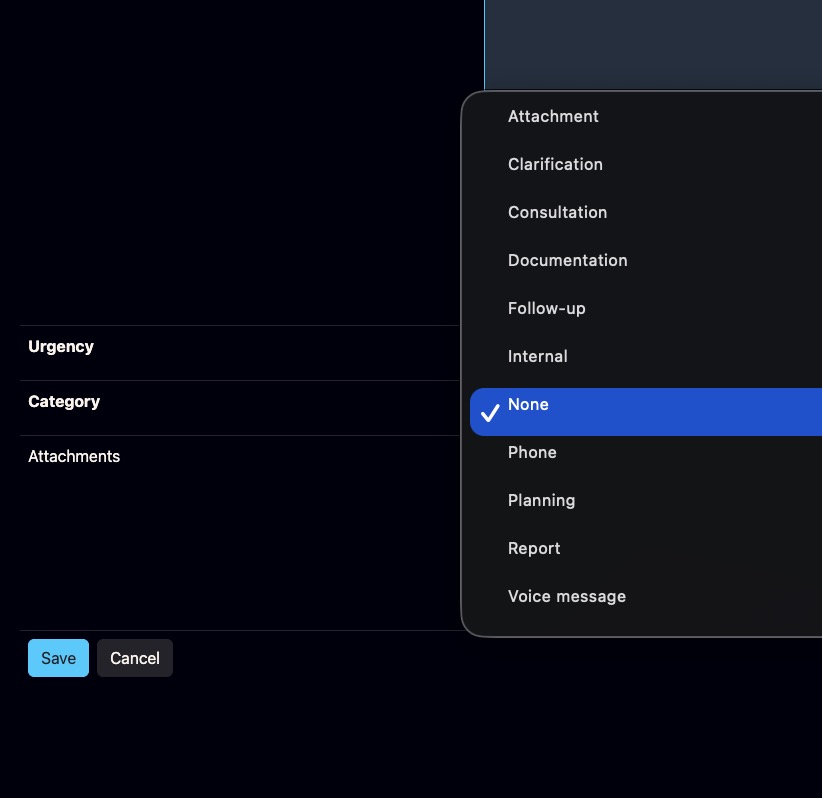
Clear documentation categories
Categories help separate consultation, surgery, aftercare, internal notes and other documentation types inside the same patient history.
See all features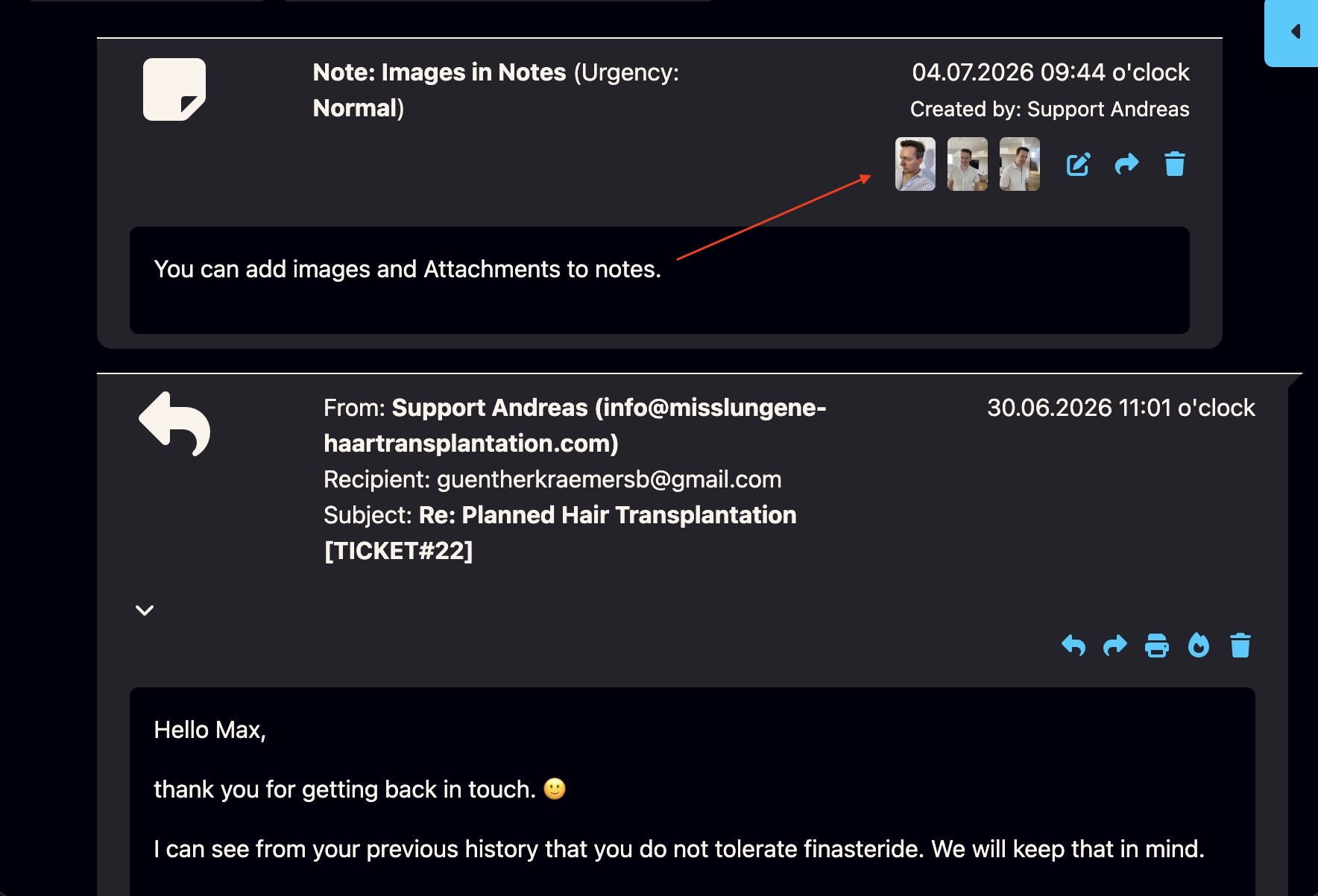
Add images to documentation notes
When visual context matters, images can be added to notes so the written documentation and visual material remain connected.
Image notes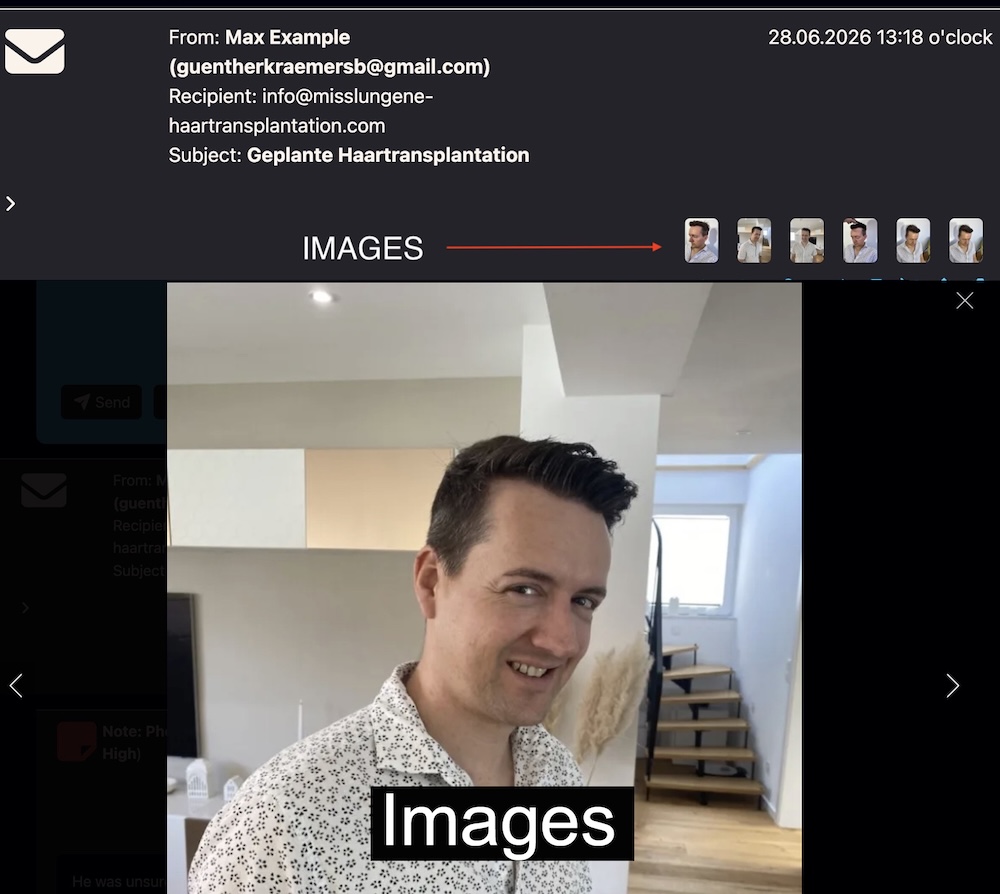
Images directly inside tickets
Patient images can stay connected to the ticket history, so the team can review visual material without searching through separate folders.
See all features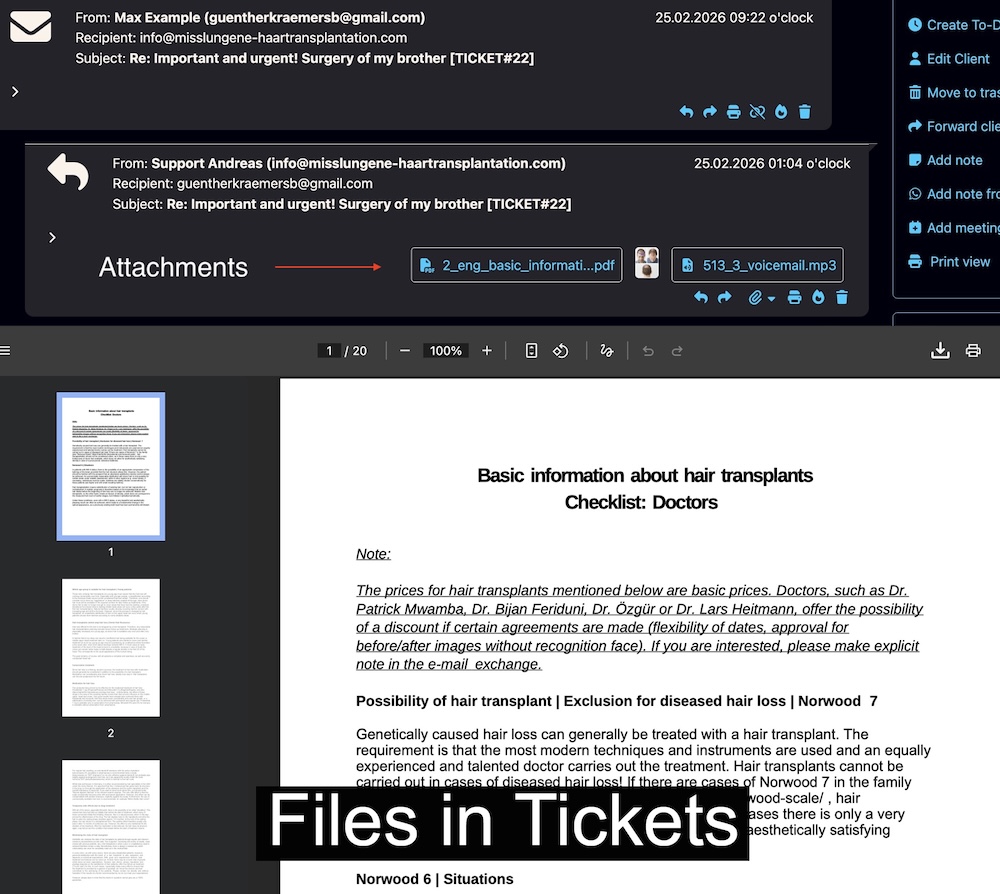
Files and documents in tickets
Documents, PDFs and files can remain connected to the patient case and be opened directly from the ticket history.
See all features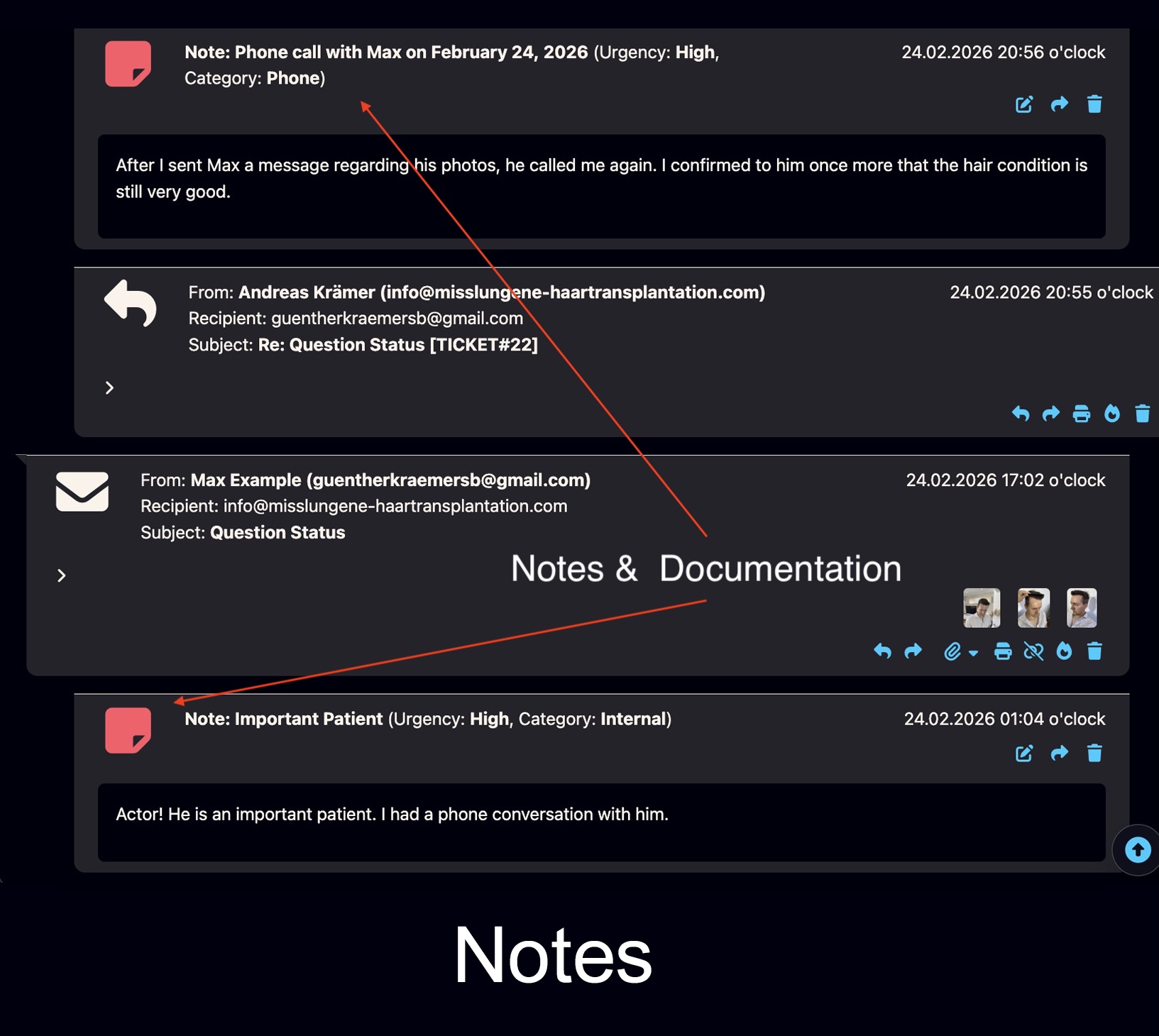
Notes and documentation
Internal notes keep clinical context, team observations and documentation close to the patient communication history.
Open notes page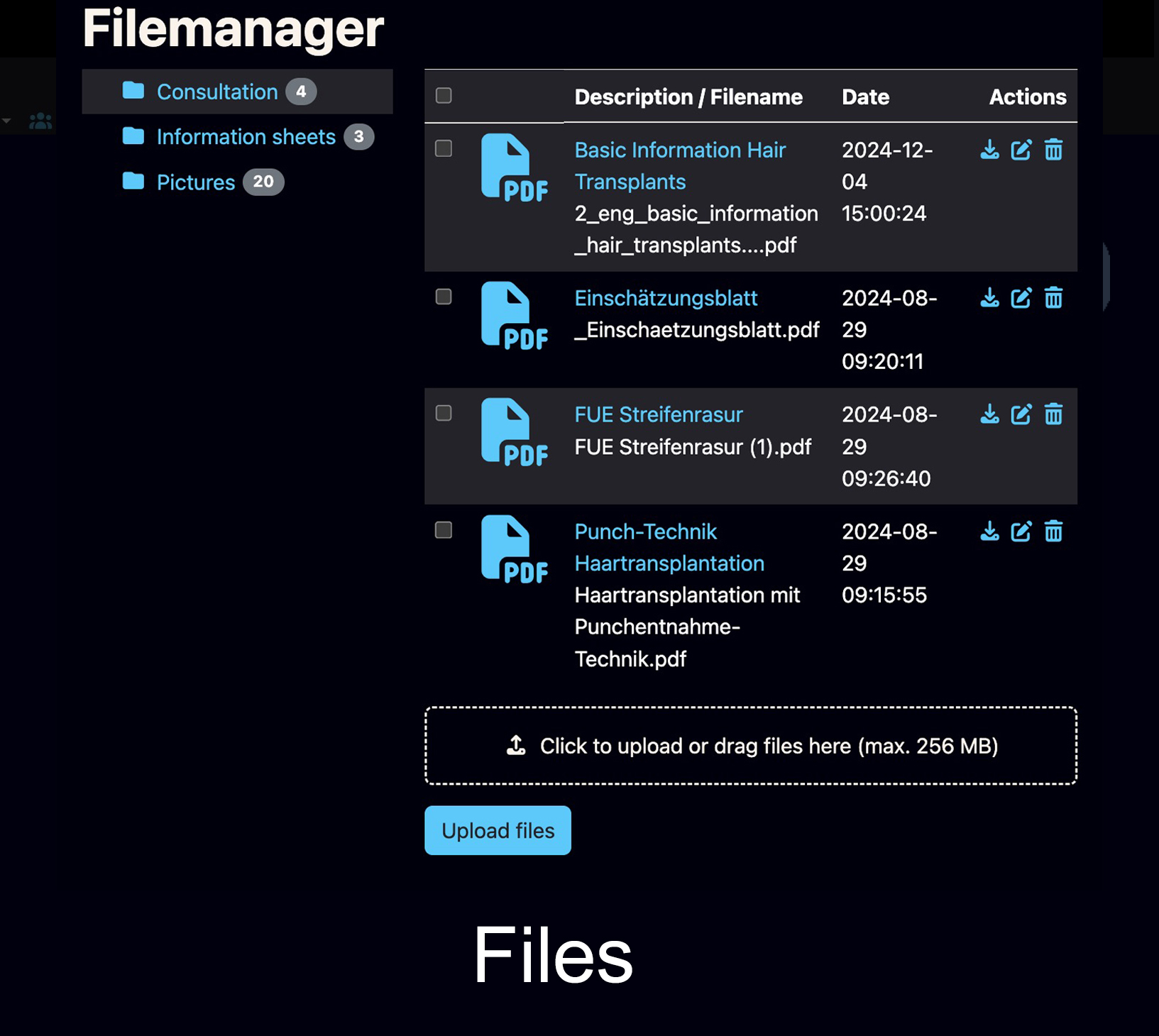
Central file handling
Files remain close to the patient history and can be managed without losing the connection to the case.
See all features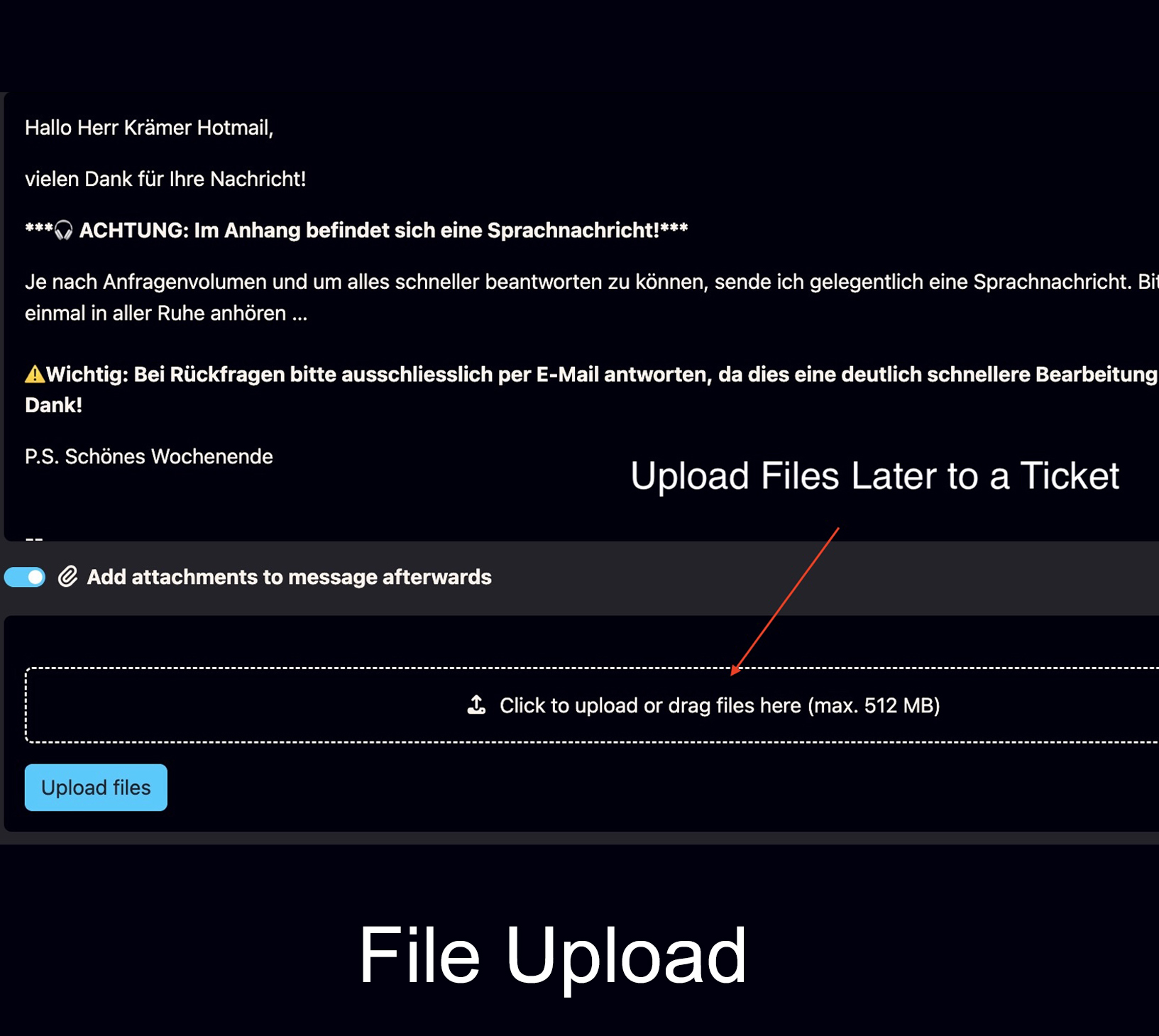
Upload files later to a ticket
External files, downloaded images or documents can be added later to the correct patient ticket when they did not arrive by email.
See all features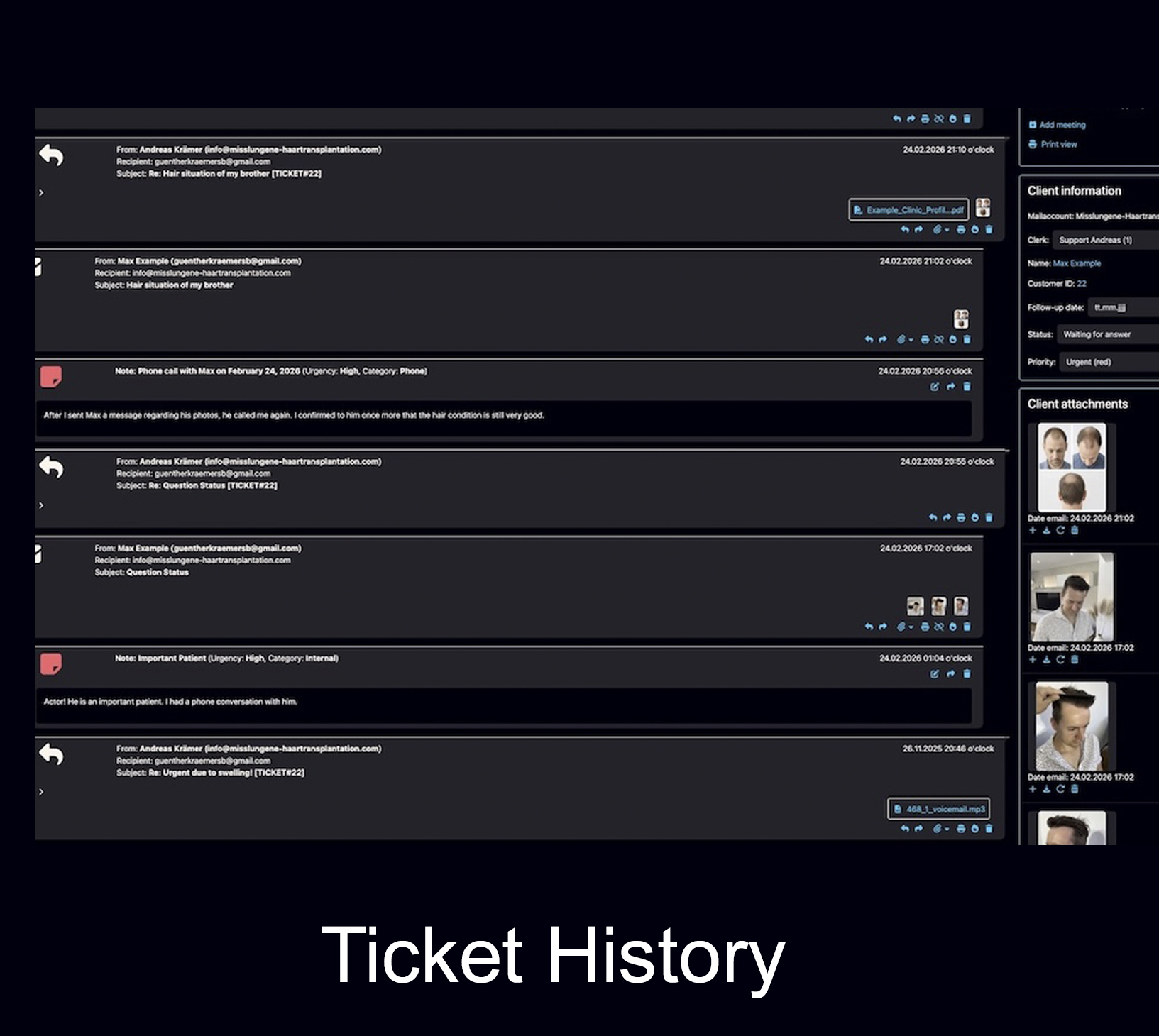
Complete patient history
Emails, replies, notes, files, images and follow-ups stay connected to one structured patient case instead of separate inbox threads.
Complete historyA seamless, professional patient file — from first consultation to aftercare.
Bodo creates a structured documentation environment for clinics that need more than email storage: patient communication, surgical context, images, notes, files and follow-ups stay connected.
Hair transplant and cosmetic clinics
Use Bodo for consultation history, patient images, treatment planning, aftercare and long-term patient communication.
Open clinic use case TicketingEmail ticketing with patient history
Understand how Bodo turns long email communication into structured patient tickets with clear history.
Open ticketing page TeamTeam workflow and responsibilities
Multiple team members can work with structured responsibilities, notes and visible case context.
Open team workflowSurgical documentation becomes stronger when it is part of the full ticketing workflow.
Bodo connects documentation with the everyday communication channels and internal tools that clinics actually use.
Notes and documentation
Document internal context, categories, images and decisions directly inside the patient history.
Open notes feature VoiceVoice messages and transcription
Use voice communication and transcription as part of the same structured patient workflow.
Open voice feature AIAI-supported email editor
AI can help draft clearer replies while Bodo keeps the underlying patient context organized.
Open AI editorQuestions about surgical documentation in Bodo.
A quick overview for clinics that want to keep images, notes, files and patient communication connected.
What is surgical documentation in Bodo?
Surgical documentation in Bodo means that consultation notes, operation details, graft information, zone information, images, files and aftercare context can remain connected inside the same patient history and ticket workflow.
Can Bodo store operation notes and images together?
Yes. Bodo can store internal notes and images together in the patient history. This makes it easier to review what was documented, which images belonged to the case and what happened before or after the procedure.
Can surgical dates be added retrospectively?
Yes. Documentation dates can be adjusted so that retrospectively entered surgery notes appear in the correct chronological position inside the patient history.
Does Bodo replace separate folders for surgical images?
For many daily documentation workflows, Bodo can reduce or replace separate folders, spreadsheets or external image filing tools because images and notes remain connected to the patient case.
Is Bodo useful for hair transplant and cosmetic clinics?
Yes. Hair transplant and cosmetic clinics can use Bodo to keep patient emails, images, consultation notes, surgical documentation, graft details, aftercare information and follow-ups connected in one structured workflow.
How is this different from a normal email inbox?
A normal email inbox mainly stores messages. Bodo connects emails, notes, images, files, categories, follow-ups and patient history in one structured system, so the case remains easier to understand over time.
Replace scattered documentation with one connected patient history.
Bodo keeps consultation, surgery, aftercare, images, files, notes, graft details and email communication connected — directly inside the patient ticket history.