Email Ticketing System with Bodo: one client, one ticket, one complete history.
Bodo turns customer emails into structured client tickets. Instead of scattered inbox messages, your team works with one connected history: emails, files, images, notes, follow-ups, responsibilities and AI-supported replies in one workflow.
It is built for companies where client communication is not just quick support, but an ongoing relationship that needs context, traceability and clear responsibility over time.
What is email ticketing with Bodo?
Bodo is an email ticketing system with CRM-style client history. It takes incoming and outgoing customer emails and keeps them inside a structured client case instead of leaving them scattered across individual inboxes, folders or forwarded messages.
A normal inbox shows messages. Bodo organizes the relationship behind those messages: who the client is, what was discussed, which files belong to the case, what still needs to happen and who in the team is responsible.
Email remains the channel. Bodo becomes the client file.
Many businesses already receive valuable client communication by email. The problem is not email itself. The problem starts when email becomes the only client file. Bodo keeps email as a stable communication channel, but adds the structure that normal inboxes do not provide.
From incoming email to structured client workflow.
Bodo is designed around a simple idea: the conversation should not disappear inside a mailbox. It should become part of a clear, long-term client history.
A client writes
Incoming emails are not treated as isolated messages. They are connected to the customer and the existing ticket history.
Bodo keeps context
Previous emails, attachments, images, notes, decisions and internal comments remain visible in one place.
The team works clearly
Employees can see responsibilities, priorities, open tasks, follow-ups and whether someone is already working in the ticket.
Nothing gets forgotten
Follow-up dates and automatic reminder emails help keep open cases, silent leads and next steps visible.
Why email ticketing goes beyond a normal inbox or shared inbox.
A normal inbox or shared inbox can make sending, receiving and collaboratively handling email easier. Email ticketing with Bodo adds a structured client case, long-term history and clear next steps around that communication.
Inbox
Shows messages, threads and folders, but often loses the full client context across time, people and attachments.
Shared inbox / shared mailbox
Supports collaborative email handling. The depth of history, ownership, internal notes and follow-up workflows depends on the individual system.
CRM
Can manage contacts and sales data, but does not always organize email communication as a complete working ticket.
Bodo
Combines email ticketing, CRM-style history, team workflow, files, notes, follow-ups and AI-supported writing.
The features that make email ticketing useful in daily work.
This page explains the system. The full feature page goes deeper into every function. These are the core building blocks that turn email communication into a structured client workflow.
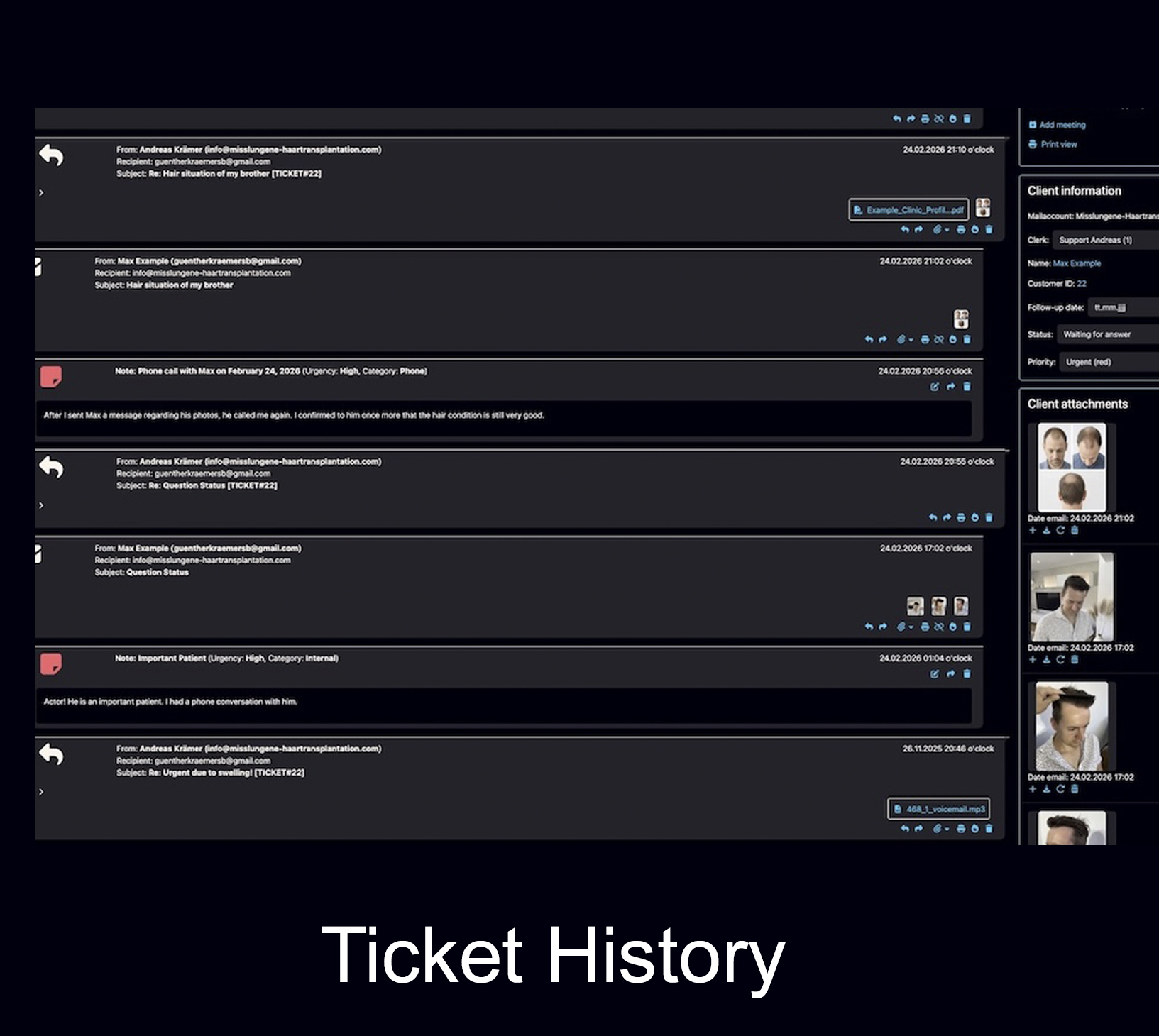
Complete client history
Emails, replies, notes, files, images and decisions remain connected to the customer instead of being scattered across inboxes.
Complete history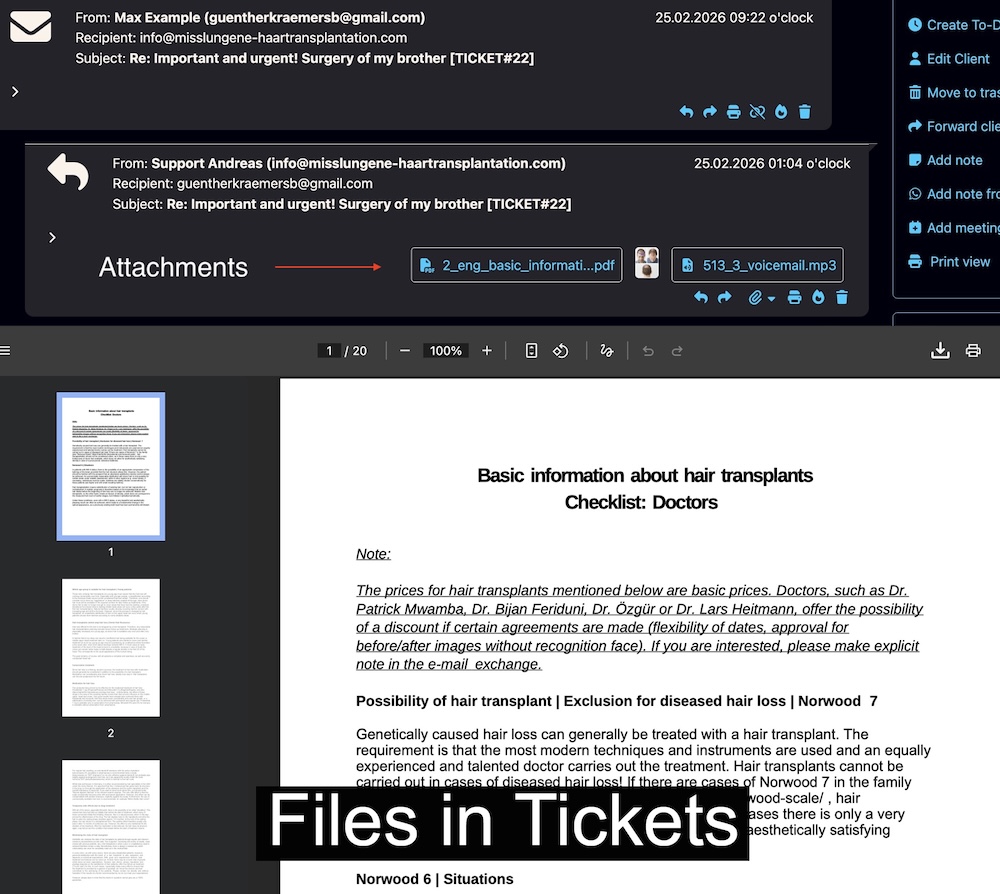
Files and documents in tickets
Documents, images and attachments stay close to the case, making it easier to understand what belongs to which client.
View features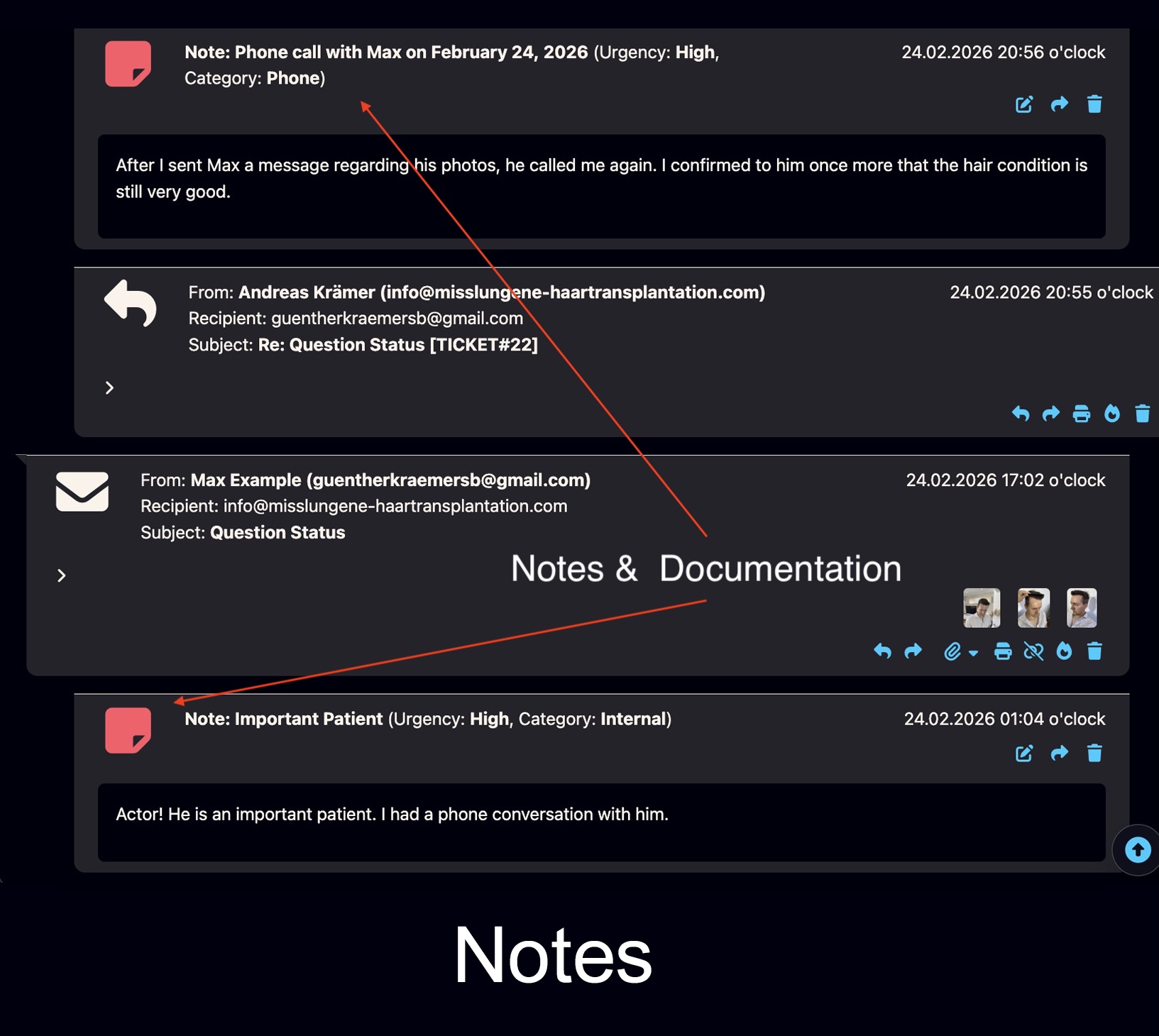
Internal notes and documentation
Your team can document context, decisions and next steps internally without mixing internal comments into client emails.
Notes feature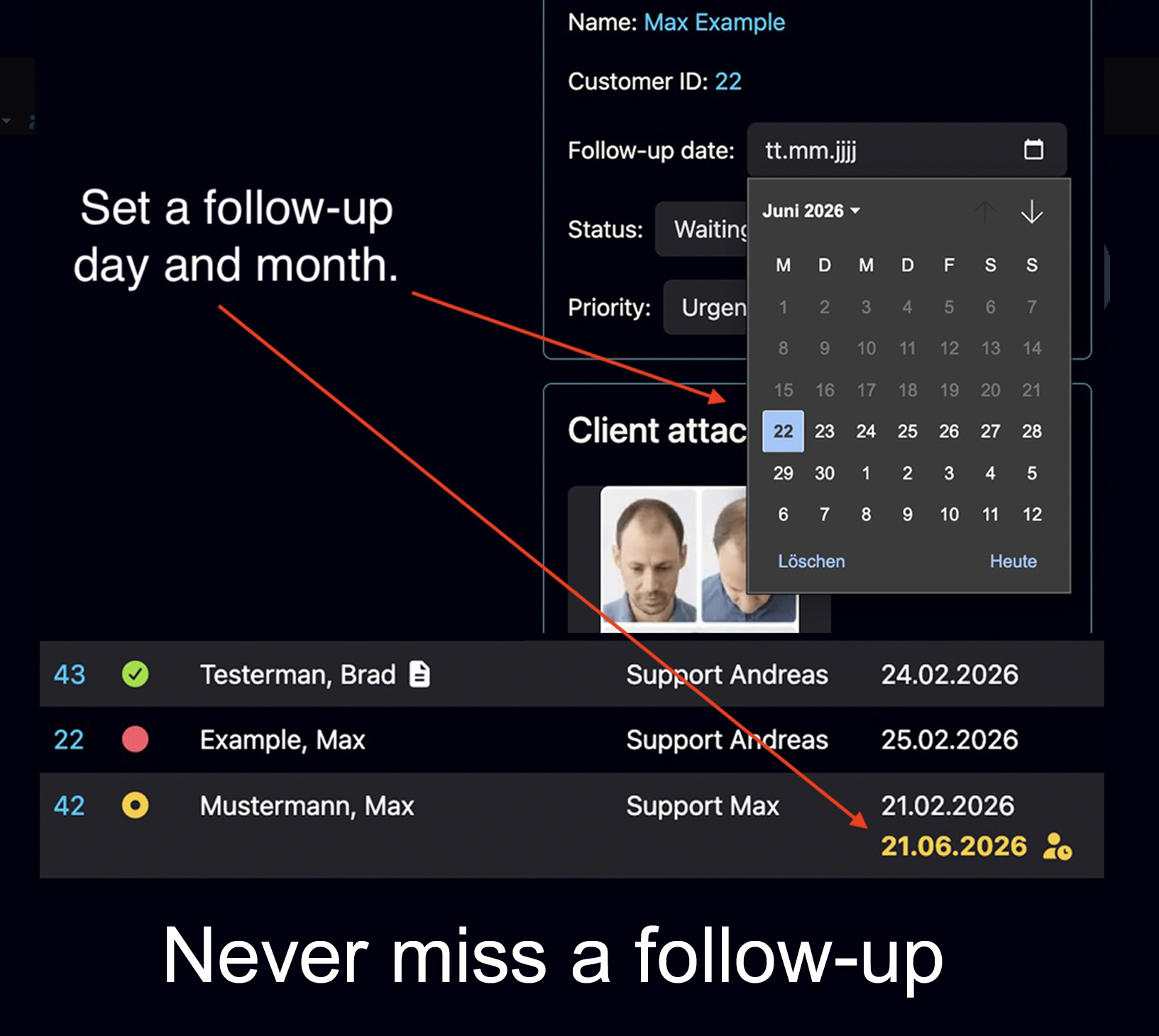
Follow-up dates
Set internal follow-up dates so open cases become visible again when action is needed.
Follow-up guide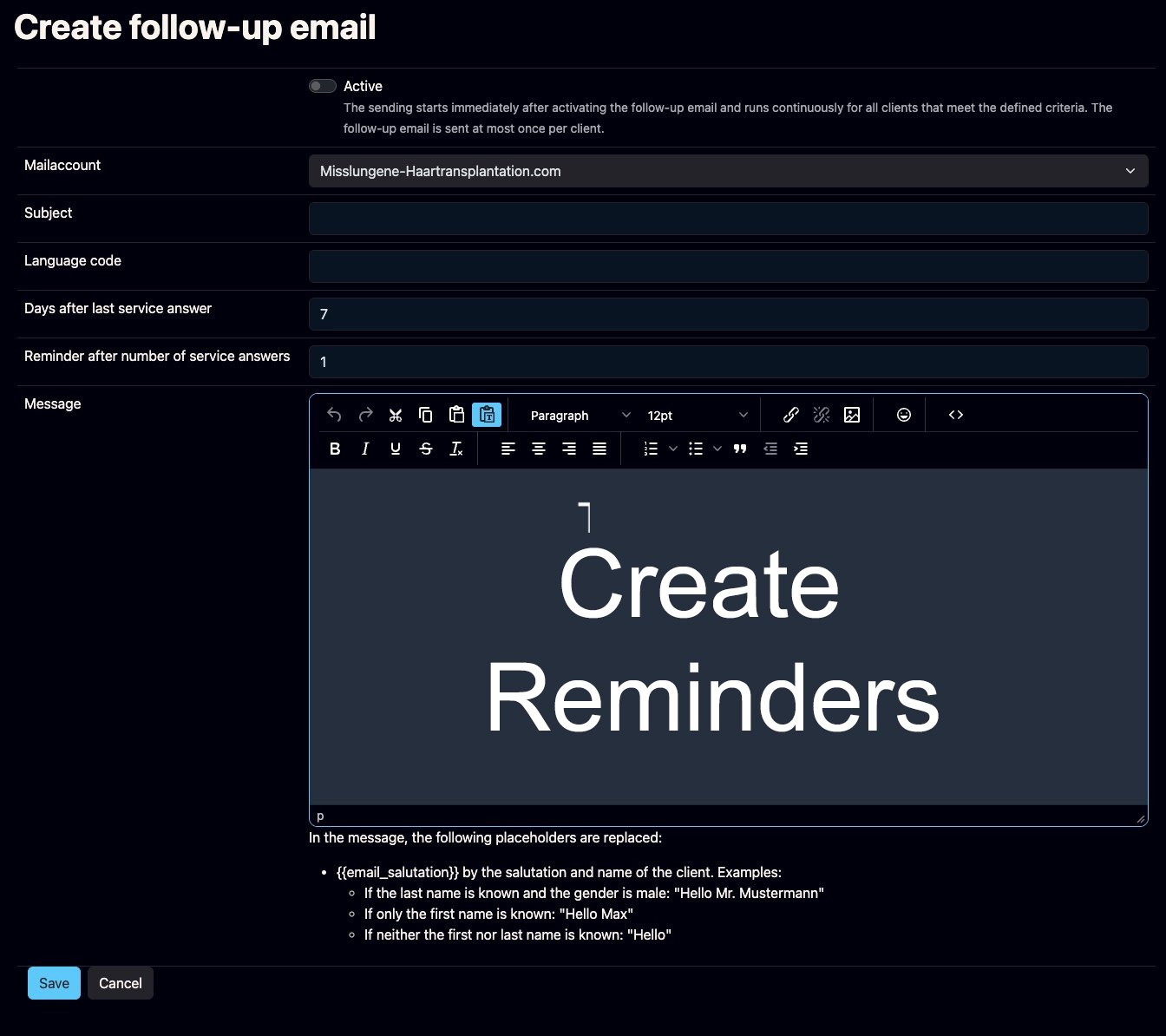
Automatic reminder emails
Bodo can remind silent clients or leads after the last team response, helping prevent valuable conversations from going cold.
Reminder feature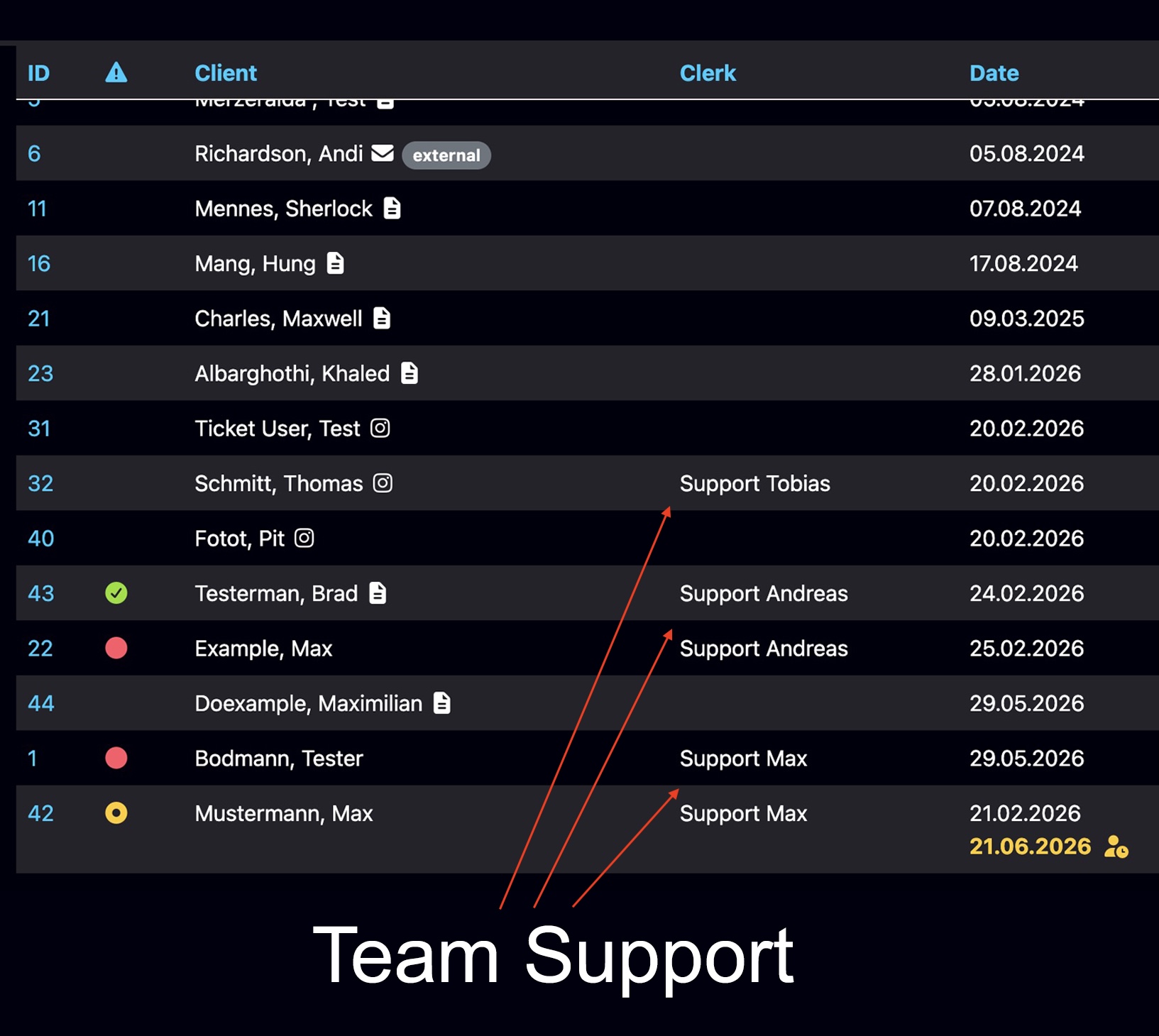
Multi-user support
Multiple team members can work in Bodo with clear access, visible responsibilities and shared client context.
Team workflow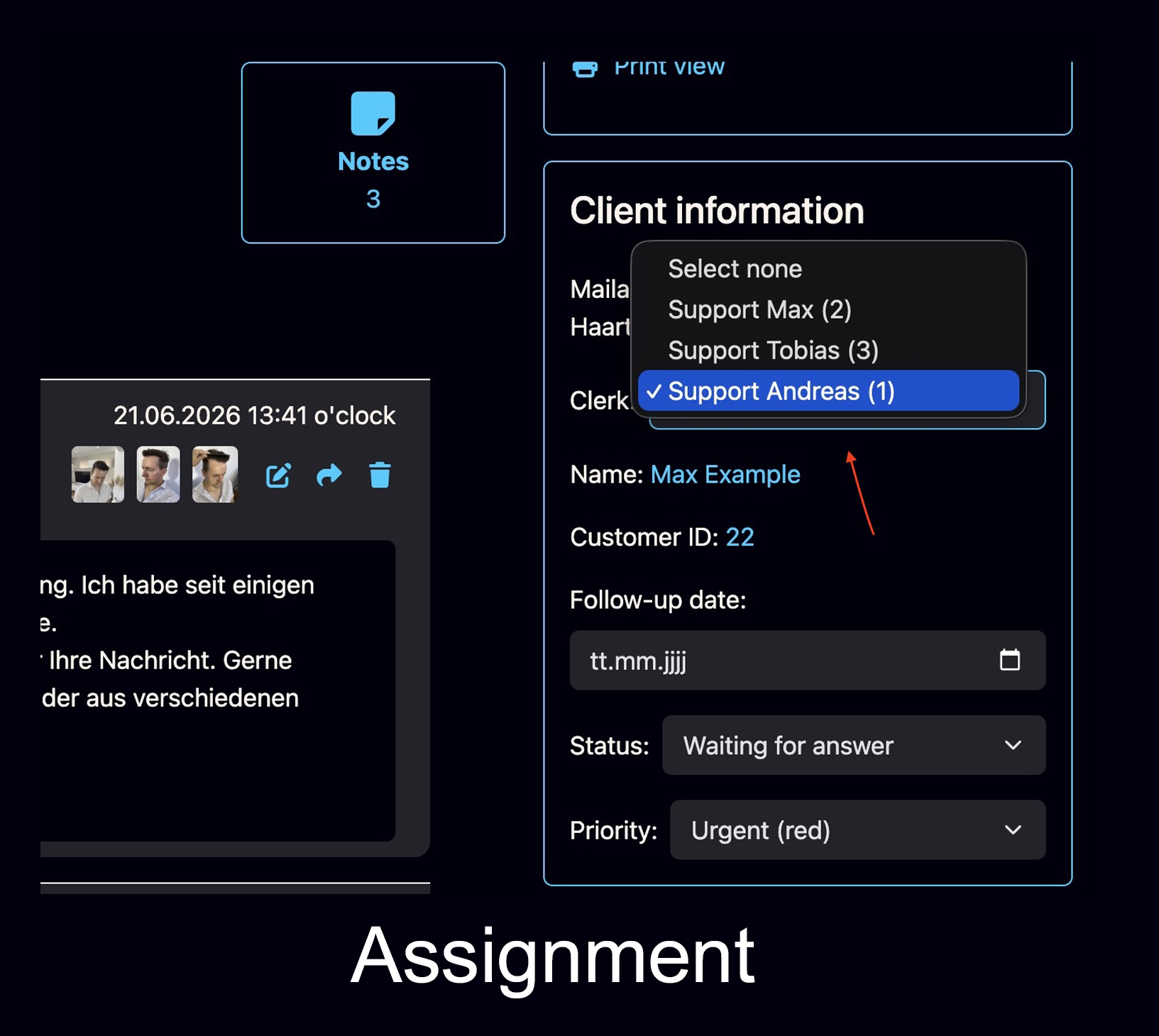
Employee assignment
Assign tickets or clients to team members so responsibility is visible and cases do not remain ownerless.
Assignment feature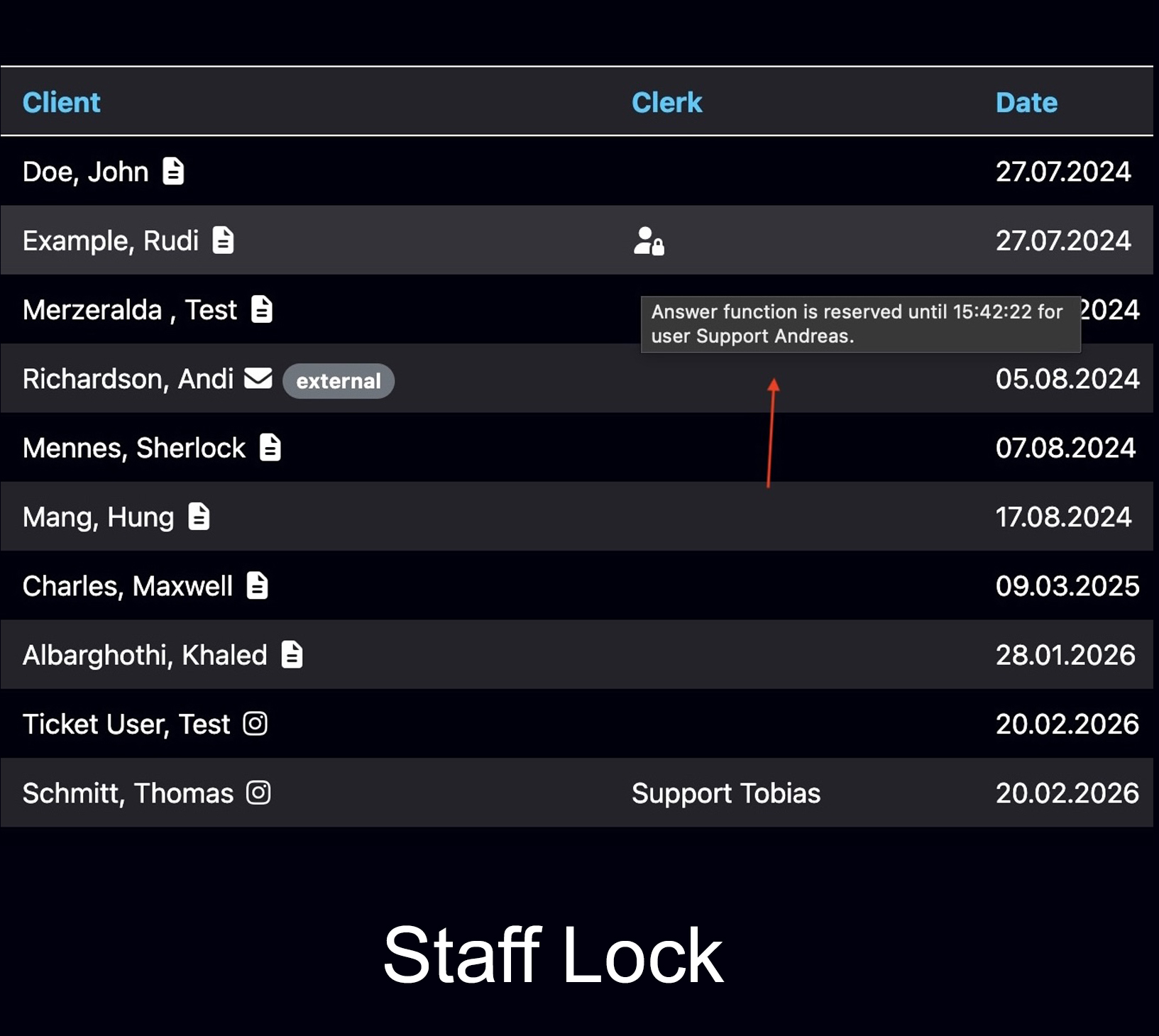
Staff working visibility
Bodo can show when someone is already working inside a ticket, helping teams avoid duplicate answers and parallel work.
Staff visibility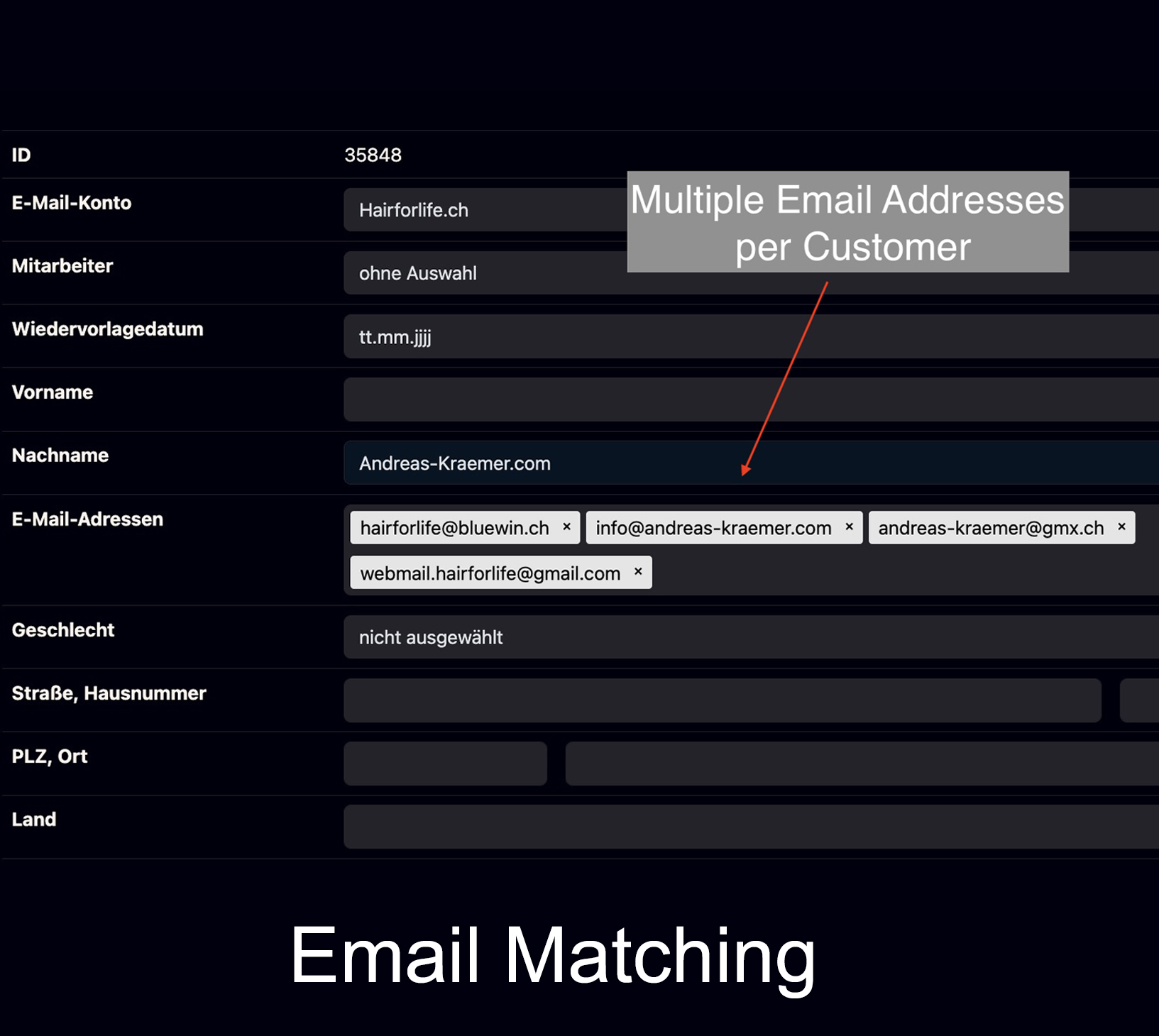
Multiple email addresses per customer
If clients use more than one email address, Bodo can keep the relationship connected to the same client history.
Email matching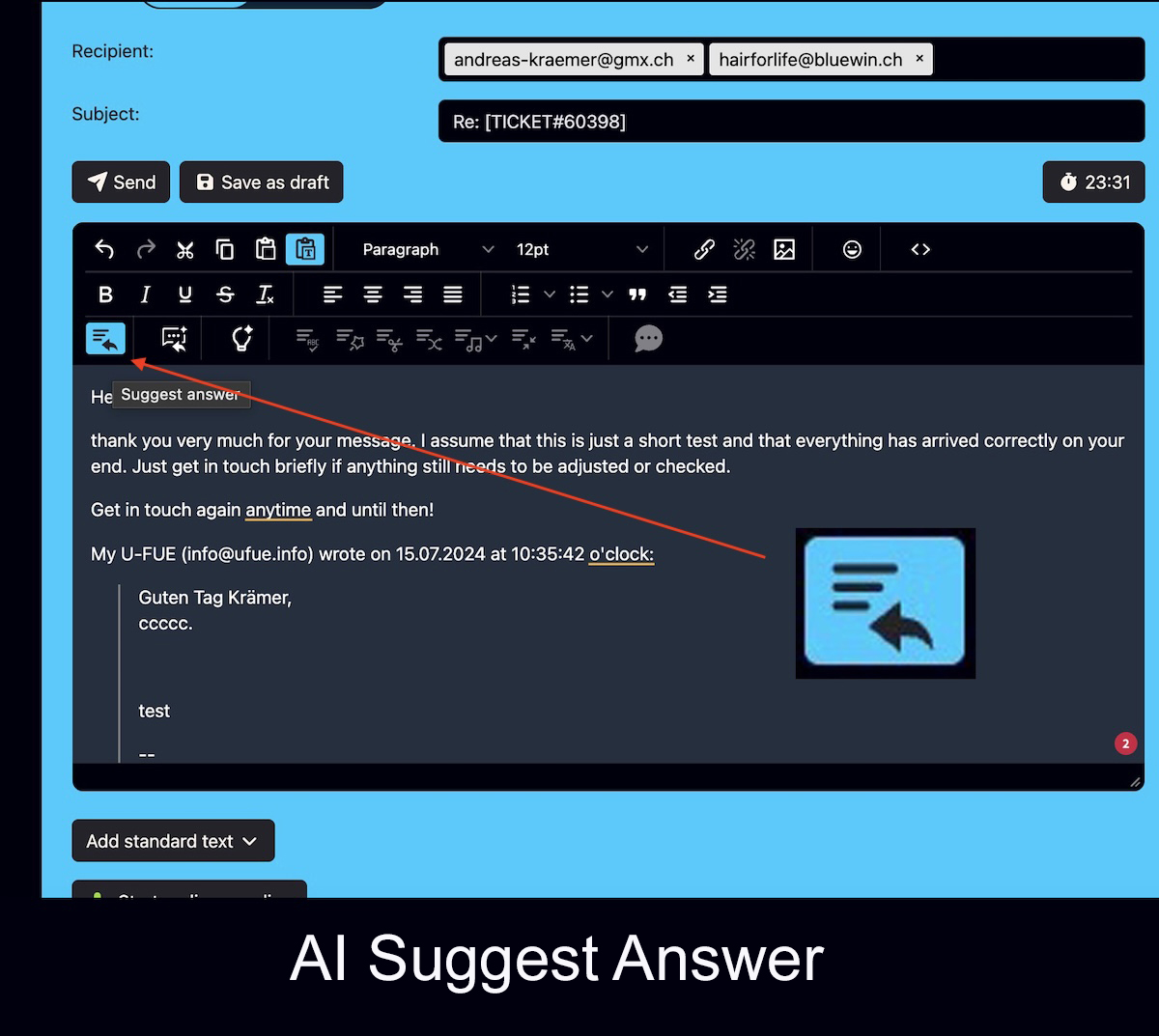
Bodo AI Editor in the ticket context
Reply suggestions from ticket history, rewriting, translation and summaries support the team directly inside the structured client case.
Explore the AI Editor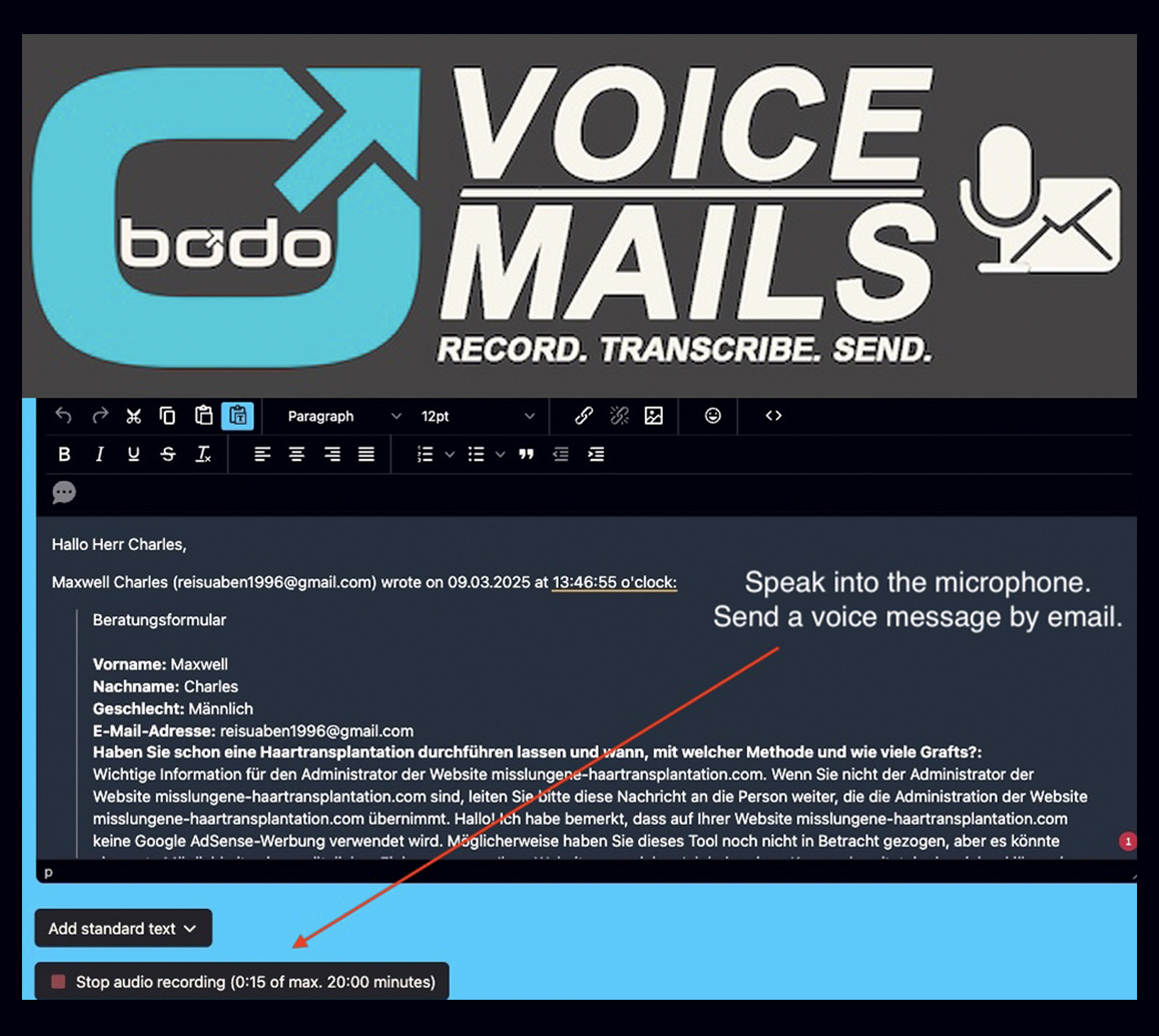
Voice messages by email
Send voice messages by email and keep the transcription inside the ticket history for later reference.
Voice messaging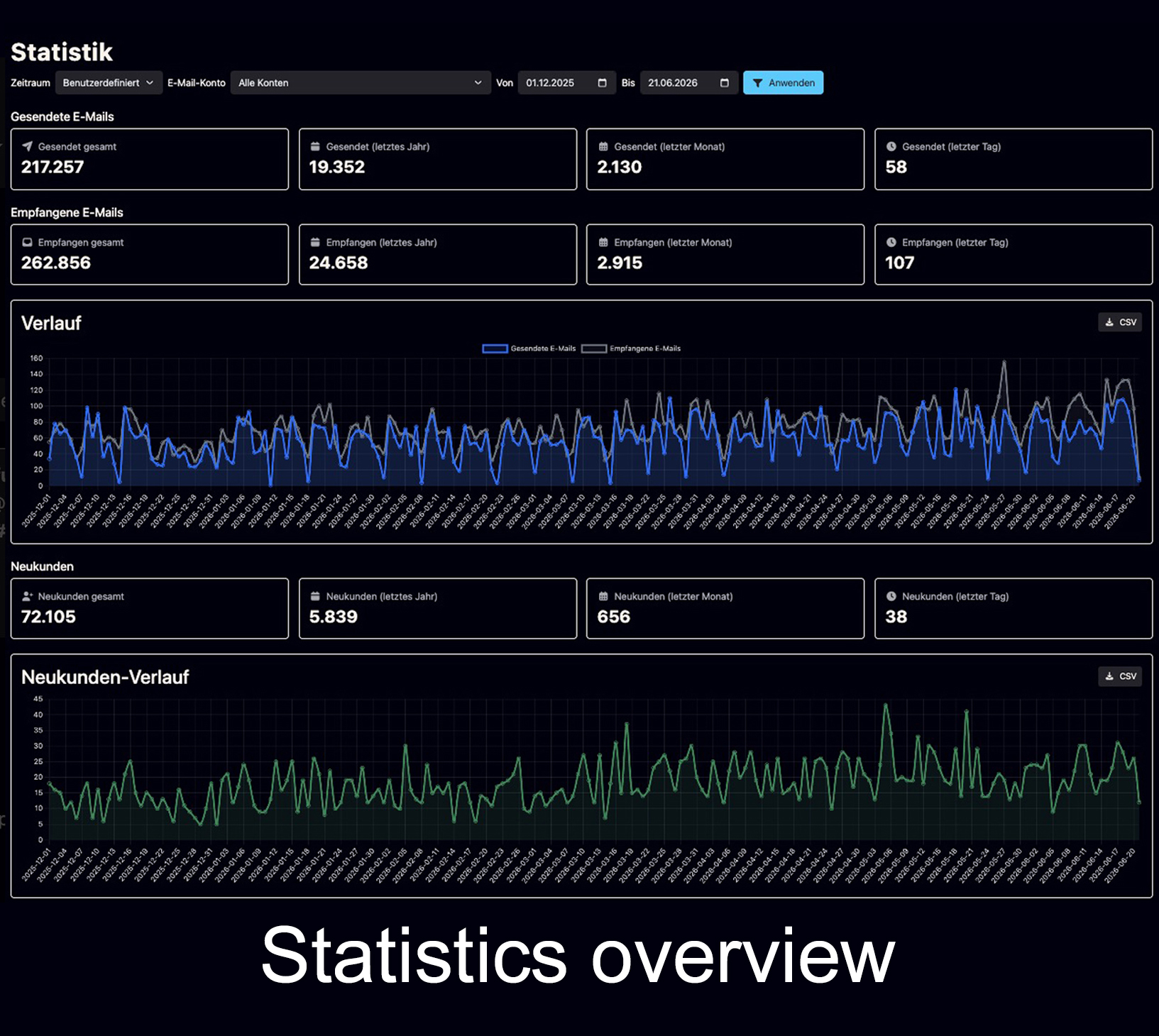
Statistics and newsletter tools
Statistics help you understand the workload. The optional newsletter tool can support communication with existing contacts.
Newsletter toolBodo is not only ticketing, not only CRM and not only AI.
The real value is the connection between structure, history and daily team work. AI can help write. Bodo organizes the client communication around it.
Not only ticketing
Bodo does not only open and close support tickets. It keeps a durable client history for long-term relationships.
Not only CRM
Bodo does not only store client records. It connects real email communication, files, notes and next steps to the case.
Not only AI
AI can help with language, replies and summaries. Bodo provides the infrastructure that keeps context organized.
Not only inbox
Email remains useful, but the client file should not be hidden inside scattered threads, folders or individual mailboxes.
For teams that need more than a mailbox.
Bodo is especially useful when customer communication is sensitive, detailed, image-based, document-heavy, long-term or handled by more than one person.
Hair transplant and cosmetic clinics
Patient photos, documents, consultation details and long-term case history stay connected to the client.
Clinic use case AdvisorsTax advisors, trustees and consultants
Sensitive documents, recurring questions, deadlines and long-term client relationships need traceable communication.
Advisor use case Small teamsAgencies and service providers
When several people answer clients, shared context and visible responsibility prevent duplicated work and forgotten follow-ups.
Small team guideUnderstand email ticketing and customer email management in more depth.
These pages go deeper into email ticketing, email management, shared inbox workflows, CRM comparisons, follow-ups and team collaboration without overloading this central ticketing page with every specialist topic.
Shared Inbox & Customer Inquiries
See how Bodo organizes customer emails, team collaboration and long-term client history beyond a simple shared mailbox.
Explore Email Management BasicsEmail Ticketing System
Understand what email ticketing is and when a business needs it.
Read guide ComparisonCRM vs. Ticketing
See how CRM, helpdesk, shared inbox and email ticketing differ.
Read guide Inbox problemInbox vs. Client File
Why normal inboxes often fail as long-term client records.
Read guide Platform riskMessenger Risks
Why client data should not depend only on WhatsApp, Instagram or platform access.
Read guide Follow-upsLost Follow-Ups
Why follow-ups disappear and how structured workflows keep them visible.
Read guide Team workflowSmall Team Communication
How small teams can organize client communication without losing context.
Read guideThe channel may be flexible. The client file should remain structured.
Clients may contact a business through email, forms, social channels or messenger platforms. But the actual client history should not depend on scattered conversations.
Why Bodo?
A central overview of why structured communication matters for professional client work.
Open overview ChannelsChat is not a client file
Why messenger and social channels can be entry points, but should not become the only client record.
Read article HistoryClient returns after years
Why complete history matters when a client comes back and expects you to remember the case.
Read articleQuestions about Bodo email ticketing.
A quick overview for companies comparing Bodo with normal inboxes, shared mailboxes, CRM systems and AI-only tools.
What is email ticketing with Bodo?
Email ticketing with Bodo means that customer emails are not handled as isolated messages in a normal inbox. They become part of a structured client ticket with history, files, notes, follow-ups, responsibilities and AI-supported replies.
What is the difference between email ticketing and email management?
Email ticketing describes the structured handling of customer emails as tickets or connected client cases. Email management is the broader view of customer inquiries, shared inbox workflows, team collaboration, history, ownership and follow-ups. Learn more about Email Management with Bodo.
Is Bodo a CRM or an email ticketing system?
Bodo combines email ticketing with CRM-style client history. It is built for long-term client communication where emails, files, notes, follow-ups and team responsibilities need to remain connected over time.
How is Bodo different from a shared inbox or shared mailbox?
A shared inbox or shared mailbox can make collaborative email handling easier. Bodo goes further by connecting communication history, files, internal notes, follow-ups and team ownership to the complete client case. See the full comparison on the Email Management page.
Can Bodo help small teams?
Yes. Bodo is especially useful when small teams need shared context without losing clarity. Employee assignment, multi-user access, staff working visibility, internal notes and follow-ups help teams avoid duplicated work and forgotten cases.
Does Bodo include AI?
Yes. The Bodo AI Editor can prepare reply suggestions from the ticket history and help improve, rewrite, shorten, translate and summarize text. AI Chat, ticket-status summaries and the use of files and images as context can also support the workflow. Explore the Bodo AI Editor.
Does Bodo replace WhatsApp, Instagram or other messengers?
Bodo does not have to replace every entry channel. Messengers and social platforms can remain first contact channels, but the client file should be kept in a structured system owned by the business.
What happens when a client returns after years?
With Bodo, the previous communication, files, images, notes and follow-ups can remain connected to the client ticket. This helps the team understand the case without forcing the client to repeat the whole history.
One client. One ticket. One complete history.
Bodo helps teams move from scattered email communication to a structured client workflow with emails, files, notes, follow-ups, responsibilities and AI-supported replies in one place.