
Keep your team aligned inside Bodo
Bodo is not only an email ticketing system. It also gives teams a structured way to work together: with individual staff access, visible responsibility, ticket assignment, working visibility, priorities and follow-up dates.
This helps service teams avoid duplicate replies, unclear ownership and forgotten customer cases — especially when several people work in the same client communication workflow.
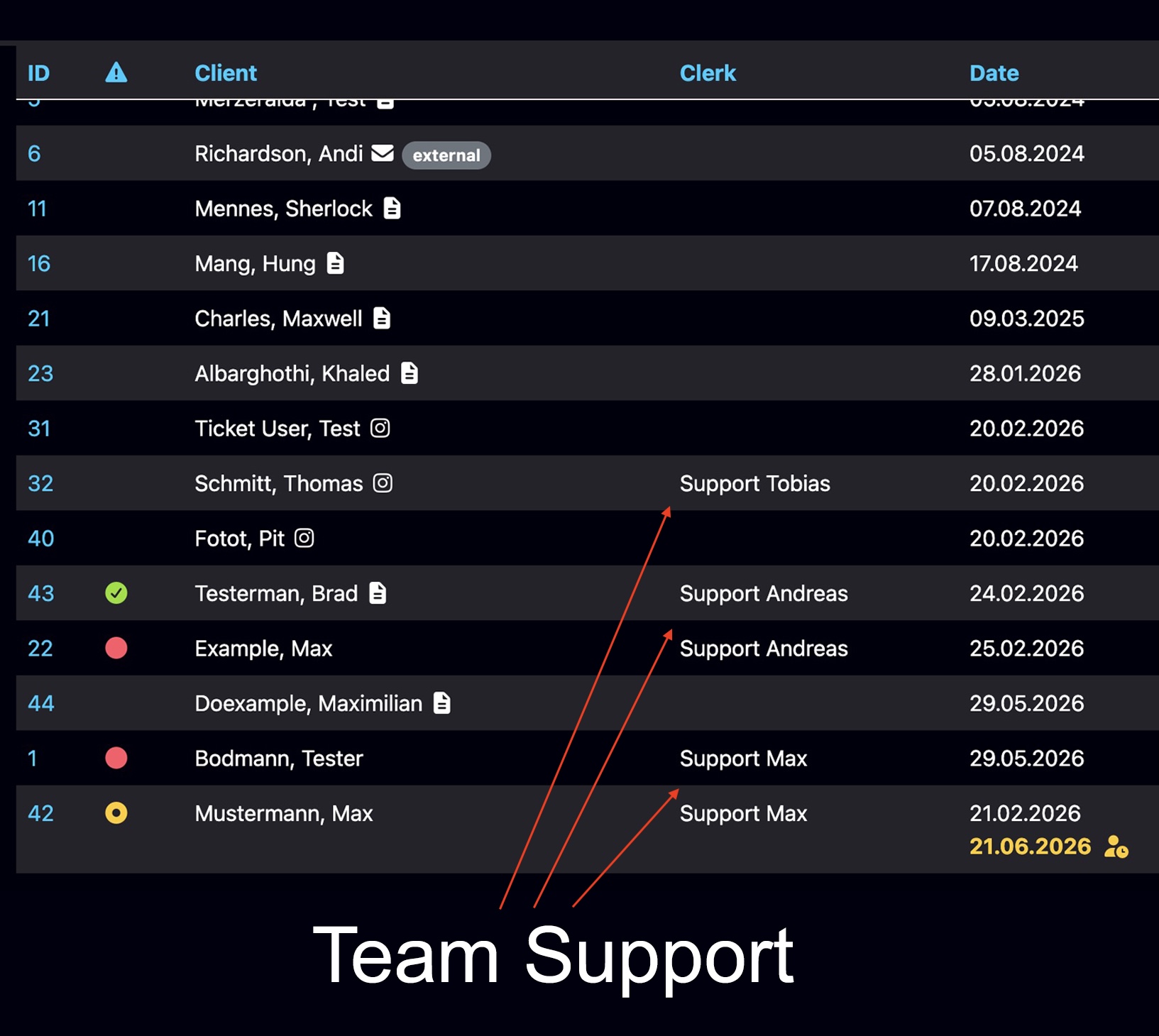
Shared inboxes create confusion. Bodo creates responsibility.
When customer communication grows, a normal inbox quickly becomes unclear. Who is responsible? Who is already working on the case? Which customer is urgent? Which lead needs a follow-up? Bodo helps teams answer these questions directly inside the workflow.
No unclear ownership
Tickets and customers can be assigned to the right team member, so responsibility stays visible.
No duplicate replies
Bodo shows when another staff member is already working on a ticket, reducing internal overlap.
No forgotten next steps
Priorities and follow-up dates help teams focus on the right customer at the right time.
Team Workflow Features in Bodo
These functions help teams organize daily customer communication more clearly, especially when several staff members work inside the same support or consultation process.
Individual access for every team member
Multiple staff members can work inside Bodo with individual access, visible responsibilities and structured ticket handling. This makes Bodo suitable for teams that need more control than a shared inbox can provide.
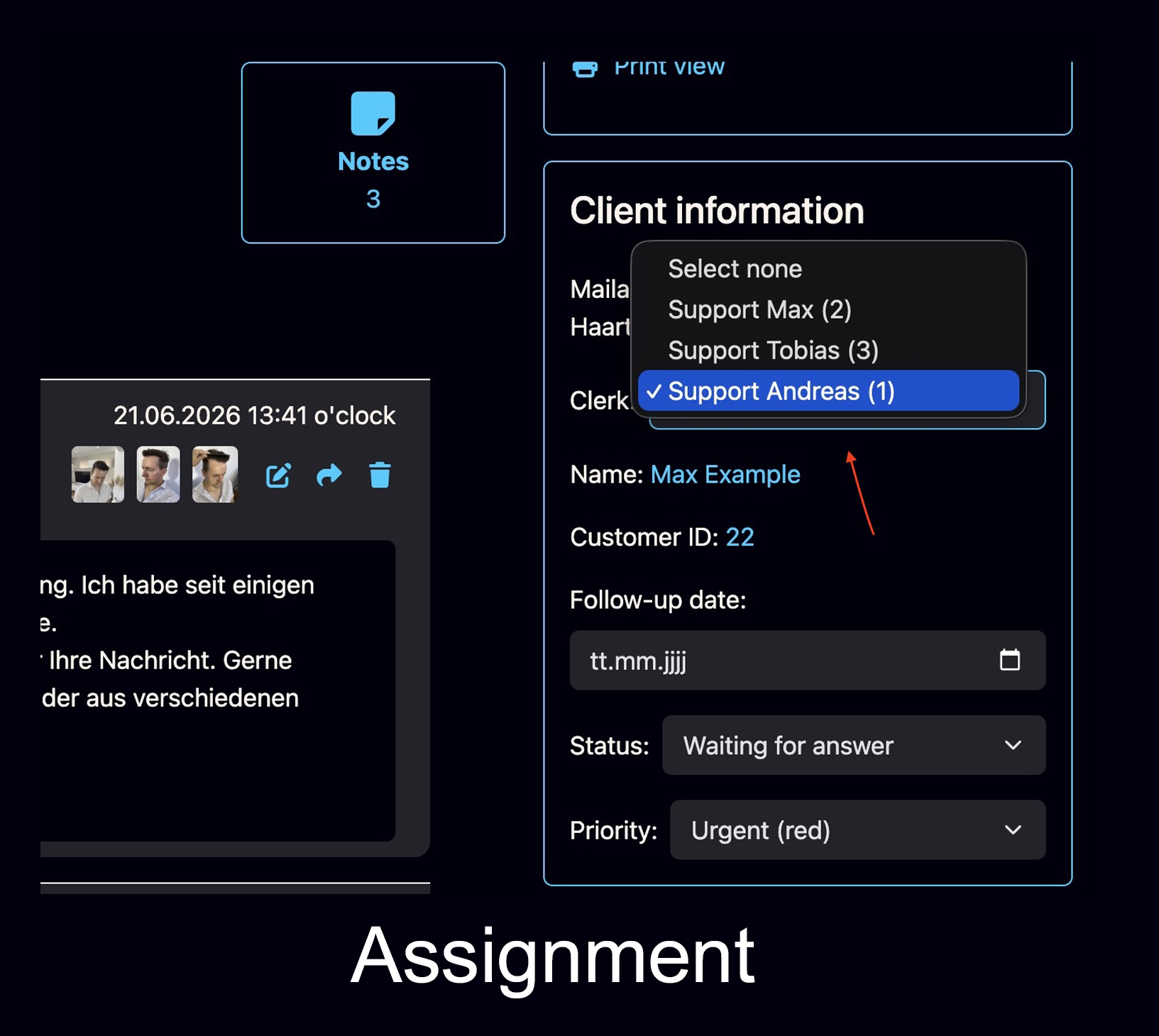
Assign customers and tickets to the right person
A customer or ticket can be assigned to the responsible staff member. This keeps ownership clear, reduces internal confusion and helps teams understand who should take the next step.
- Assign cases to employees
- Keep responsibility visible
- Reduce duplicate internal work
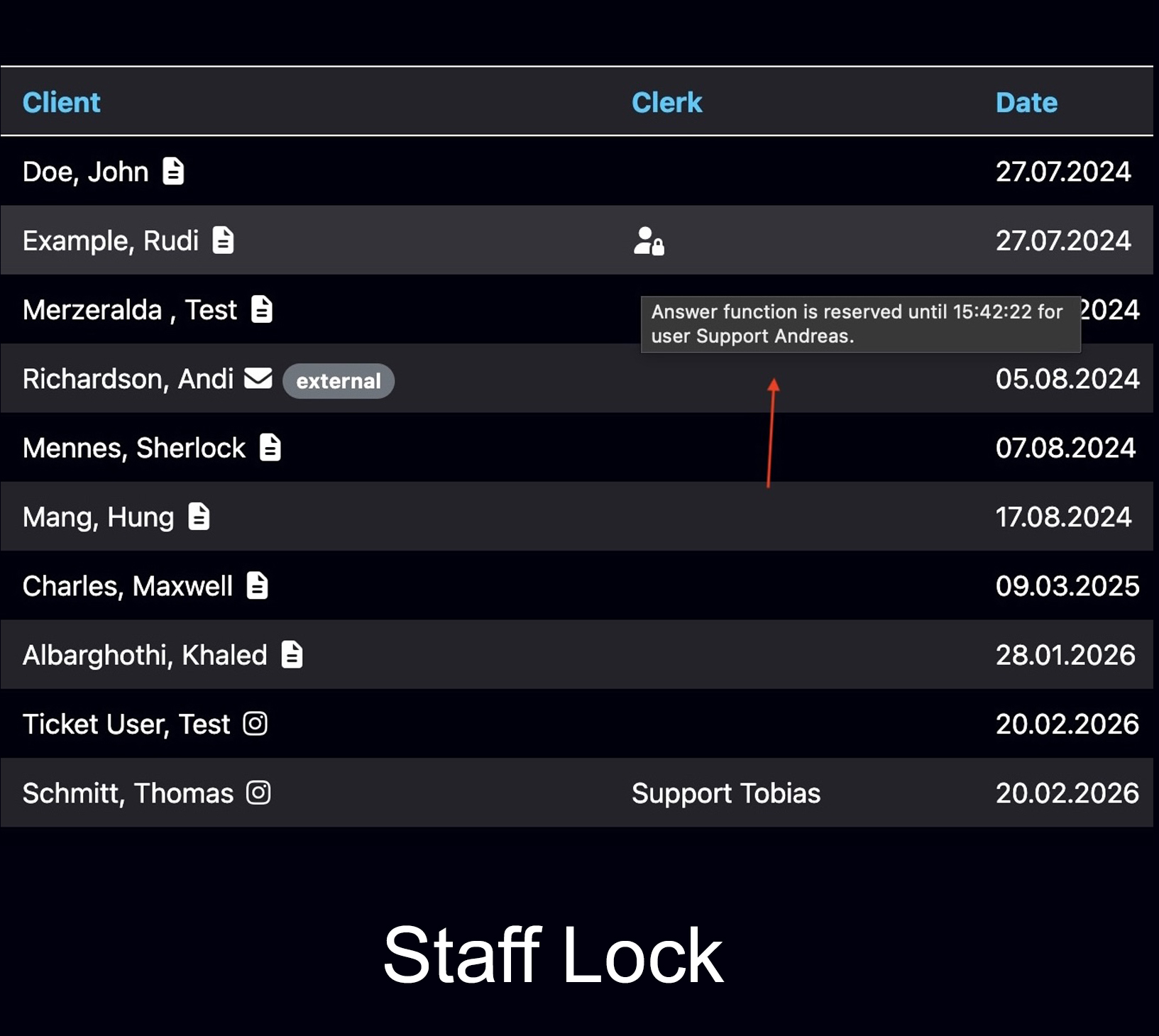
See when someone is already working on a ticket
Bodo shows when a ticket is currently reserved by another staff member, so your team does not answer the same customer twice or overwrite each other’s work.
- Avoid duplicate responses
- Clear internal responsibility
- Better teamwork in shared inboxes
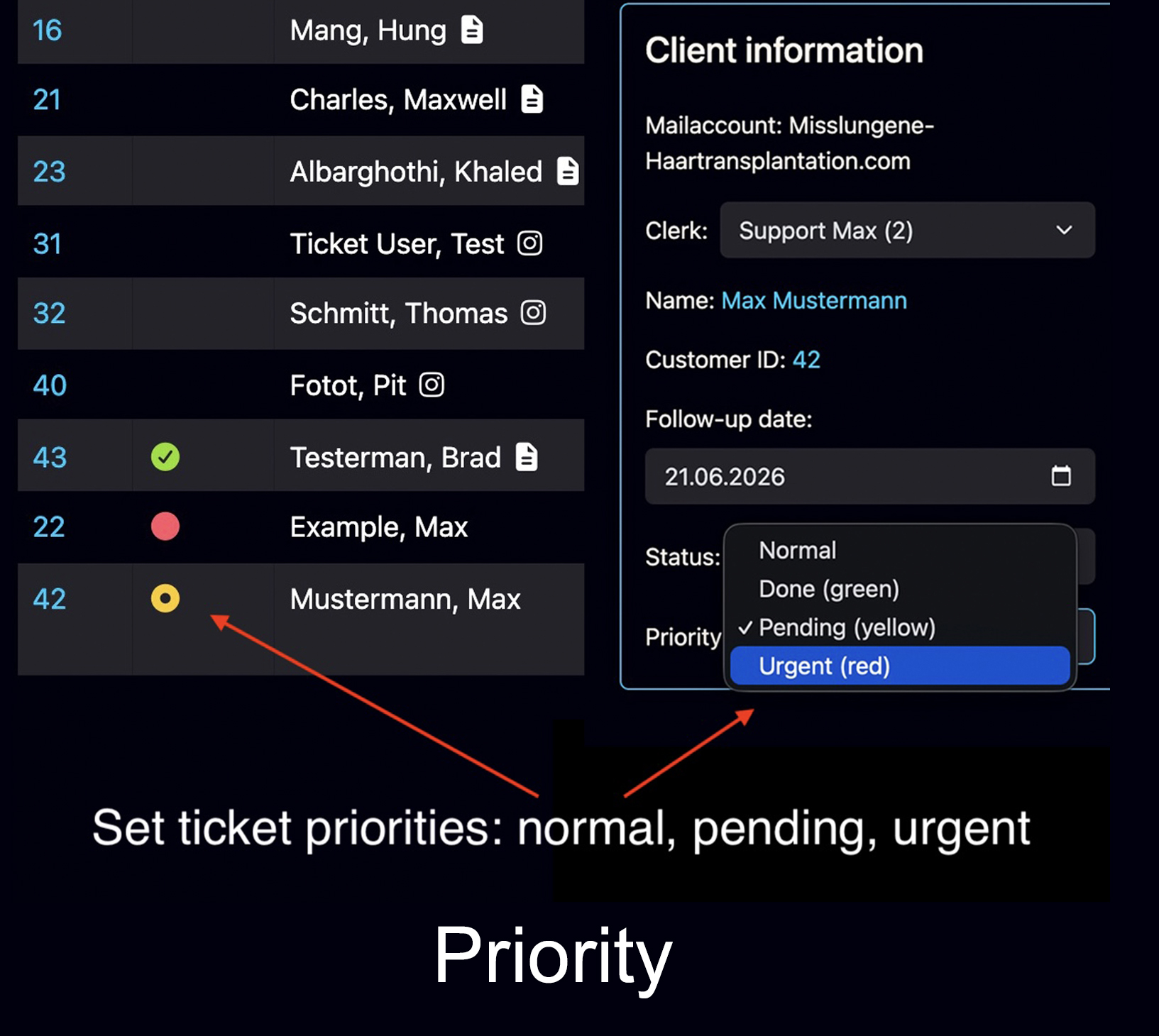
Make urgent cases visible immediately
Every ticket can receive a priority that is visible in the ticket list. This helps teams sort daily work better and focus on urgent customer cases first.
- Urgent cases visible immediately
- Better daily sorting
- Clearer support workflow
Bring important cases back at the right time
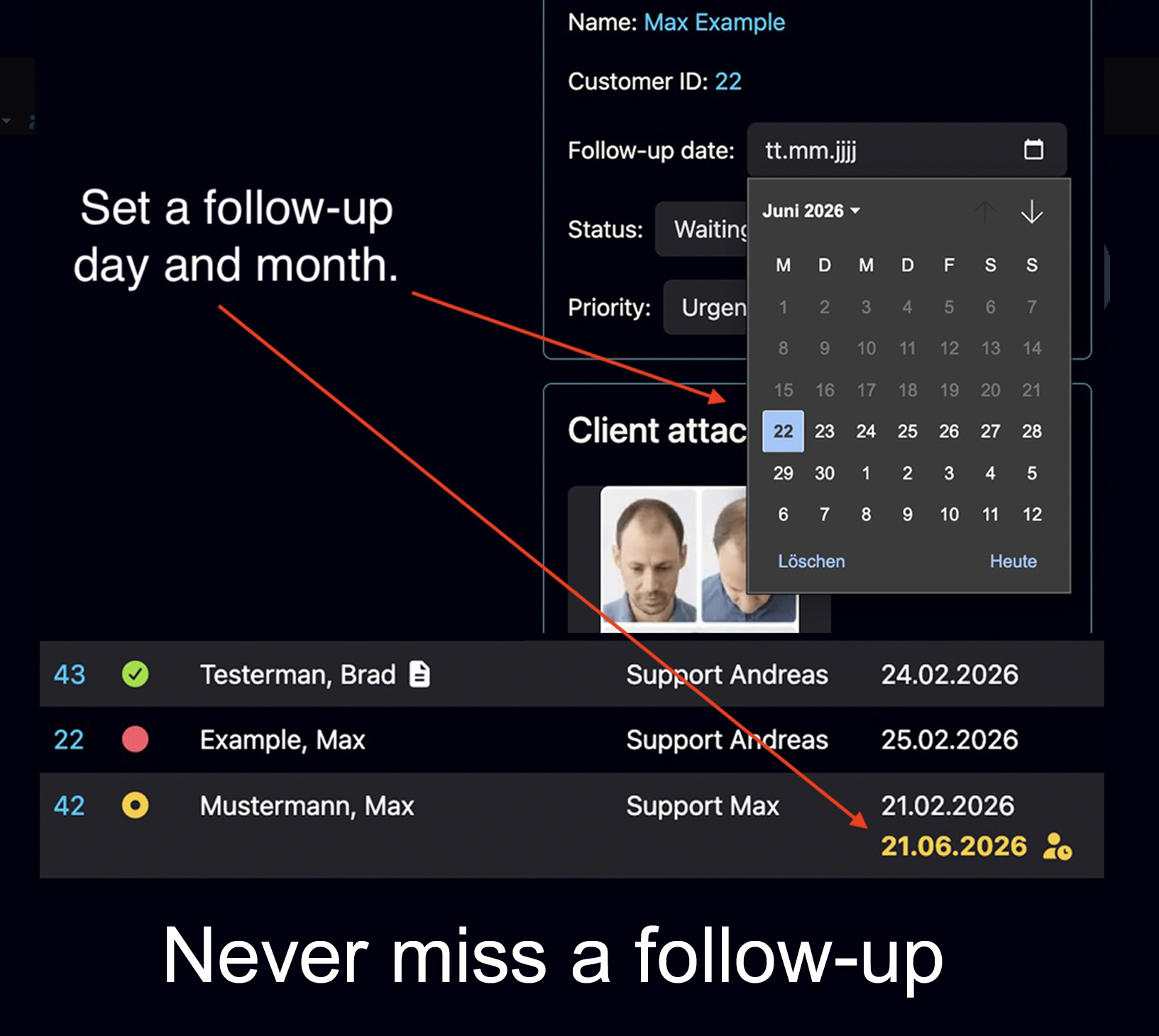
Set a follow-up day and month. On that date, the ticket becomes visible again as an open task. This is especially useful for leads, consultations, pending answers and cases that need recontact.
- No forgotten leads
- Better timing for recontact
- Clear next-step visibility
How the team workflow fits together
The real value is not one single feature. The value is that access, responsibility, visibility, priorities and follow-ups work together inside one customer history.
Staff access
Each team member works with individual access instead of one unclear shared login.
Assignment
Customers or tickets can be assigned so everyone sees who is responsible.
Working visibility
The team can see when someone is already working on a ticket.
Priority control
Urgent tickets can be marked and handled before less important cases.
Follow-up timing
Important cases return automatically as open tasks on the selected date.
Useful for teams that need structure
Bodo is especially helpful when customer communication is too important to stay scattered across inboxes, chats, notes and individual employee memory.
Clinics and medical service teams
Keep patient or client communication structured, assign responsibility and make follow-ups visible.
Consultants and advisors
Manage long customer histories, internal notes, priorities and recontact dates in one workflow.
Support and sales teams
Avoid duplicate answers, unclear ownership and missed opportunities in daily customer handling.
See how team workflow works in Bodo
The best way to understand the team features is to test the workflow in practice: assignment, working visibility, priorities, follow-up dates and customer history inside one system.