
Clinical Follow-Up Automation: Ensuring Continuity in Specialized Care
Follow-up communication becomes unreliable when the next action is separated from the patient history. The practical goal is not to automate medical judgment. It is to keep timing, responsibility, communication and documentation connected.
This guide explains how specialized clinics can combine internal follow-up dates, automatic reminder emails, to-dos, team visibility, files and human-reviewed AI assistance within a structured, human-controlled communication workflow.
Continuity requires more than sending another email
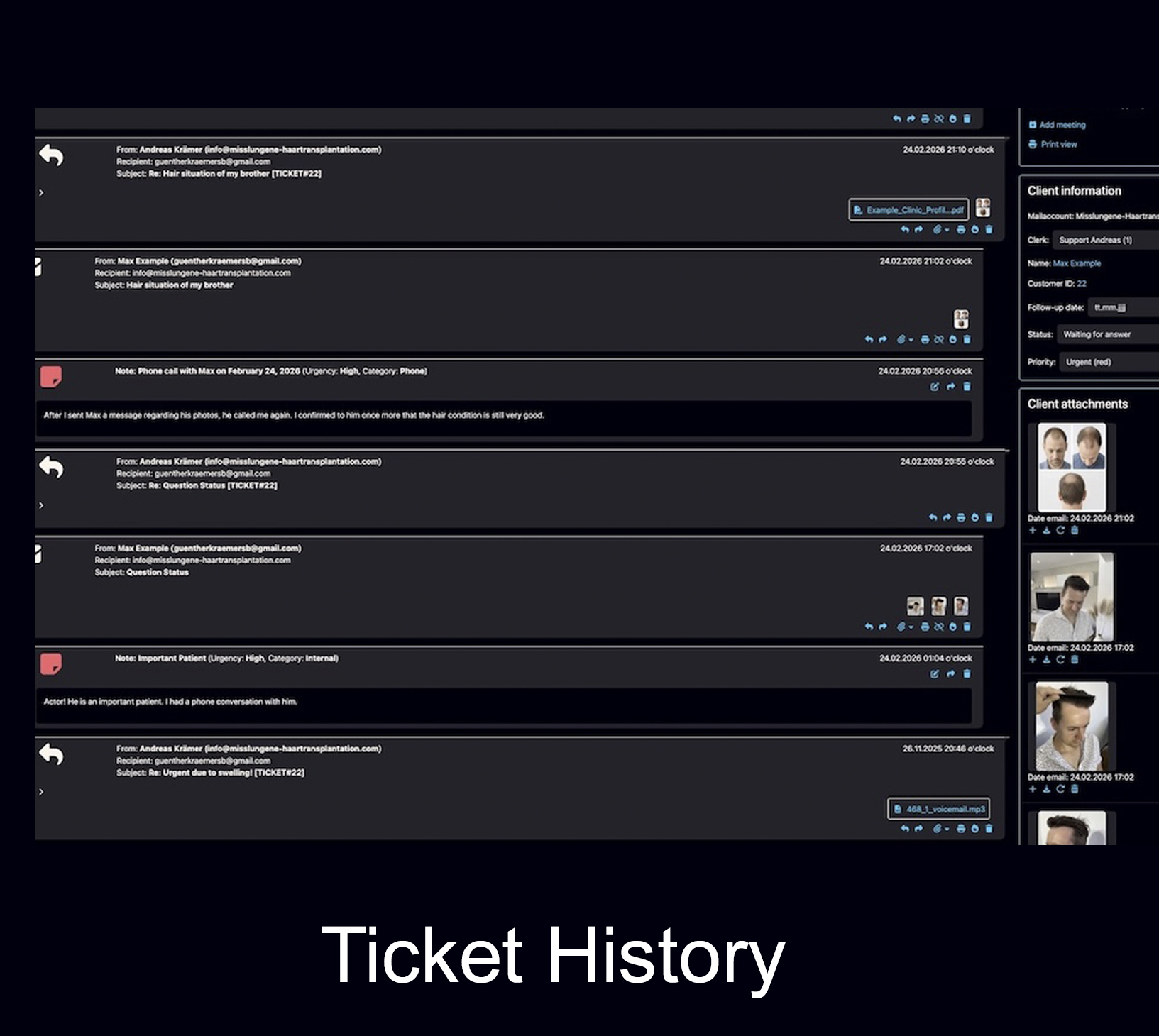
A follow-up is not merely a message. It includes the reason for contacting the patient again, the correct timing, the responsible person, the previous conversation, relevant files and a clear next step. When any of these elements is stored elsewhere, the team must reconstruct the case before it can act.
Reliable continuity depends on a clear division of responsibility. A communication platform can support structured organization and keep planned actions visible, but clinical decisions and patient-safety escalation must remain with appropriately qualified staff.What clinical follow-up automation actually means
In a specialized clinic, the useful meaning of clinical follow-up automation is the structured organization of planned communication and internal work. A system can remind staff that a ticket needs attention, keep an unanswered inquiry visible, store a task, or help prepare a reply. It cannot decide whether a wound is healing normally, whether medication should be changed or whether a patient needs urgent assessment. The safest model is therefore human-controlled automation: the system handles visibility and repetitive administrative steps, while qualified people review the context and make the clinical decision. A practical overview of automation and AI in patient follow-up is available in this article on AI for Better Patient Follow-Up, but every clinic still needs its own medically approved processes.Three layers of a reliable follow-up workflow
First, the team needs a complete communication history. Second, the next action must have a date or task. Third, a responsible person must be able to see and process it. Automation only adds value when these three layers remain connected. This also explains why an ordinary mailbox is often insufficient. A flag in one employee’s inbox may show that something is pending, but it rarely provides the entire team with the same history, documents, notes and responsibility. The related guide Why an Email Inbox Is Not a Client File examines that structural problem in more detail.Why follow-ups get lost in specialized care
Follow-ups usually disappear for ordinary operational reasons: the reminder is personal rather than shared, the patient writes from another email address, the relevant image is stored in a separate folder, the staff member responsible is absent, or the next step was discussed but never converted into a visible task. The problem is rarely the lack of effort. It is the separation of context from action. A calendar entry may contain the date but not the complete history. A spreadsheet may contain the status but not the email exchange. A forwarded message may contain the latest question but not the internal notes. The result is repeated searching, duplicated replies and avoidable uncertainty.The handover problem
Specialized care often involves several roles: front desk, patient coordinator, physician, surgical team and management. A handover becomes fragile when each role works from a different information source. A structured ticket reduces that friction because the next person can see what was already discussed, which files exist and what remains open. The Bodo guide Why Follow-Ups Get Lost in Client Communication explains the broader business problem. In a clinic, the same logic applies, but the workflow must additionally respect medical responsibility, privacy and escalation rules.Why “one patient, one ticket” matters
Bodo’s “One Client, One Ticket” principle can be applied to patient communication: multiple messages, notes, images and files remain associated with the same long-term history. This does not turn the ticket into a formal electronic health record. It simply prevents the communication layer from fragmenting into unrelated threads.How Bodo’s follow-up tools work together
Three functions need to be clearly separated: Follow-Up Dates, Automatic Reminder Emails and To-Dos. Each serves a different purpose. Used together, they create a clearer workflow; used without clear rules, they can still produce confusion.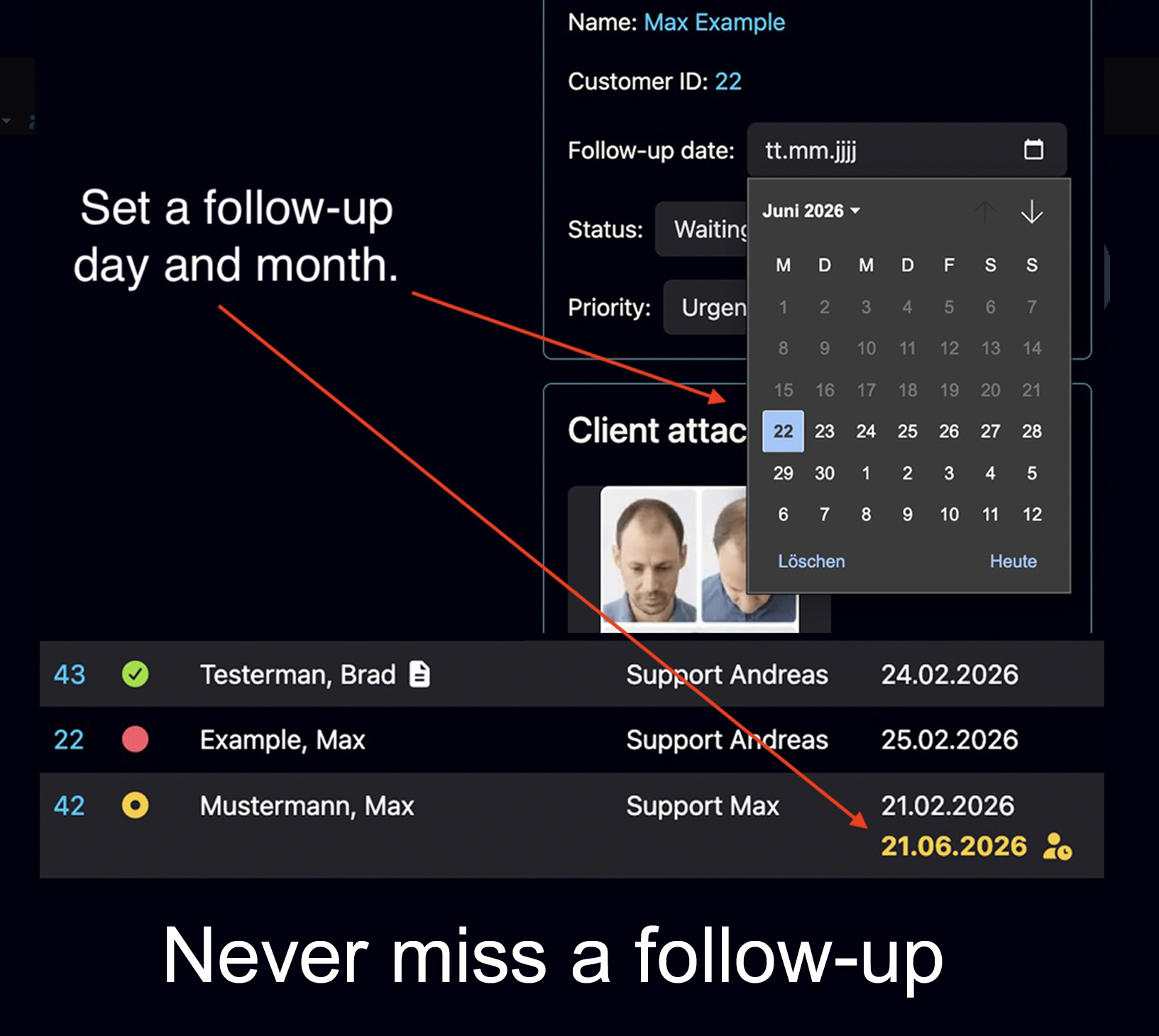
Follow-Up Dates
Set a day and month for the next internal review. On that date, the ticket becomes visible again as an open task.- Useful for planned callbacks or reviews
- The reminder remains connected to the history
- A staff member still decides what action is appropriate
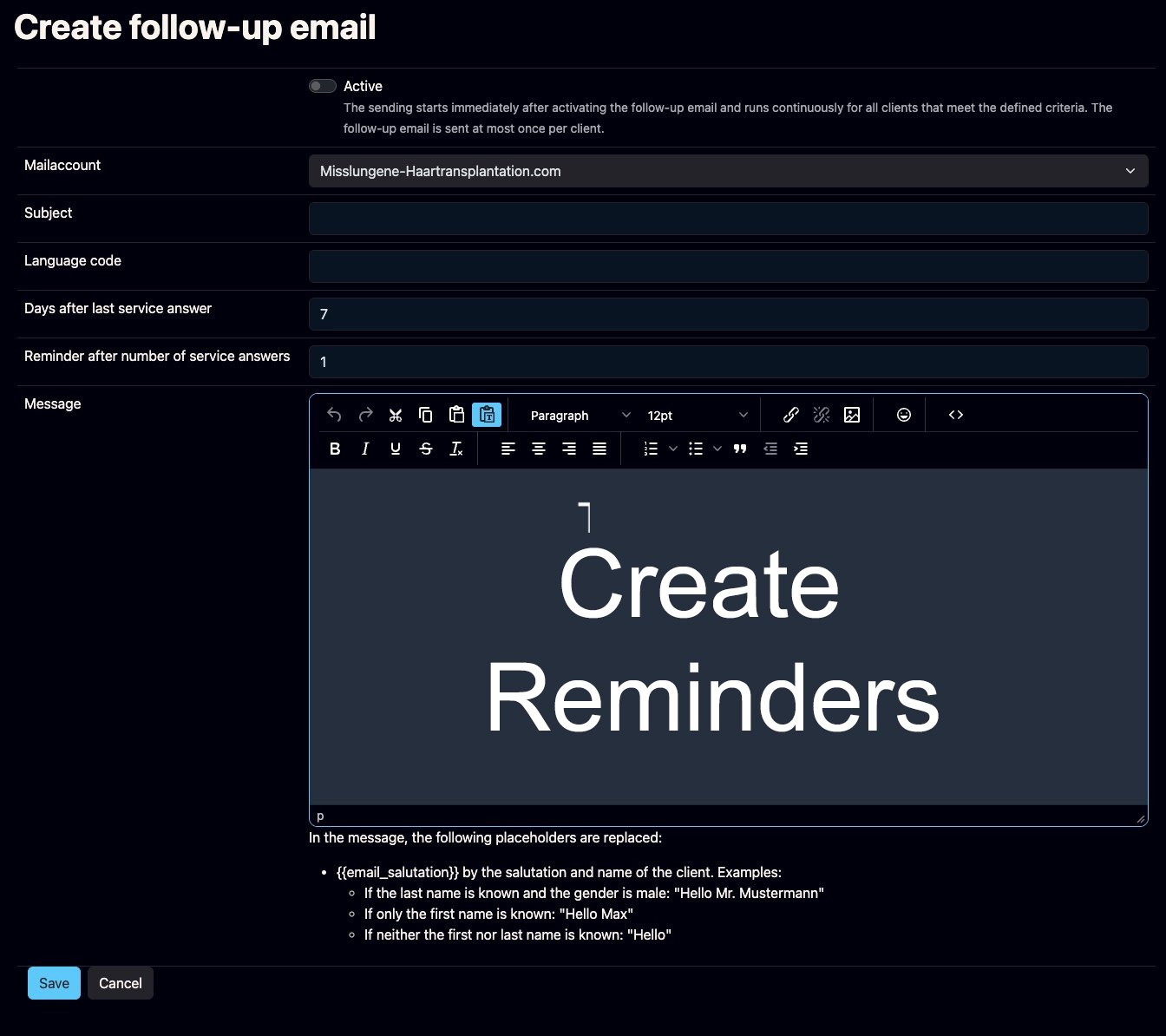
Automatic Reminder Emails
Bodo can automatically remind a person who inquired but did not respond after the last service reply.- Configurable timing
- Your own approved reminder wording
- Designed to reactivate silent inquiries
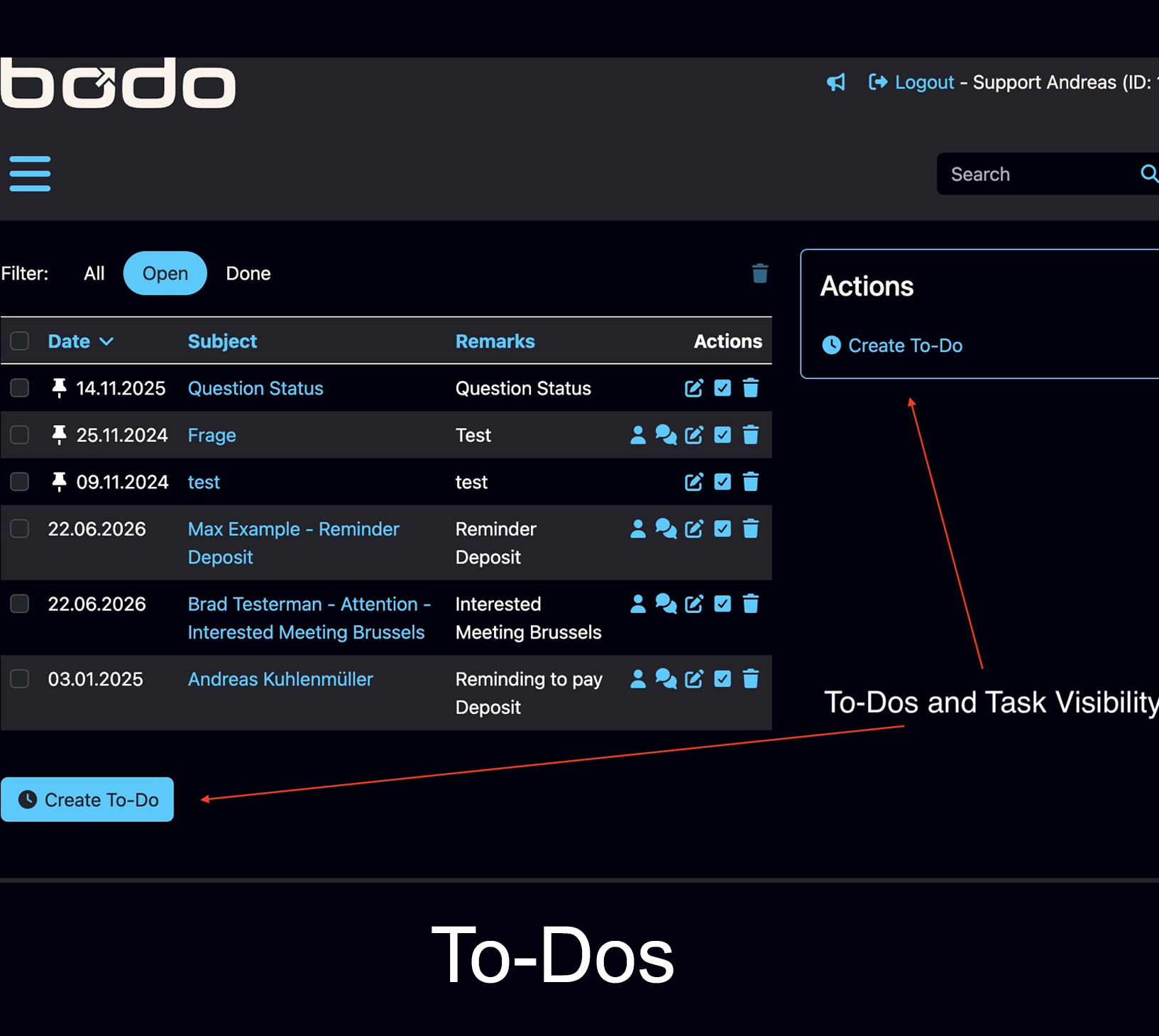
To-Dos and Task Visibility
Create a practical task when a specific internal action must be completed rather than merely revisiting the ticket.- Useful for callbacks, document checks and handovers
- Clarifies the concrete next step
- Supports internal accountability
Do not use one tool for every situation
A Follow-Up Date is appropriate when the team must reopen and review a case later. A To-Do is better when a concrete internal action is already known. An Automatic Reminder Email is appropriate when the aim is to recontact someone who has not replied. It should not be described as an autonomous post-operative monitoring sequence. Priorities, employee assignment and team working visibility add the responsibility layer. They help staff see which cases are urgent, who is handling a ticket and whether another team member is already working on it.AI, voice messages and human review
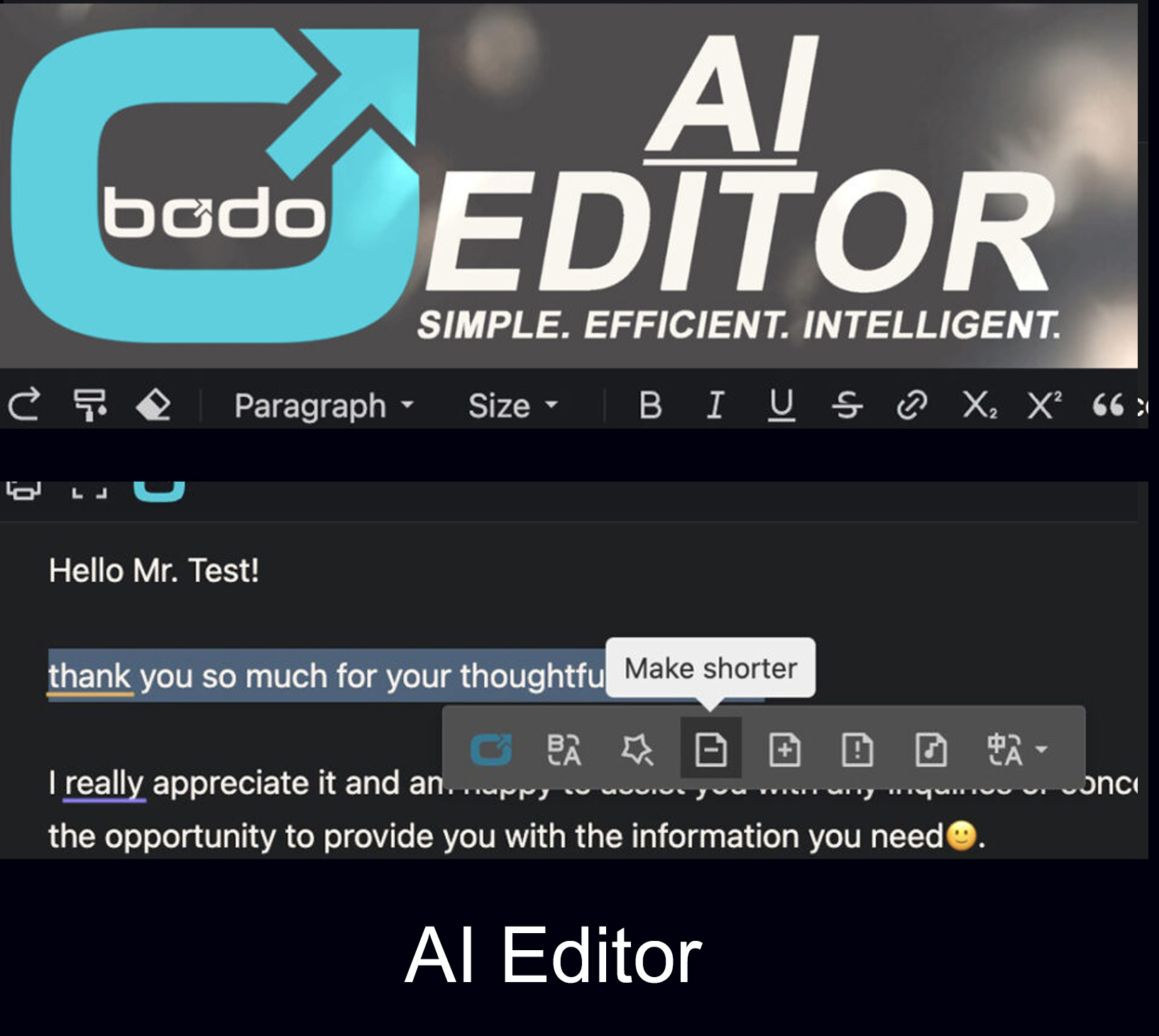
AI can reduce drafting time, but it should not be positioned as a clinical decision-maker. The Bodo AI Editor can help write, improve, translate and summarize text directly inside the ticket. This is useful when staff need a clearer reply or a quick overview of a long communication history. However, AI-generated medical wording can be incomplete, ambiguous or wrong. Any message containing clinical instructions, risk assessment or treatment advice must be reviewed by a suitably qualified person before sending. The system can accelerate communication; it cannot take responsibility for its medical content.- Use approved templates for recurring administrative messages.
- Let AI improve clarity and language, not determine treatment.
- Review names, dates, dosages, restrictions and escalation wording manually.
- Keep the final reply inside the same ticket history.
Personal communication can remain traceable
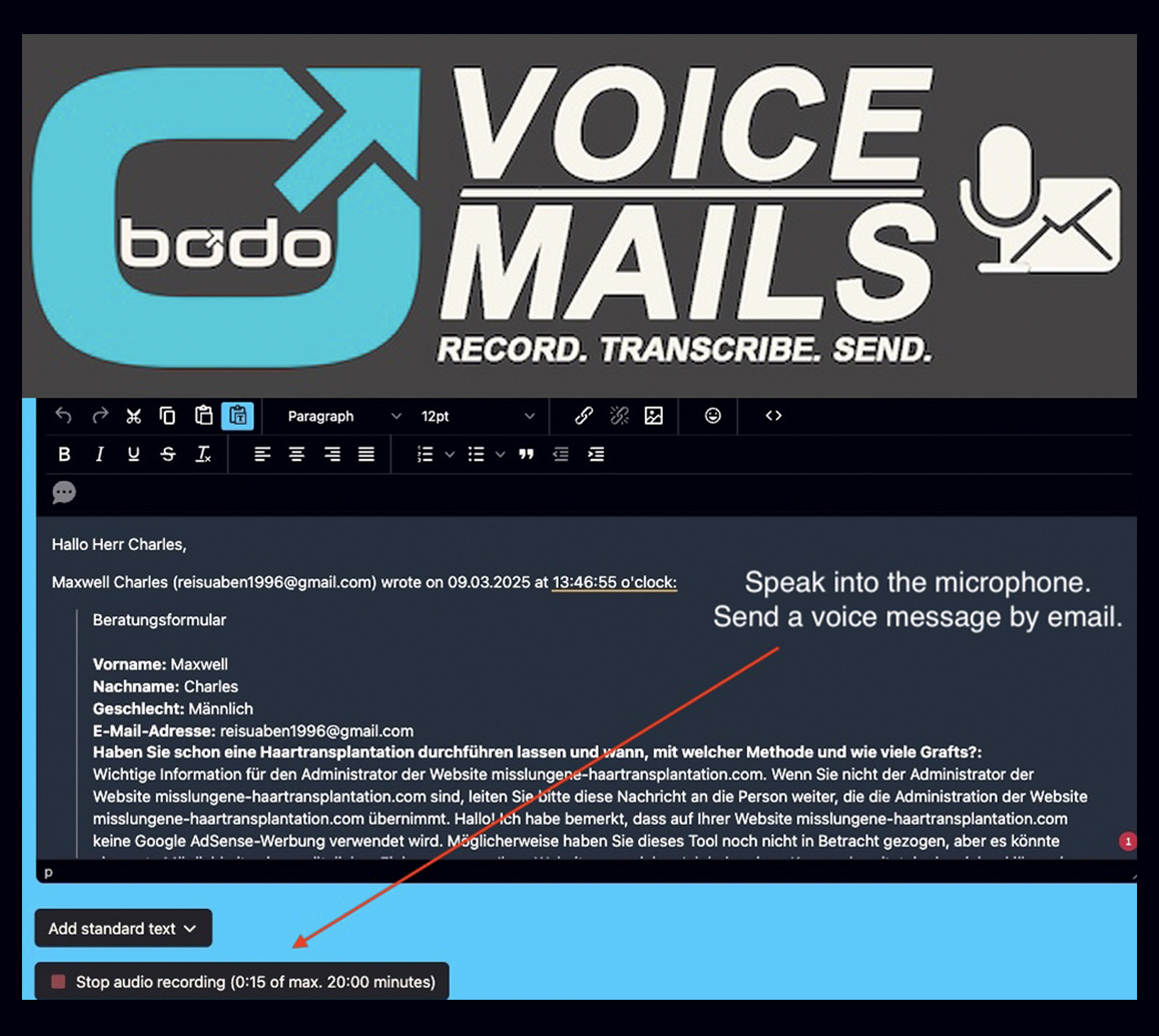
A phone call can be personal, but its content is difficult for the rest of the team to reconstruct. Bodo’s voice-message function offers another option: a spoken message can be sent by email and accompanied by speech-to-text transcription. This can be useful for general explanations or personal reassurance, provided the clinic has defined when voice communication is appropriate. The transcript should still be checked, especially when names, medical terminology or numbers are involved.Documents, images and long-term history
Follow-up communication is only useful when staff can see the relevant context. Bodo can display images, PDFs and other files inside the ticket, while internal notes and documentation add information that should not be sent to the patient. This is especially relevant in image-based consultation, hair restoration and cosmetic surgery, where photographs may arrive before treatment and again during long-term follow-up. The page on surgical documentation and image management shows how Bodo connects visual material with the communication history. The previous article, Surgery Document Management System for Clinics: A Guide to Clinical Continuity, explores this document-centered workflow in greater detail.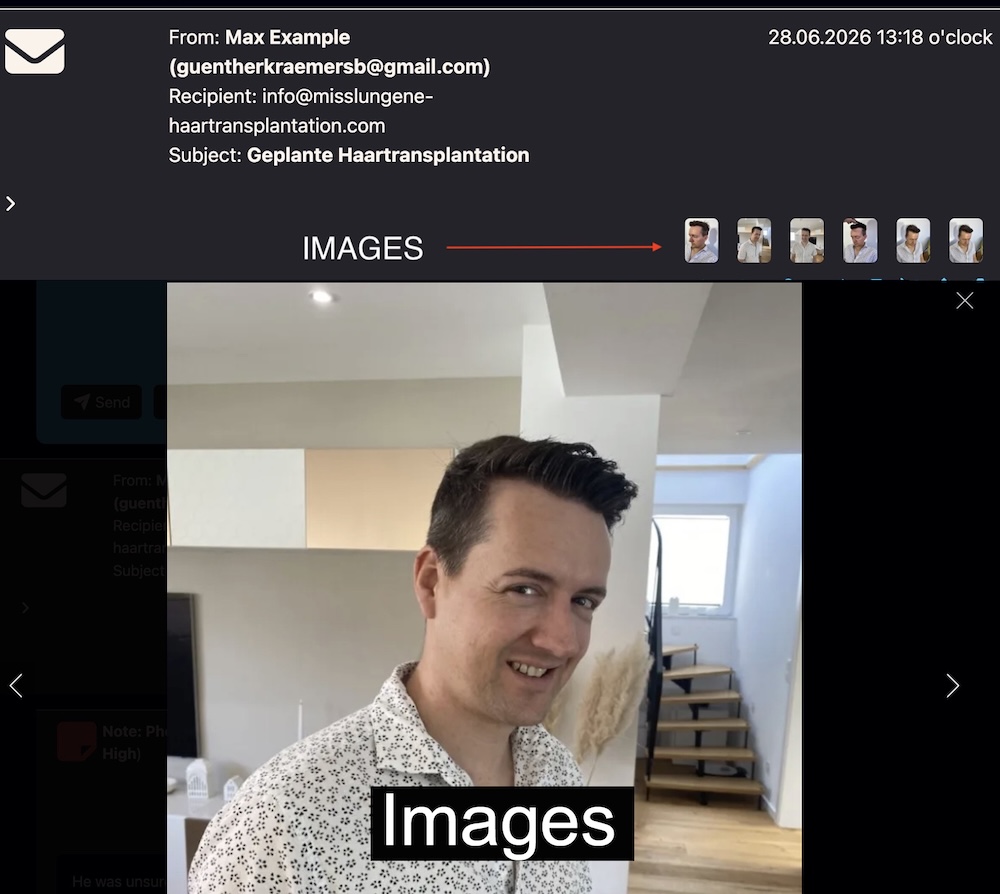
Bodo is not a medical record or a clinical trial system
A Clinical Trial Management System is designed for the operational management of clinical studies. An electronic health record or hospital information system has different medical, regulatory and integration requirements. Bodo should not be presented as any of these systems. Bodo’s role is narrower and clearer: it organizes the email-based relationship, long-term communication history, files, notes and follow-up work. A clinic may use it alongside its medical or practice-management software, but it must decide which information belongs in each system and define appropriate permissions and retention rules.A practical roadmap for specialized clinics
A good workflow should be simple enough that staff actually use it. Starting with dozens of automated rules usually creates more noise rather than more continuity. Begin with the points where follow-ups currently disappear and build from there.What Bodo is — and what it is not
Communication infrastructure and medical software serve different purposes. The following overview shows clearly where Bodo can support a clinic and where dedicated medical systems and qualified clinical responsibility remain necessary.| Area | What Bodo can support | What Bodo does not replace |
|---|---|---|
| Communication history | Emails, replies, notes, files, images, voice messages and long-term ticket context. | A formal electronic health record or complete medical chart. |
| Follow-up organization | Internal Follow-Up Dates, To-Dos, priorities, assignments and visible next steps. | Clinical pathway software that decides when a medical examination is required. |
| Outbound reminders | Configurable reminder emails to people who did not reply after the last service response. | Autonomous symptom monitoring or complication detection. |
| AI assistance | Drafting, rewriting, translation and summaries inside the ticket. | Medical judgment, diagnosis, treatment advice or final clinical approval. |
| Documents and images | Keeping files and visual material connected with communication and internal notes. | A hospital-wide document management, PACS or specialist imaging system. |
| Data protection | German hosting and structured user access can support a privacy-conscious workflow. | The clinic’s legal obligations, contracts, retention concept, staff training and governance. |