
Patient Communication Software for Clinics: Turn Every Email into a Clear Team Workflow
Many clinics already have an EHR, EMR or Practice Management System. What they often still lack is a reliable way to organize patient emails, images, internal notes, responsibilities and follow-ups across the whole team.
Swiss provider · Standard hosting in Germany · international use must be assessed according to the clinic’s jurisdiction and processes
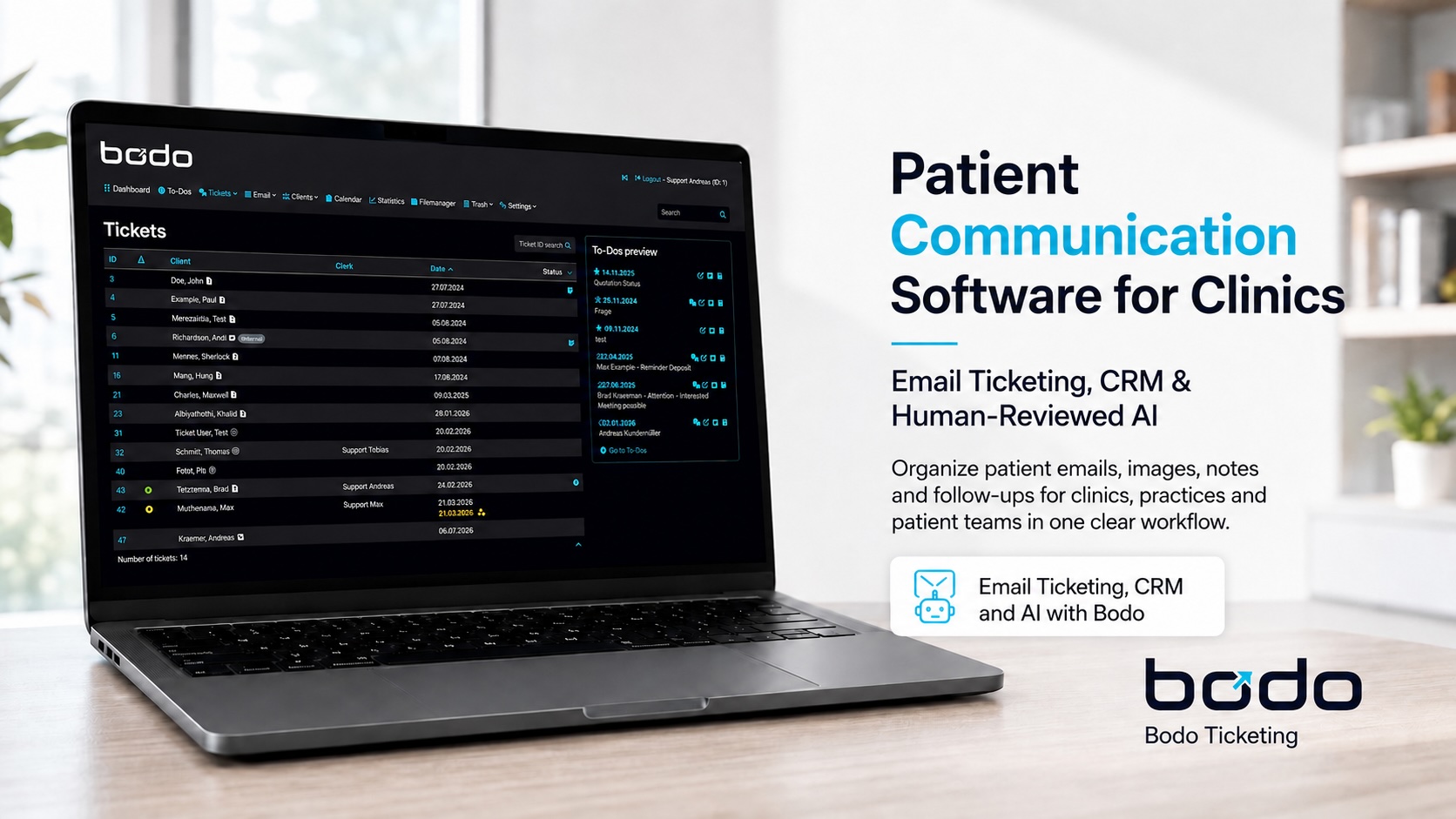
The problem is not the individual email. It is everything that must happen around it.
A patient inquiry may include earlier conversations, images, a phone call, an internal review, missing documents and a follow-up weeks later. A normal inbox receives the message, but it does not automatically create a reliable team process.
Bodo is designed for that gap. It turns external communication into a structured ticket history in which emails, replies, attachments, notes, files, assignments, priorities and next steps remain connected. The clinic can keep its existing medical and administrative systems while adding a clearer workflow around patient communication.
A useful starting point is the Bodo guide What Is an Email Ticketing System?, which explains how email becomes structured work rather than a collection of forwarded messages and private folders.
Patient communication software is not the same as an EHR, EMR or Practice Management System
The most important implementation decision is to separate clinical systems from communication workflow systems.
EHR or EMR
Electronic health and medical record systems are used for formal clinical information, medical documentation and other regulated care processes. Bodo does not replace these systems.
Bodo
Bodo connects patient emails, files, images, internal Notes, assignments, To-Dos and Follow-Up Dates in one long-term communication history.
Practice Management System
Practice management software may handle scheduling, billing, forms and operational administration. Bodo can complement it when email-based patient communication needs a clearer team workflow.
A patient portal may provide secure self-service access, while a shared inbox distributes incoming mail. A generic CRM may store contact and sales information. An email ticketing system organizes the actual communication process. Bodo combines email ticketing with CRM-style long-term history, internal context and team workflow.
The Bodo Guide also compares these categories in practical articles about email ticketing, CRM and client communication.
Six capabilities turn patient messages into manageable clinic work
Patient communication software becomes useful when it connects context and responsibility—not when it simply adds another inbox.
Incoming messages, replies, files, images, Notes and previous activity remain attached to the same patient communication record.
Assignments, priorities and staff working visibility help the team understand who is responsible and who is already working.
Phone calls, decisions and follow-up reasons can be documented without sending them to the patient.
Images, PDFs and documents remain connected to the relevant case instead of disappearing into folders or downloads.
Follow-Up Dates, To-Dos and reminder workflows keep open cases from vanishing after the last email.
Templates and human-reviewed AI can draft, improve, translate and summarize communication directly inside the ticket.
The complete feature overview is available on Features and Benefits of Bodo.
A clinic should not start from zero when a patient returns months or years later
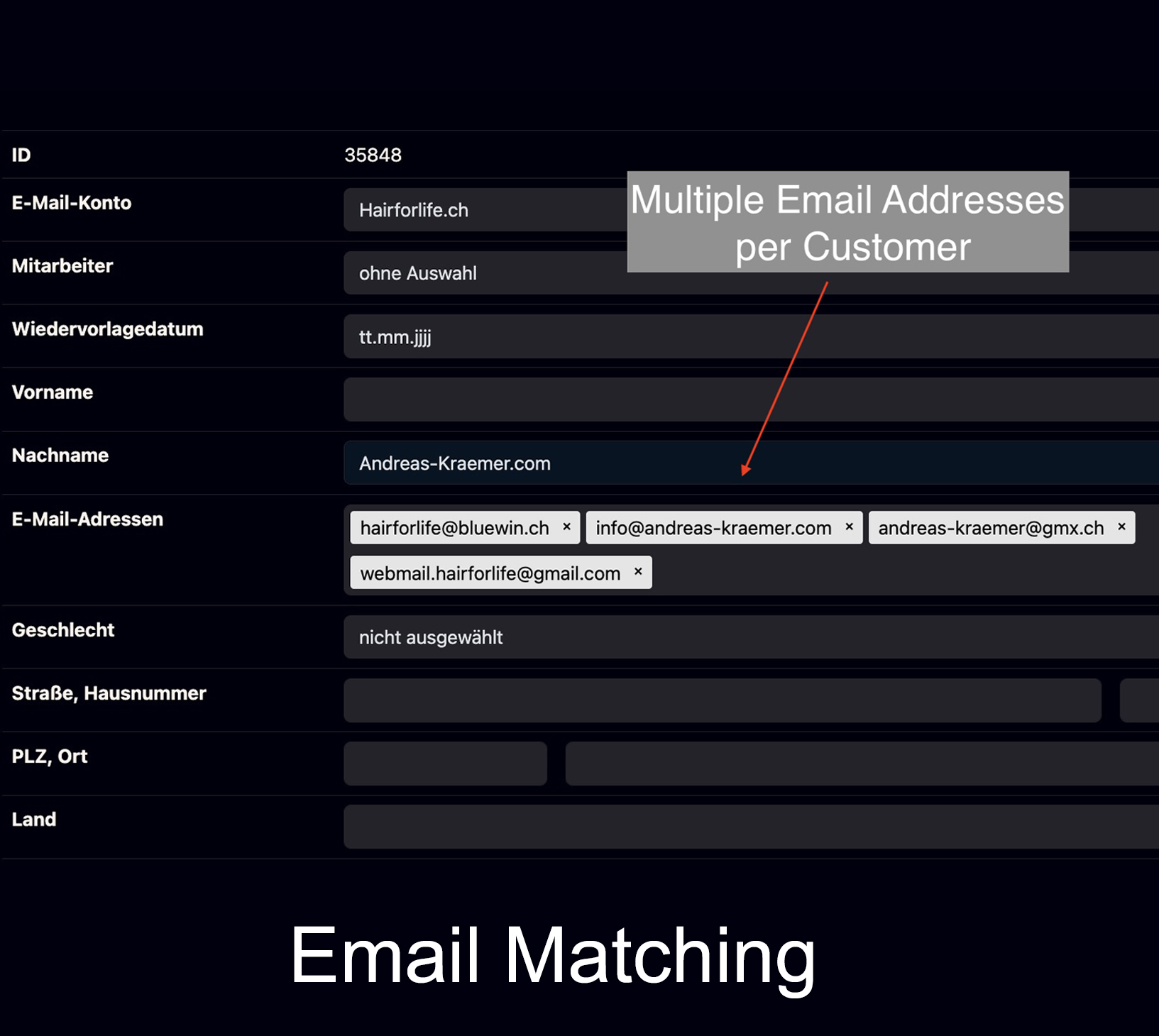
A patient may first contact the clinic from a work address, later use a private address, send images after a consultation and return much later with a new question. If every email becomes an isolated thread, the team loses the relationship between those events.
Bodo follows a different model: known email addresses can be connected to one patient or client ticket. The communication history remains chronological and accessible to authorized team members. Earlier answers, images, Notes, files and follow-up context stay available when the conversation continues.
This principle is explained further on Complete Client History.
Four Bodo features that become especially valuable in patient communication
The value comes from how the functions work together around the same patient history.
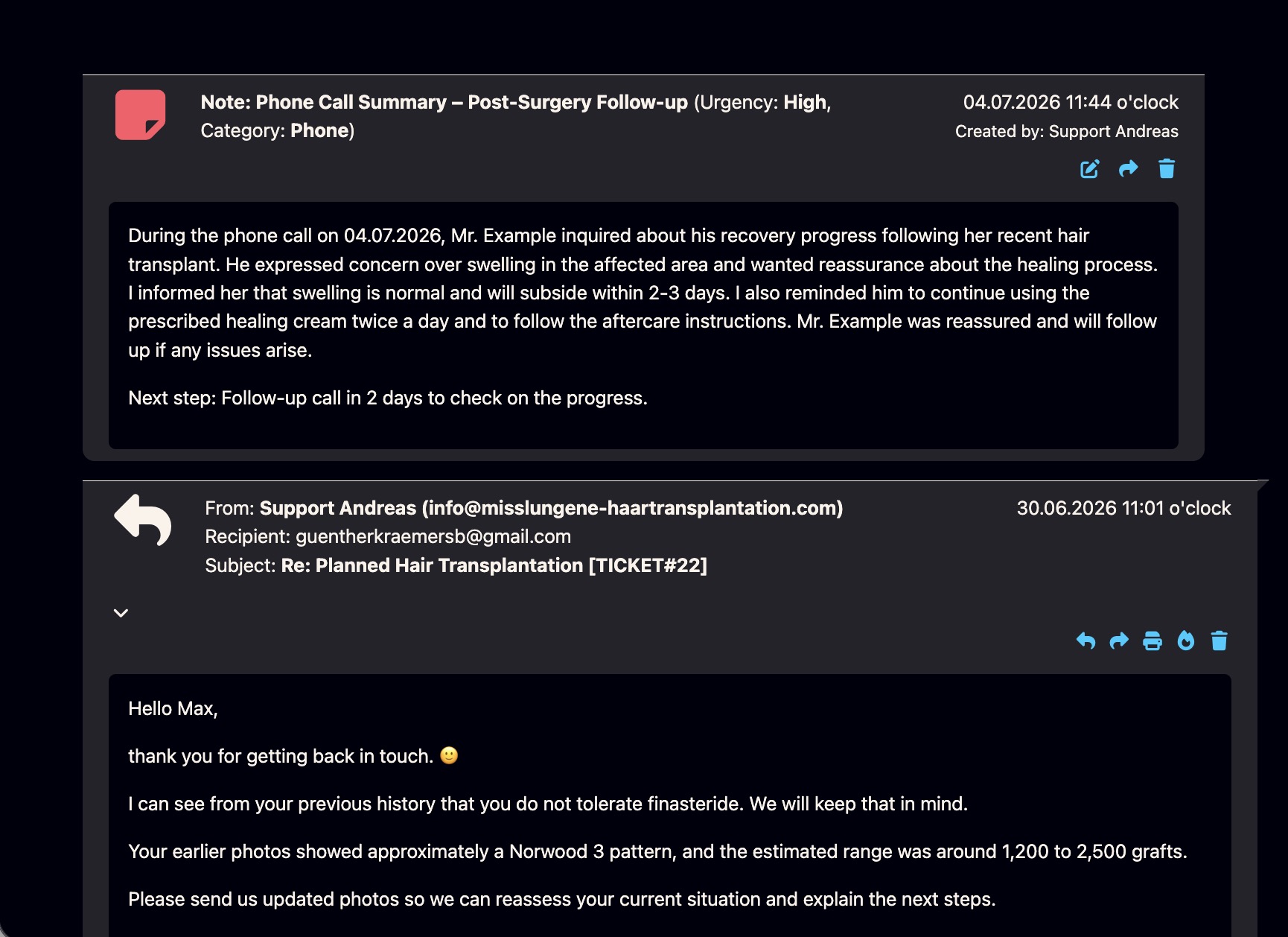
Document what happened outside the email
Phone calls, internal decisions, patient preferences, consultation details and follow-up context can be added as internal Notes. The information stays visible to the team without being sent to the patient.
See Bodo Notes in action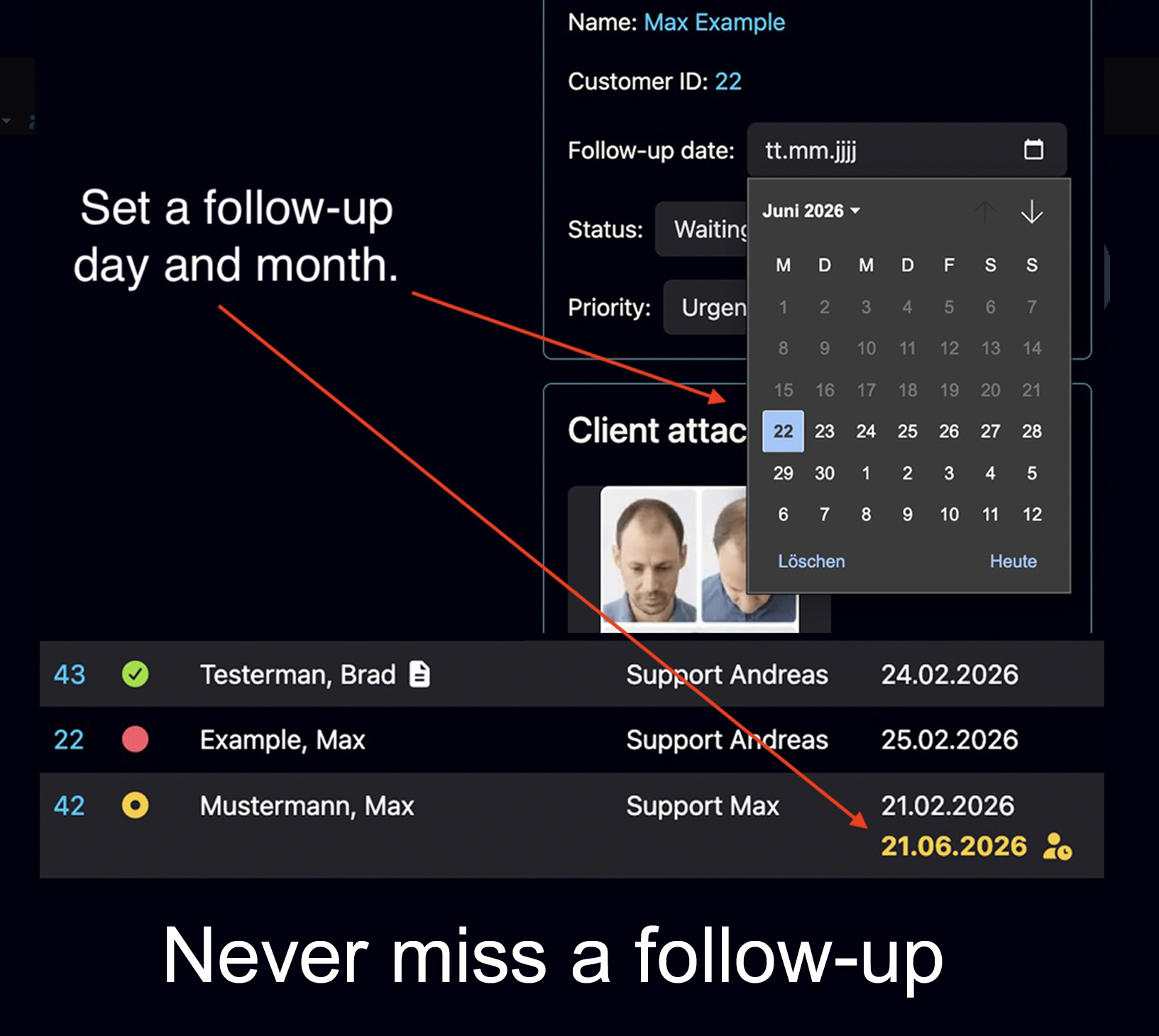
Bring the ticket back when the team needs to act
A Follow-Up Date makes the ticket visible again as an open task on the selected day. This creates a clear return point without pretending to make a medical decision.
Explore follow-up features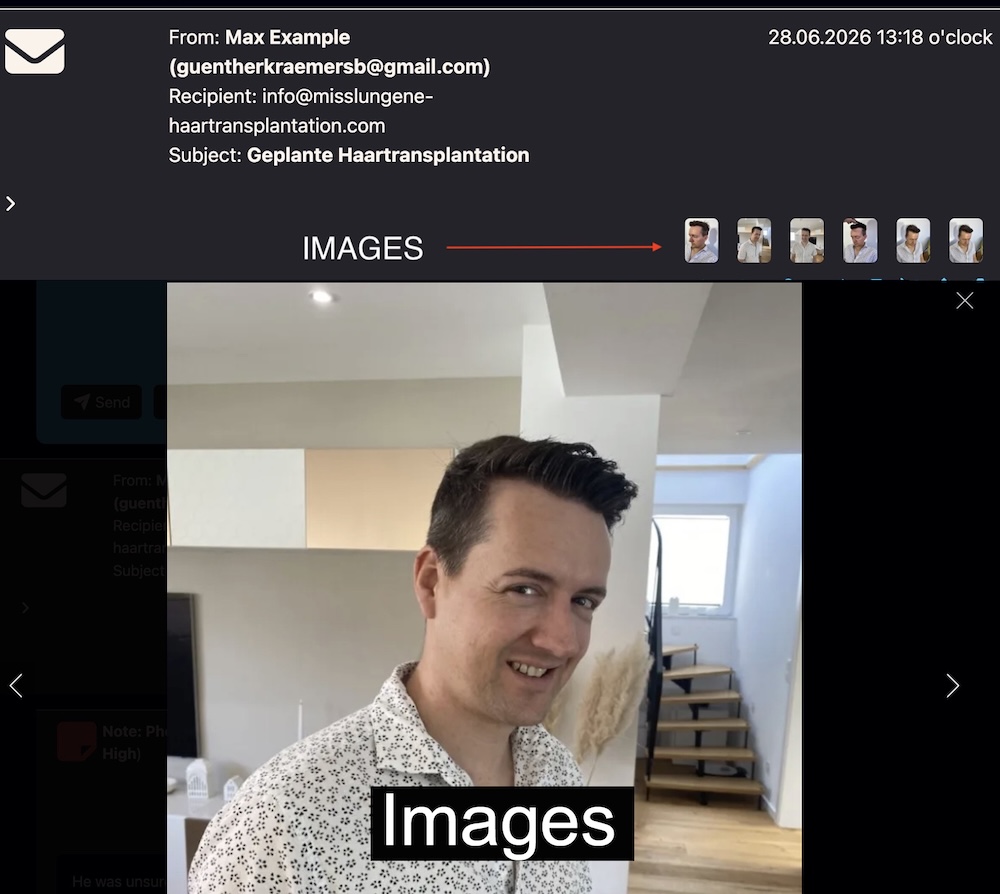
Keep visual material connected to the conversation
Images, PDFs and later uploads can remain close to the relevant email history and internal context. This is particularly useful in image-based consultations and long-term specialist cases.
View image and documentation workflows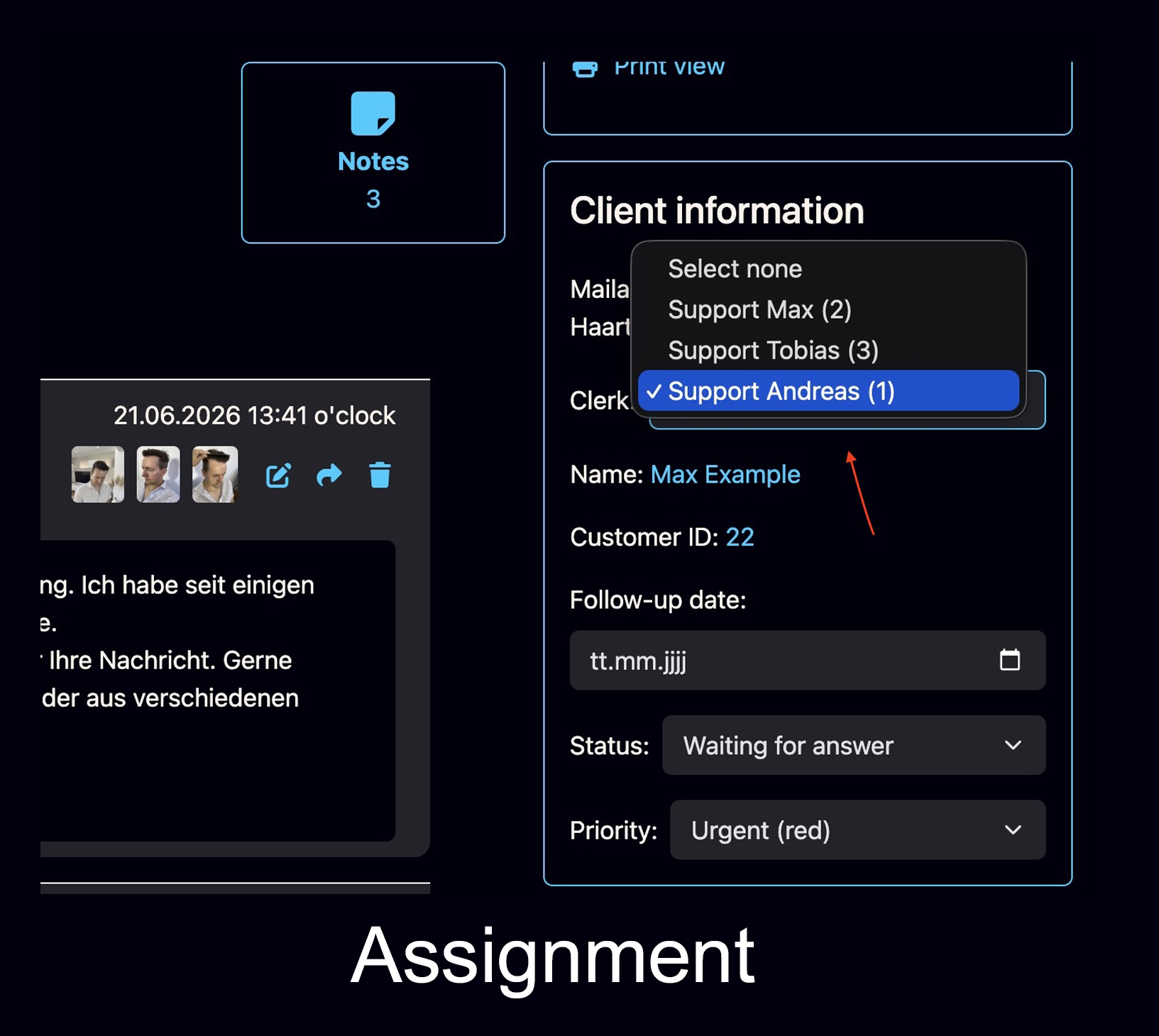
Make responsibility visible before two people answer
Assignments and staff working visibility help reduce duplicate replies. The team can see who owns the patient case and whether another authorized user is already working on it.
Explore the team workflowFollow-Up Dates, To-Dos and automatic reminder emails should not be treated as the same function
Each tool solves a different operational problem. Clear rules prevent the workflow from becoming another collection of vague reminders.
Set a day and month. On that date, the ticket becomes visible again as an open task so the team can review the case and decide what should happen next.
Create a specific internal action such as reviewing images, calling the patient, checking a document or asking another team member for input.
Use a configurable reminder when a patient or prospect has not replied after the team’s last response. The clinic controls the timing and wording.
For a deeper explanation, see the Bodo Guide to follow-ups and structured client communication.
Global clinic communication adds languages, time zones and longer decision cycles
International patients often communicate over longer periods and through more than one channel. The clinic needs a stable history even when the person changes language, email address or coordinator.
These workflows are especially relevant to specialized medical and aesthetic clinics. See Bodo for Hair Transplant and Cosmetic Clinics and the selected Bodo References.
AI can reduce writing work without becoming the clinical decision-maker
The Bodo AI Editor can draft, rewrite, improve, translate and summarize messages directly inside the patient ticket. The team does not need to move the text into a separate tool and lose the communication context.
That assistance has a clear limit. Diagnoses, risk assessments, complications, medication instructions and treatment recommendations require review and approval by appropriately qualified people. AI should support the communication process—not replace professional responsibility.
This is why Bodo is positioned as workflow infrastructure rather than a standalone AI feature. Read more in Why Bodo Is Infrastructure—Not Just AI.
Suitable AI-assisted tasks
Examples of administrative communication support inside the ticket:
- Structure a reply draft
- Improve tone and readability
- Translate incoming or outgoing messages
- Summarize a long ticket history
- Adapt reusable wording to the current case
Bodo Notes can store phone-call summaries, internal decisions, observations, consultation details and follow-up context. Whether any entry can form part of a legally required medical record depends on the clinic’s jurisdiction, configuration, audit requirements, retention rules and organizational processes.
The server location matters—but it is only one part of lawful patient communication
Bodo’s standard environment is hosted in Germany. Clinics operating internationally must still assess the legal and contractual requirements that apply to their own organization and patient data.
Important questions include the lawful basis for processing, service-provider contracts, permissions, staff access, retention, deletion, exports, security measures and the distinction between communication data and formal clinical documentation.
Privacy and healthcare rules differ by country. The clinic must identify which laws and professional obligations apply.
Authorized users should receive access according to their actual responsibilities, and access should be removed when roles change.
The clinic should define how long communication is needed, what must be retained elsewhere and when data should be deleted or exported.
Medical, legal and sensitive patient content should remain subject to the clinic’s own review and approval process.
Which software category solves which clinic problem?
The goal is not to make Bodo sound larger than it is. It should be evaluated for the communication problem it is designed to solve.
| Primary need | Typical system category | Role of Bodo |
|---|---|---|
| Clinical records, treatment documentation and care data | EHR or EMR | Complementary communication workflow, not a replacement. |
| Scheduling, billing and practice administration | Practice Management System | Can organize email-based communication around the administrative core. |
| Secure patient self-service and portal access | Patient Portal | Different role; Bodo focuses on structured team handling of communication. |
| Patient emails, images, files and long-term history | Email ticketing and CRM | Central Bodo use case. |
| Shared responsibility and handovers | Multi-user communication workflow | Assignments, priorities, status and staff working visibility. |
| Open cases and missing replies | Follow-up management | Follow-Up Dates, To-Dos and configurable reminder emails. |
| Diagnosis or treatment decisions | Qualified clinical professionals and appropriate medical systems | Not a Bodo function. |
Eight questions to answer before implementation
Which email addresses, contact forms and clinic teams should become part of the workflow?
What belongs in Bodo, and what must remain only inside the clinic’s medical or administrative core system?
Who may read, reply, assign, export, add Notes or approve medical content?
When should the team use a Follow-Up Date, a To-Do or an automatic reminder email?
Which messages may use translation assistance, and who must review the final wording?
How long should communication remain available, and when should it be exported or deleted?
How will existing email histories, images, documents or external conversation exports be handled?
Define measurable outcomes such as fewer duplicate replies, clearer handovers or fewer lost patient follow-ups.
Do not add another inbox. Build a clearer patient communication workflow.
Bodo connects patient emails, files, images, internal context, team responsibility and next steps without pretending to replace your clinic’s core medical systems.
Questions about patient communication software for clinics
What is patient communication software for clinics?
Patient communication software helps clinics organize external patient messages, files, images, internal context, responsibilities and next steps in a structured workflow. It is different from a normal inbox because the communication becomes a shared case rather than a collection of isolated emails.
Is Bodo an EHR, EMR or Practice Management System?
No. Bodo does not replace an electronic health record, electronic medical record, practice management system, hospital information system or patient portal. It adds a communication and workflow layer around external emails, files, notes, assignments, tasks and follow-ups.
Can Bodo be used alongside an existing clinic system?
Yes. Bodo is designed to complement the clinic’s existing core systems. Medical documentation, billing, scheduling and other regulated clinical functions can remain in the systems chosen for those purposes.
How does Bodo organize patient email communication?
Bodo turns email communication into one structured patient ticket. Incoming and outgoing messages, attachments, files, notes, assignments, priorities and follow-ups remain connected to the same communication history.
Can one patient have more than one email address?
Yes. Known email addresses can be connected to the same patient or client record so that the communication history does not fragment when the person writes from another address.
What is the difference between a Follow-Up Date, a To-Do and an automatic reminder email?
A Follow-Up Date makes the ticket visible again as an open task on the selected day. A To-Do describes a specific internal action. An automatic reminder email can contact a patient who has not replied after the team’s last response.
Can Bodo Notes be used for internal documentation?
Yes. Bodo Notes can document phone calls, consultation details, internal decisions, observations, preferences and follow-up context inside the communication history.
Do Bodo Notes automatically replace the medical record?
No. Notes can support internal documentation, but whether any entry can form part of a formal medical record depends on the clinic’s configuration and the legal, technical and organizational requirements that apply.
Can Bodo store patient images and PDF files in the ticket history?
Yes. Images, PDFs and other files can remain connected to the relevant communication history. This is useful for image-based consultations, document reviews and long-term cases.
Can Bodo help international clinics communicate in different languages?
Yes. The Bodo AI Editor can help draft, improve, translate and summarize messages inside the ticket. The clinic remains responsible for reviewing medical and legally relevant content before sending.
Can Bodo AI diagnose patients or approve medical advice?
No. Bodo AI is an assistive writing and summarization tool. It does not diagnose, assess complications, approve treatment decisions or replace qualified clinical review.
Where is Bodo hosted?
Bodo’s standard environment is hosted in Germany. Lawful use still depends on the applicable jurisdiction, contracts, permissions, retention rules, security measures and the clinic’s own processes.
Is Bodo automatically compliant with every healthcare privacy law?
No. No software is automatically compliant in every jurisdiction or every configuration. Clinics must assess their own legal basis, data flows, contracts, permissions, retention, staff access and technical and organizational measures.