Features and
Benefits of Bodo
Bodo combines structured email ticketing, customer history, team workflow, AI assistance, reminders, statistics, image tools and voice messaging in one professional system.
Built for clinics, consultants and service teams that need more than a simple inbox: Bodo keeps communication organized, actionable and easy to follow.
Instant case overview
Let AI summarize long ticket histories for support, clinics or management.
Automated follow-up
Remind customers who have not responded after a defined time.
Clear activity visibility
Track incoming, outgoing, new customers and employee activity.
More than text
Everything important stays inside the ticket.
Bodo is built for real customer communication: emails, replies, notes, files, follow-ups, priorities, AI support and team activity stay connected in one structured workflow.
Structured communication
One customer, one ticket, one clear history instead of scattered inbox chaos.
Operational clarity
Use priorities, follow-up dates, reminders and statistics to stay in control.
AI assistance
Generate summaries, check ticket status, analyze images and draft better replies faster.
Practical daily tools
Voice messages, file uploads, image editing, WhatsApp import and flexible customization.
All Bodo features with screenshot slots
Email Ticketing with Complete Customer History
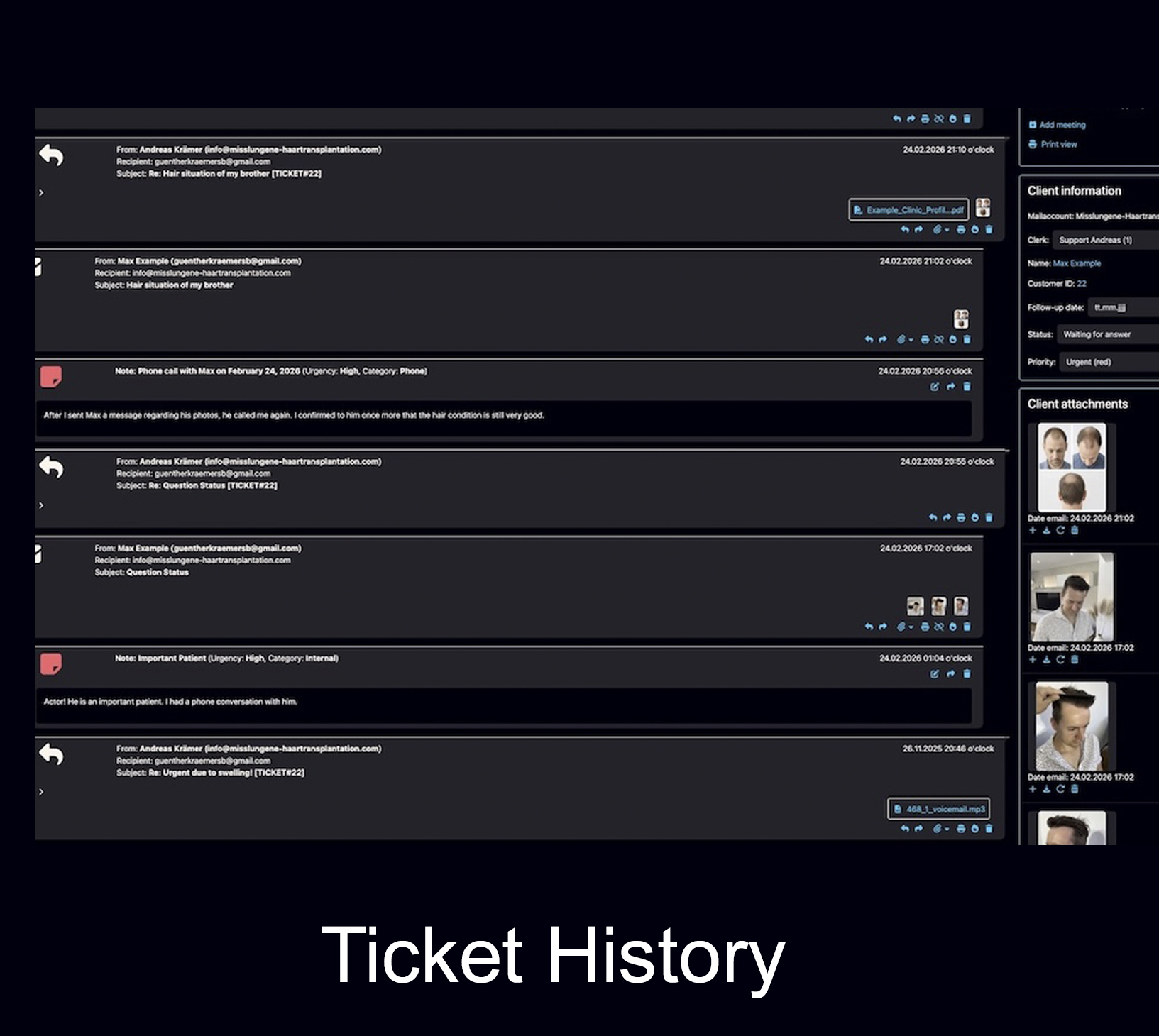
Bodo turns email communication into structured customer tickets. Every inquiry, reply, note, file and follow-up stays connected to one clear customer history.
- One customer, one ticket, one complete history
- Incoming and outgoing emails stay connected
- Notes, files and follow-ups remain in one place
Multiple Email Addresses per Customer
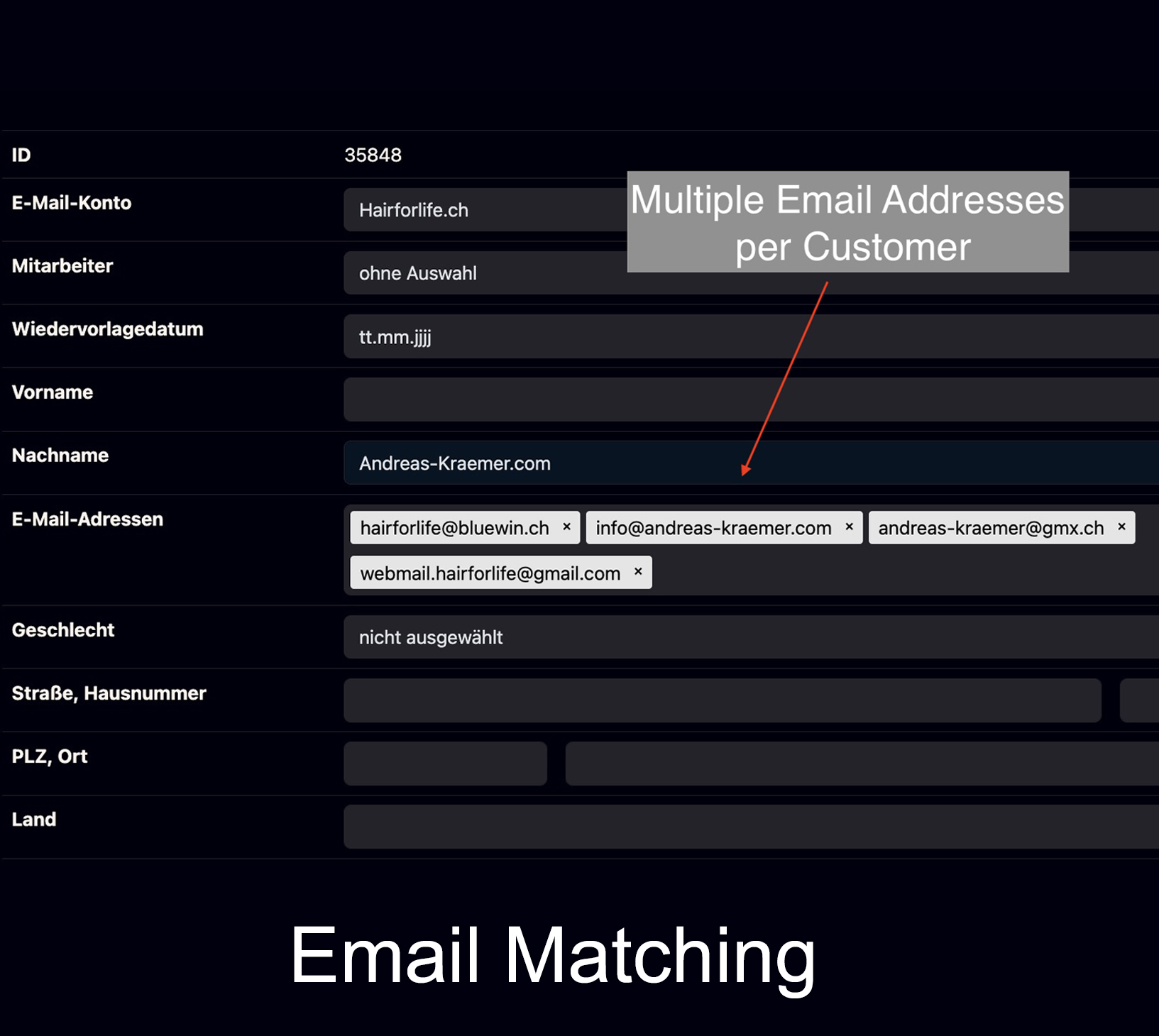
Customers can be connected with more than one email address when this is necessary for practical communication.
- Flexible customer identification
- Better history matching
- Useful for real-world communication
Multi-User Support
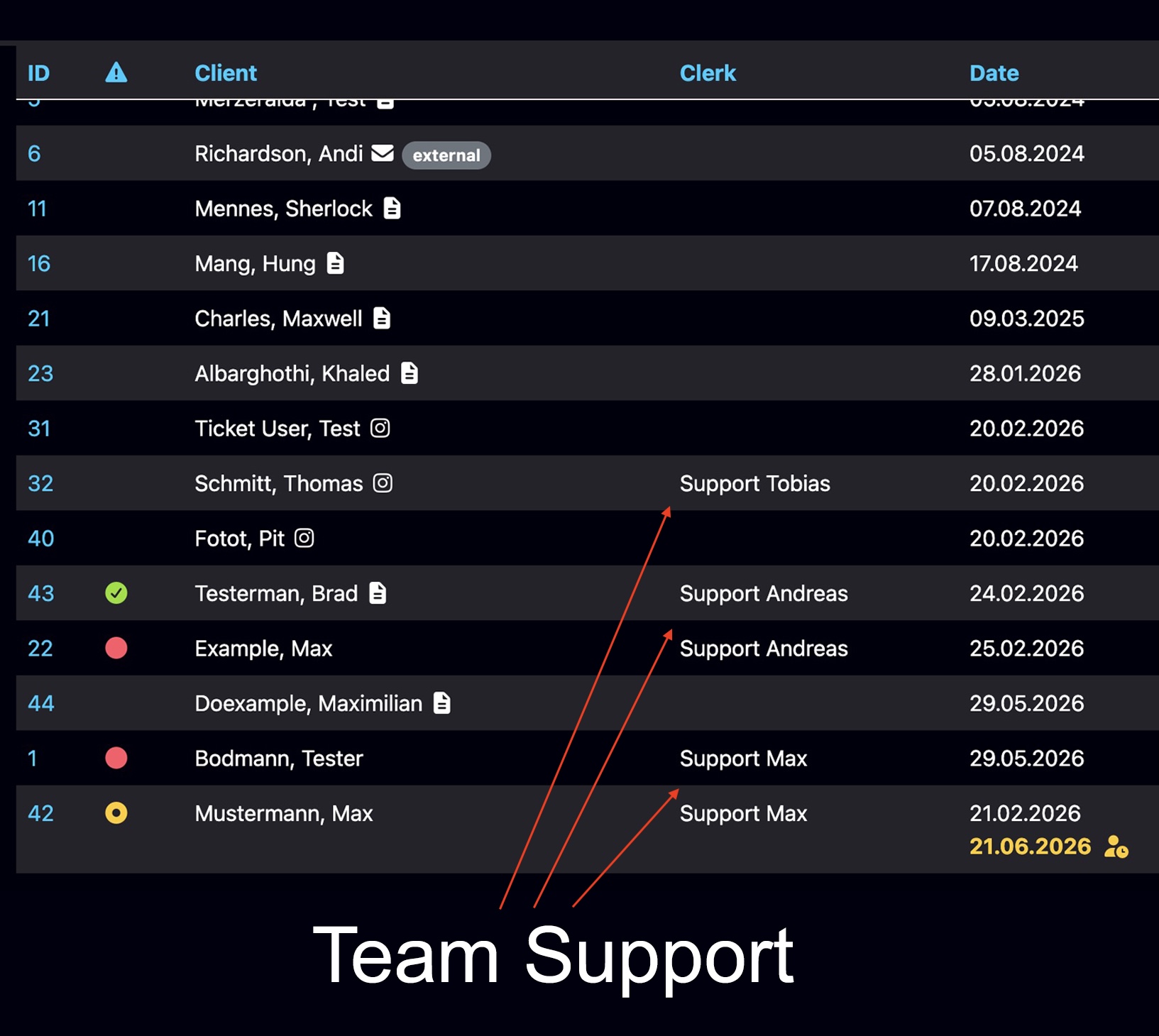
Multiple staff members can work inside Bodo with individual access, visible responsibilities and structured ticket handling.
- Individual staff access
- Visible team activity
- Better internal organization
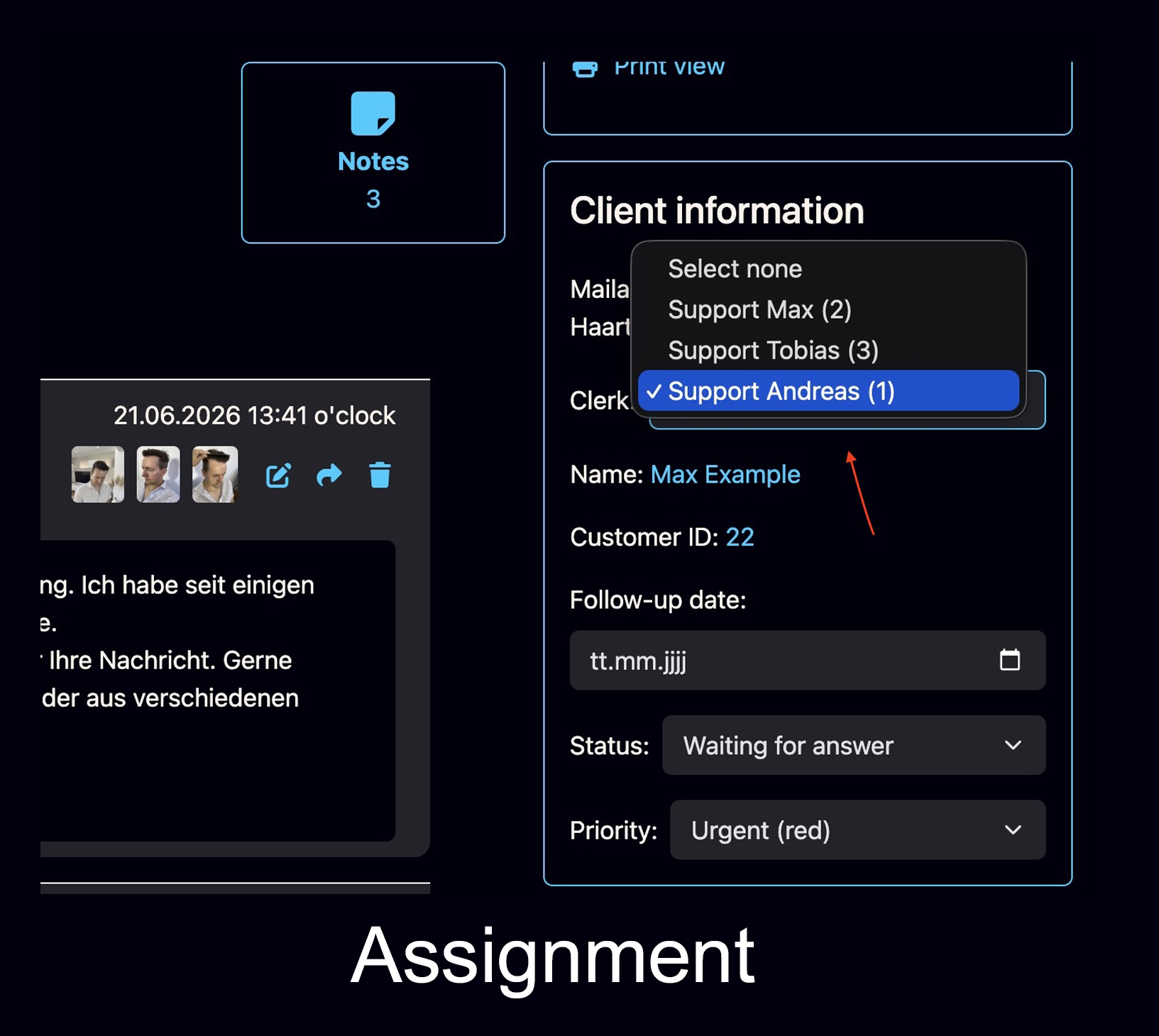
Employee Assignment
Assign a customer or ticket to the right staff member and keep responsibility clearly visible inside the workflow.
- Assign cases to employees
- Keep responsibility visible
- Reduce duplicate internal work
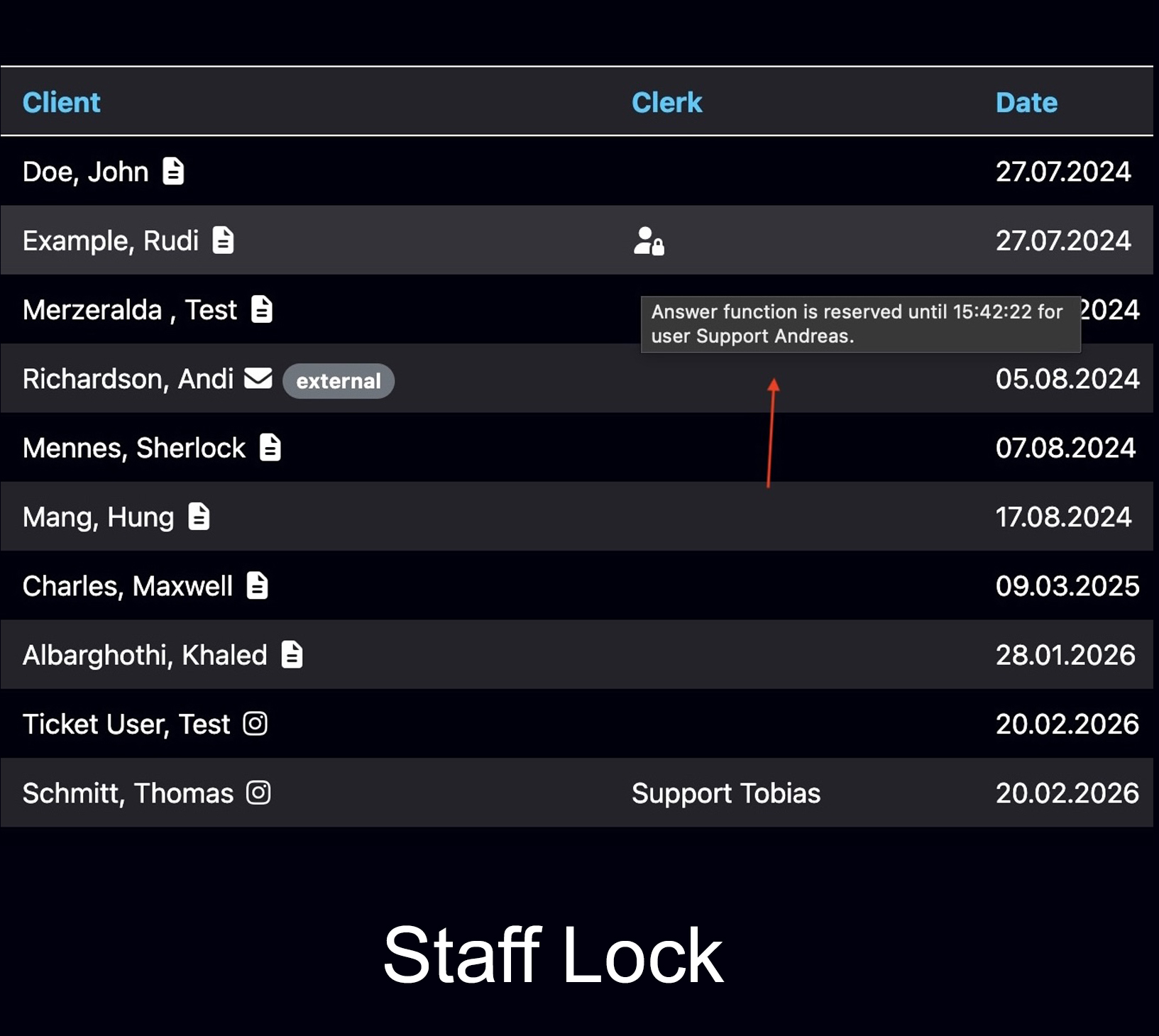
Staff Working Visibility
Bodo shows when a ticket is currently reserved by another staff member, so your team does not answer the same customer twice.
- Avoid duplicate responses
- Clear internal responsibility
- Better teamwork in shared inboxes
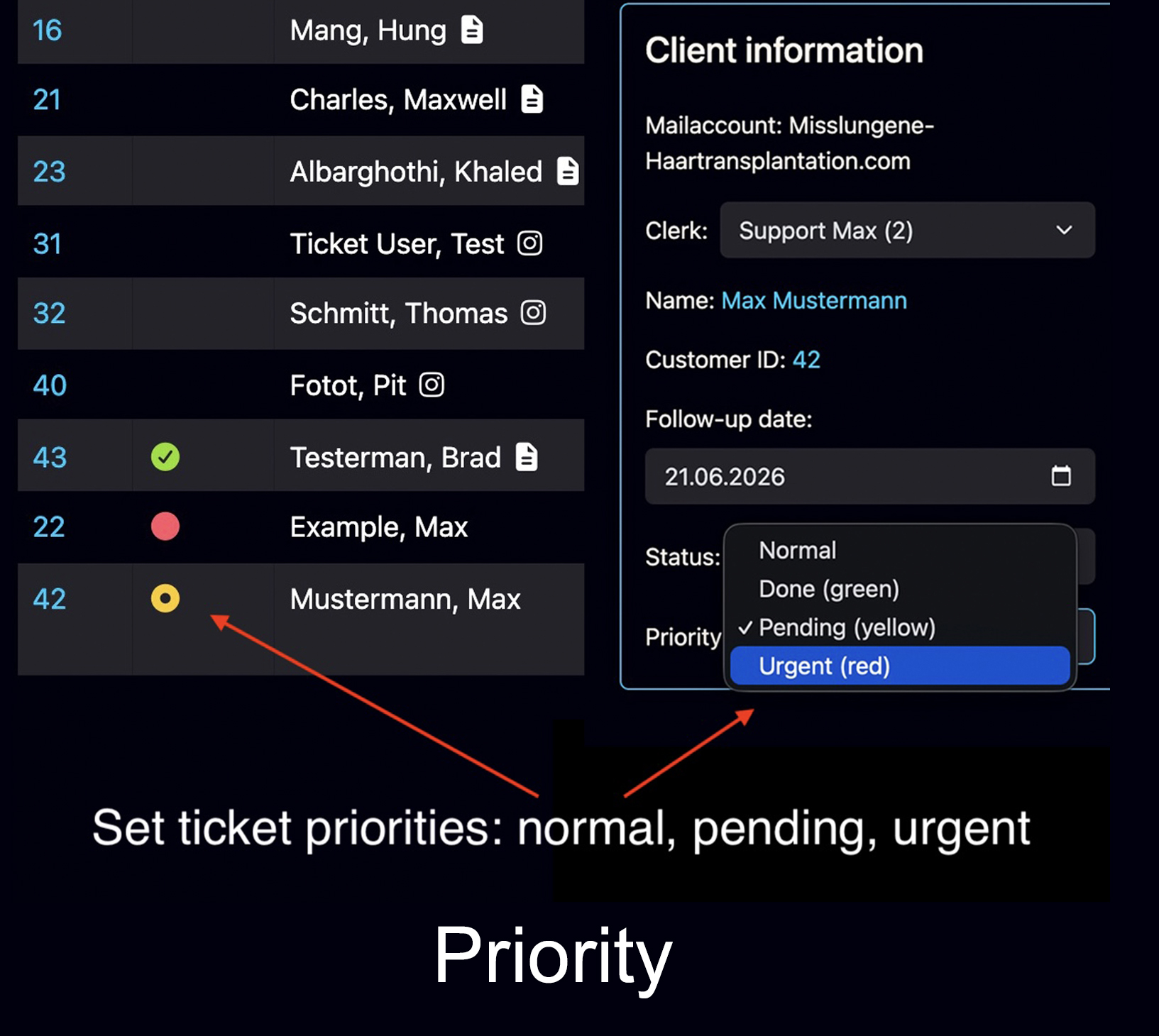
Ticket Priorities
Every ticket can receive a priority that is visible in the ticket list and helps teams focus on urgent cases first.
- Urgent cases visible immediately
- Better daily sorting
- Clearer support workflow
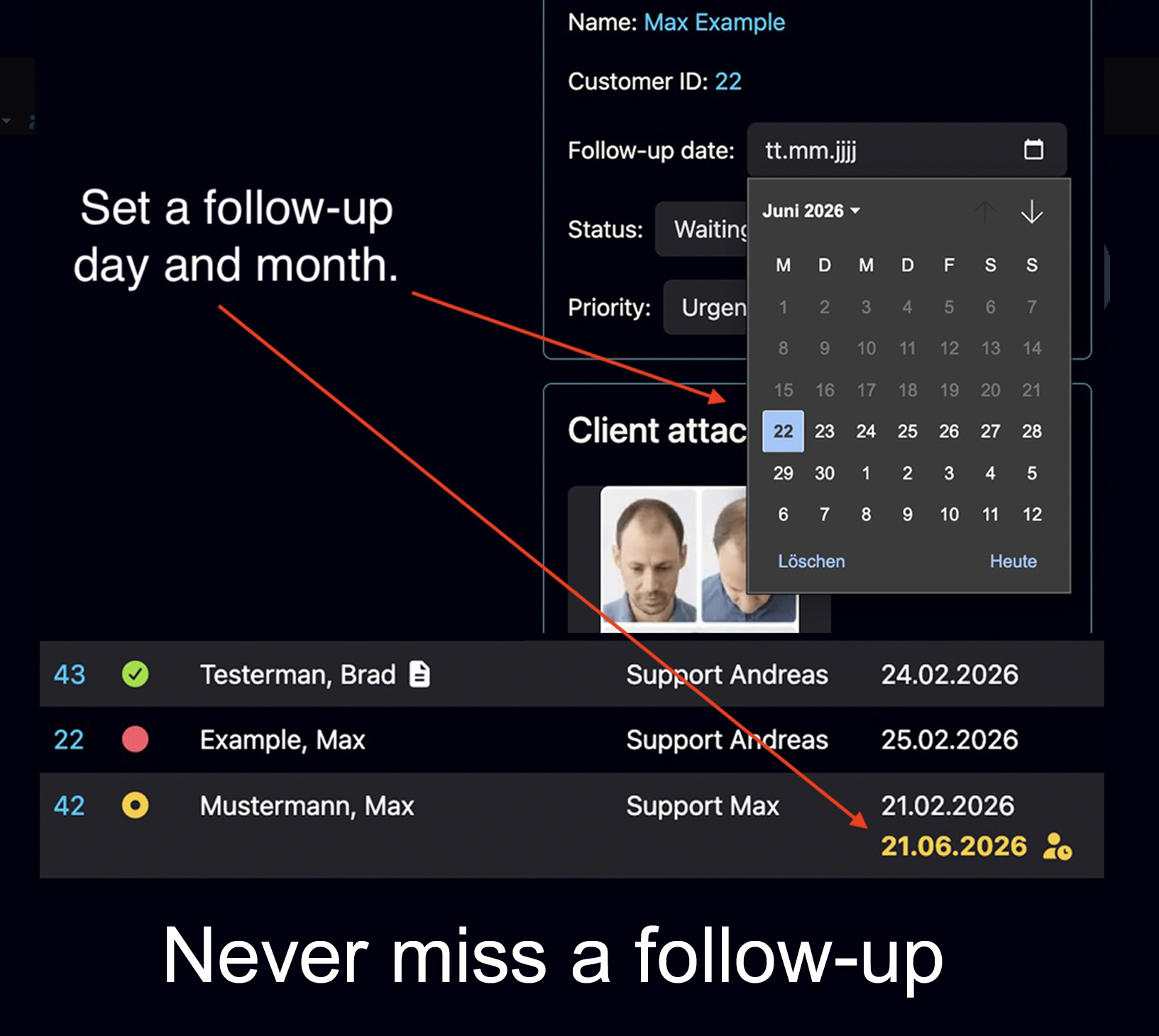
Follow-Up Dates
Set a follow-up day and month. On that date, the ticket becomes visible again as an open task.
- No forgotten leads
- Better timing for recontact
- Clear next-step visibility
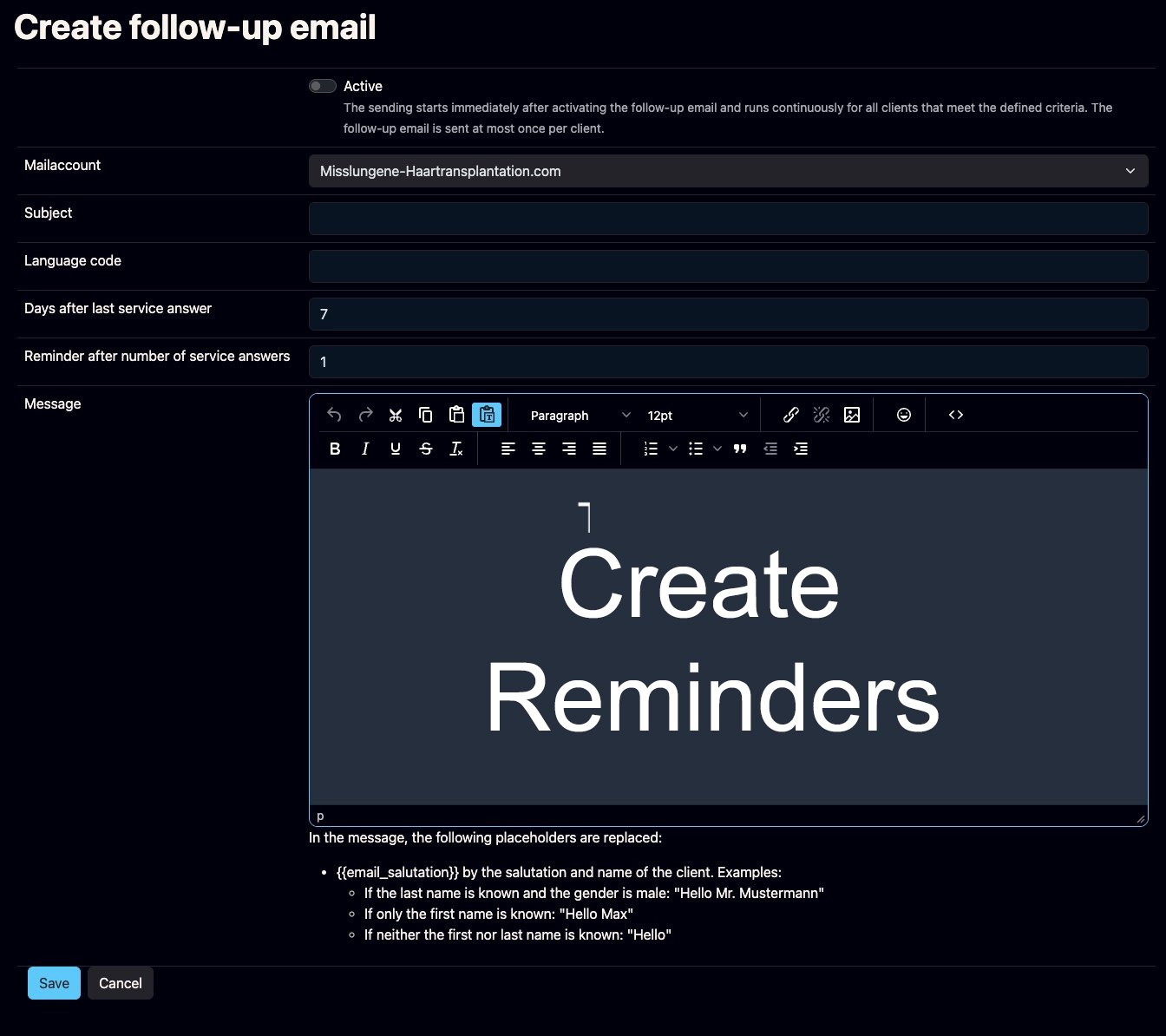
Automatic Reminder Emails
Bodo can automatically remind customers who inquired but did not respond after your last service reply.
- Configurable timing
- Your own reminder wording
- Helps reactivate silent leads
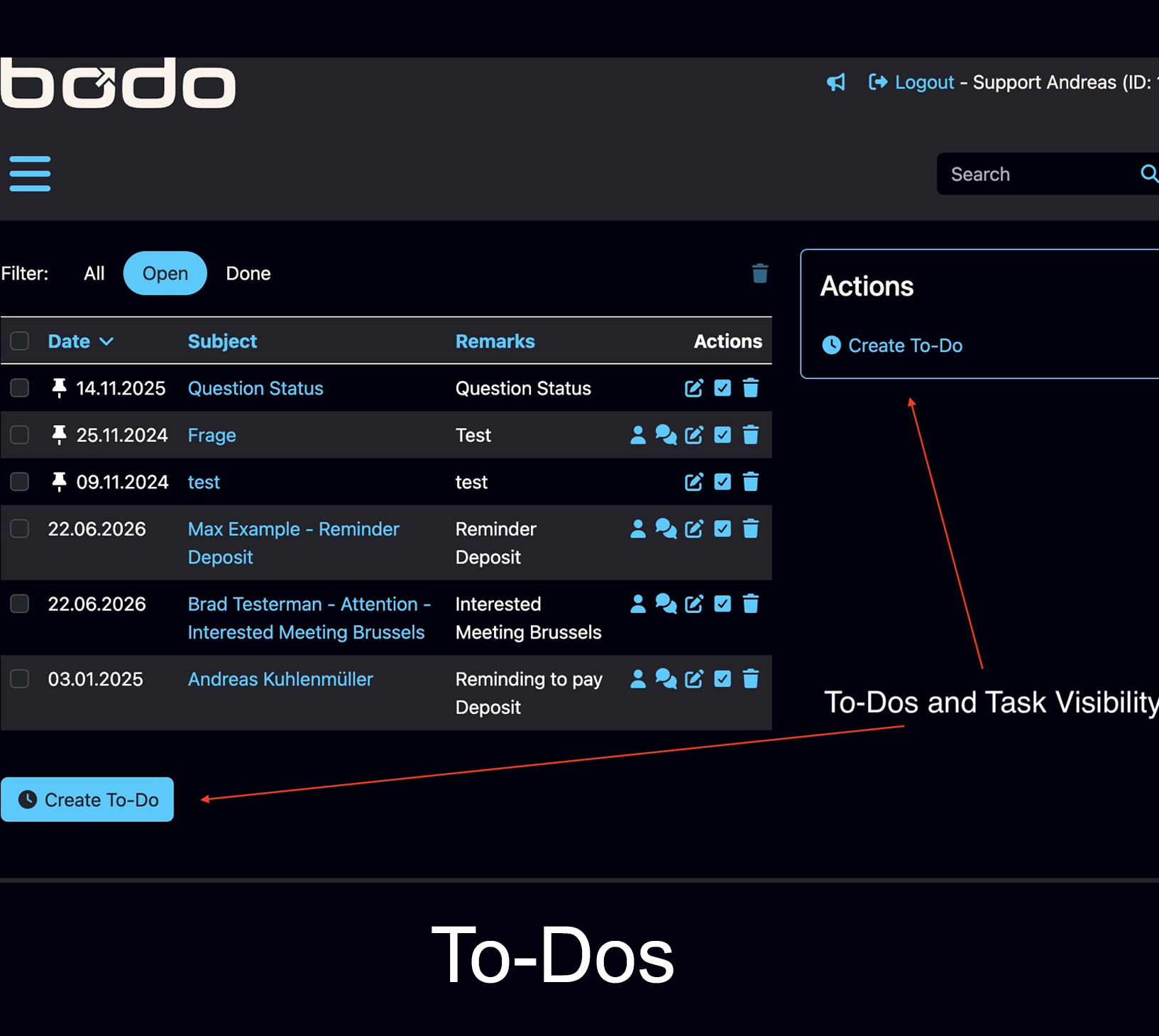
To-Dos and Task Visibility
Create and manage practical tasks so important next steps are not forgotten.
- Task handling in daily work
- Better internal discipline
- Useful for follow-ups and callbacks
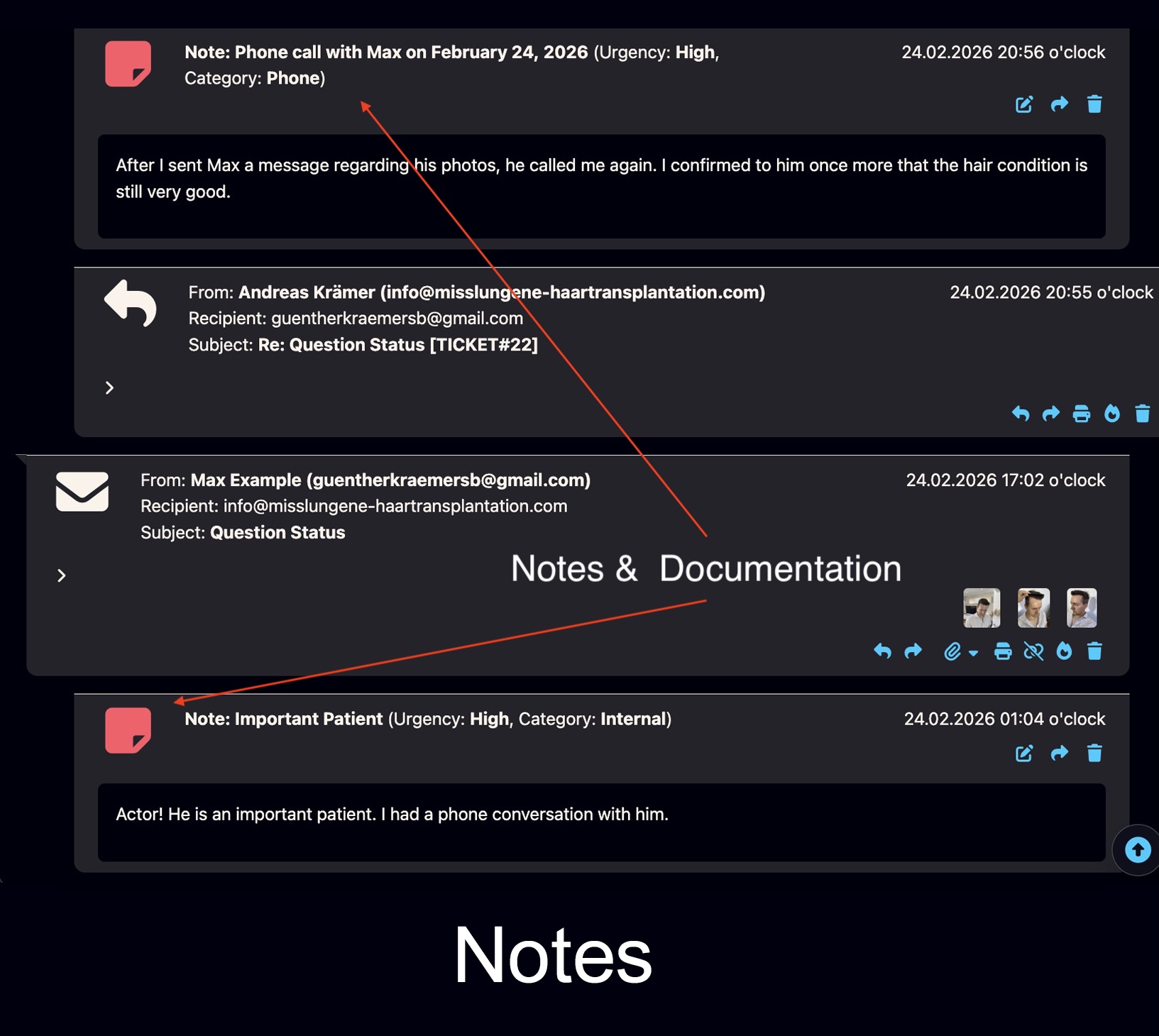
Notes and Documentation
Add internal notes, categories, documentation and context directly inside the ticket.
- Internal documentation
- Context for team members
- Better handover quality
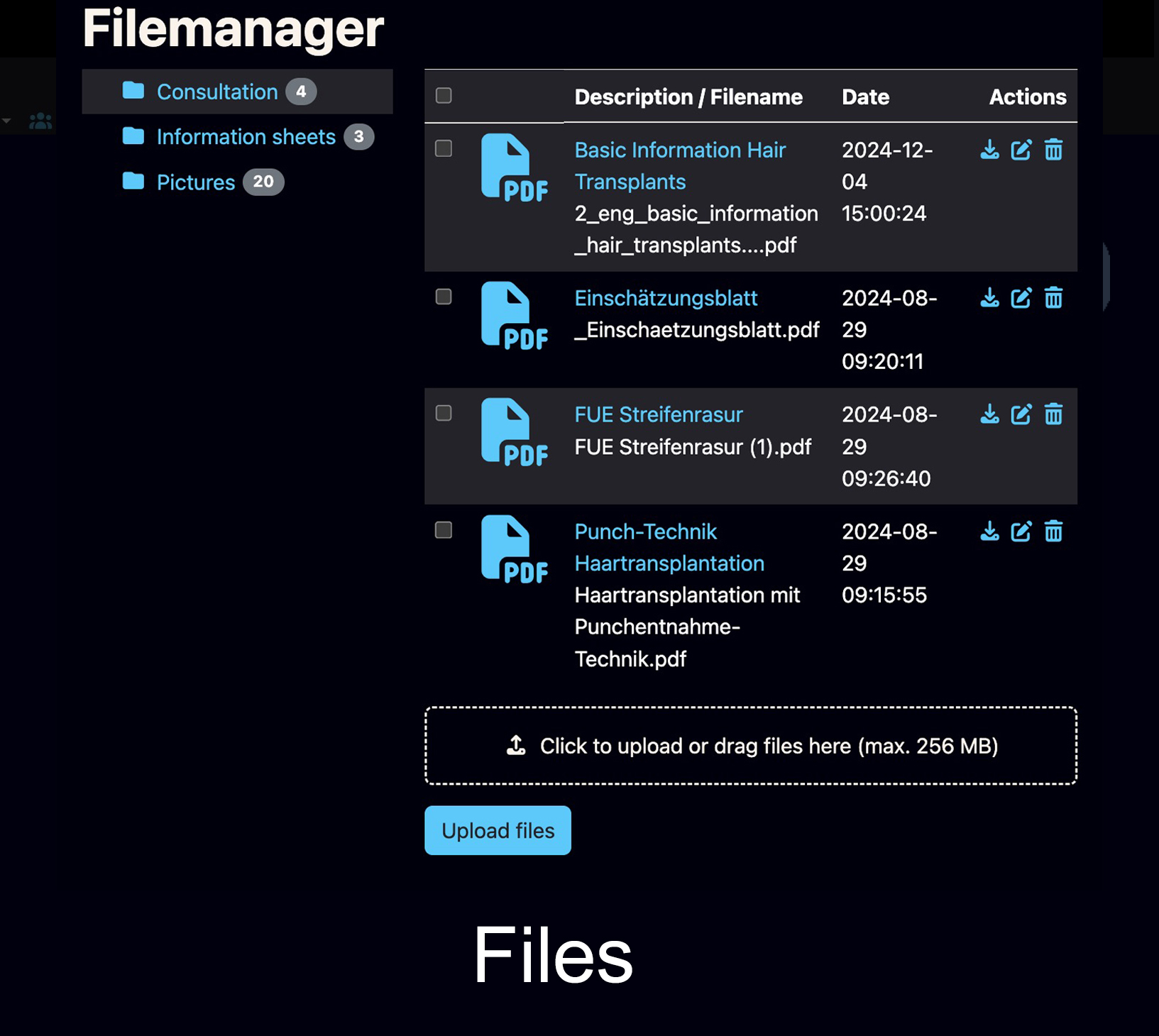
File Manager
Keep files connected to the customer history and make them available inside the workflow.
- Central file handling
- Documents remain connected
- Less external folder chaos
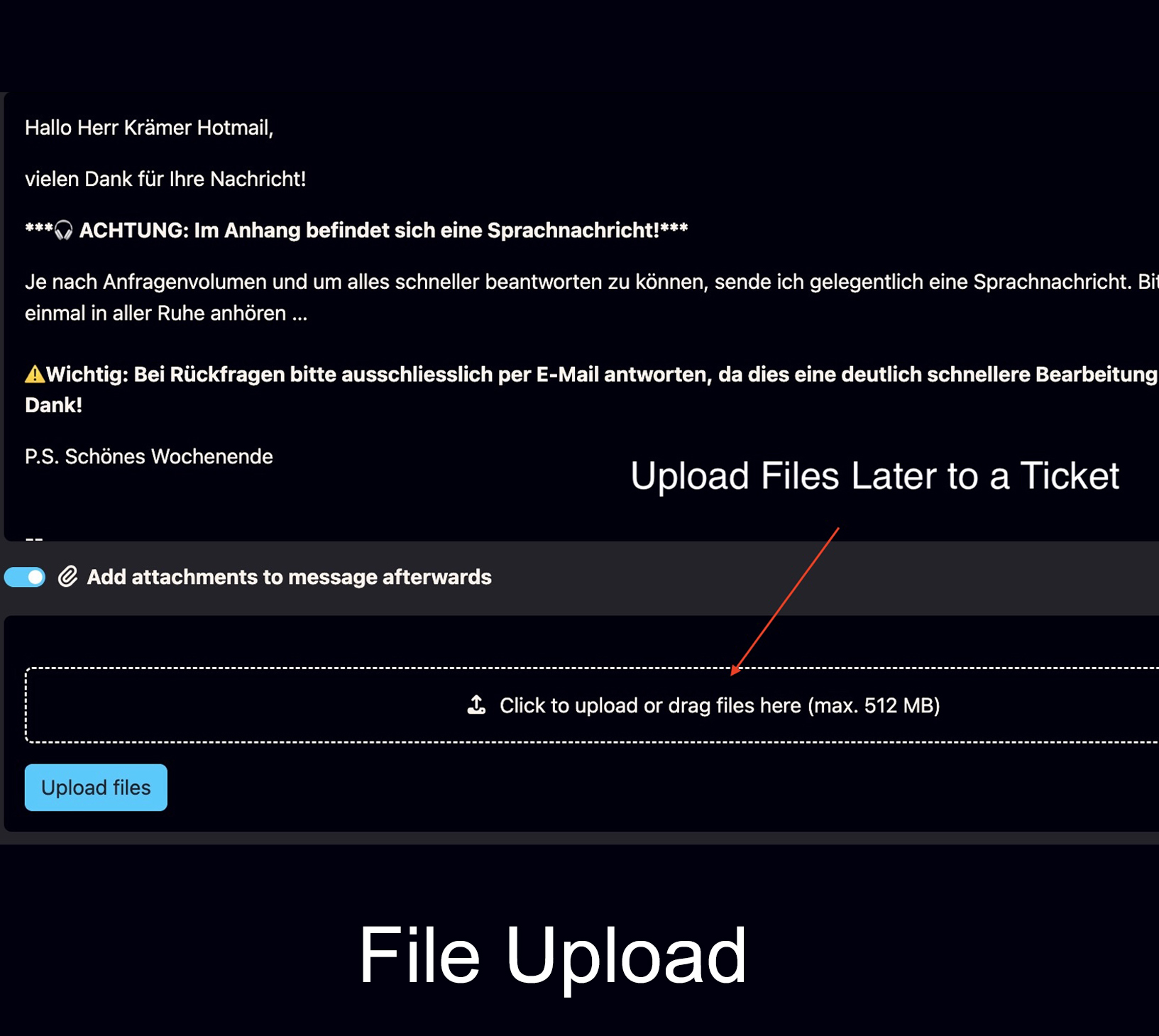
Upload Files Later to a Ticket
Files from outside the email flow, such as WeTransfer or Google Drive downloads, can be added later to the correct ticket.
- Later upload to existing tickets
- Useful for external file sources
- Everything stays in the customer history
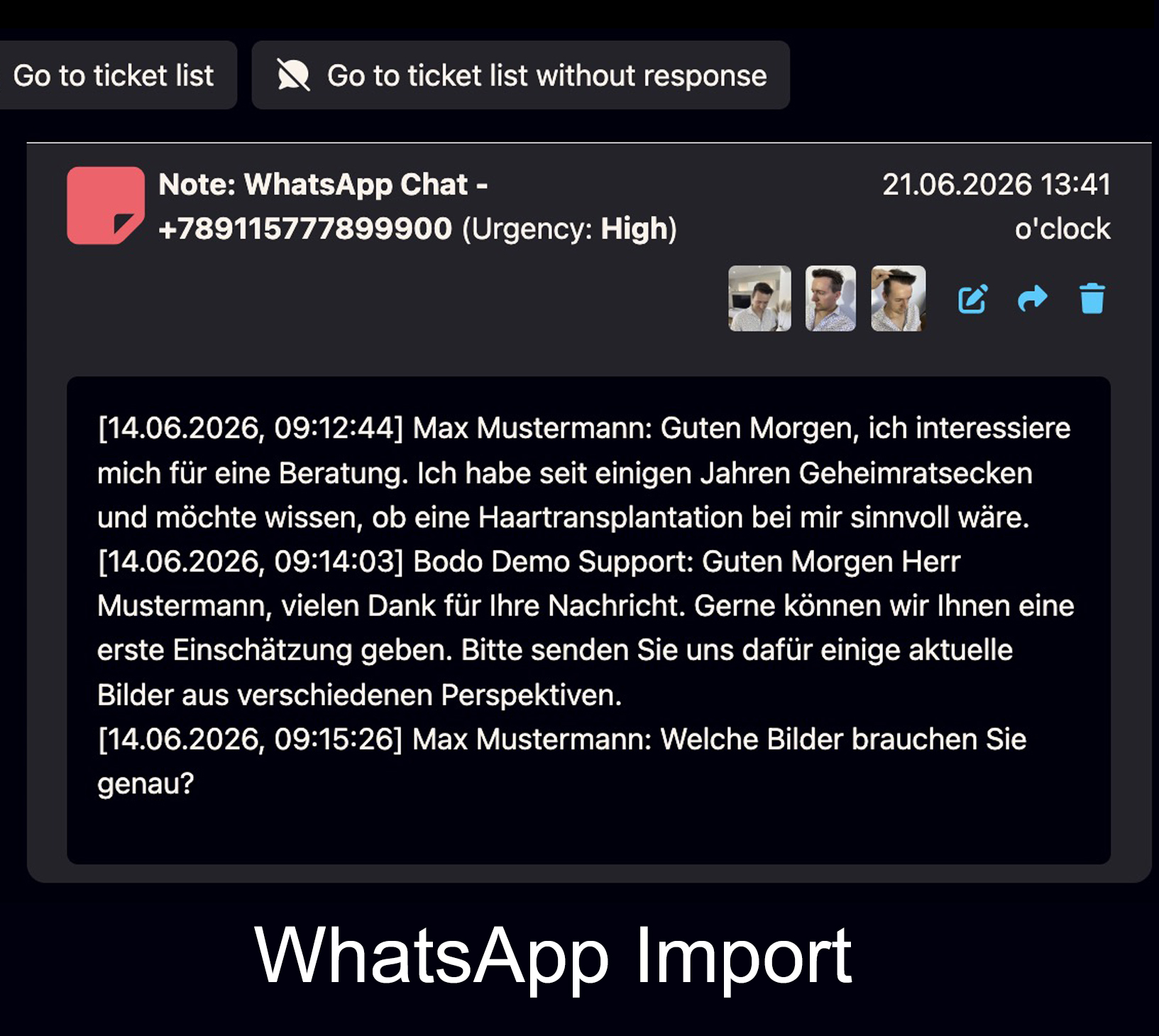
WhatsApp ZIP Import as Notes
WhatsApp ZIP exports with conversations and images can be uploaded into Bodo and saved as notes.
- Import conversations
- Store images and message context
- Useful when contact started outside email
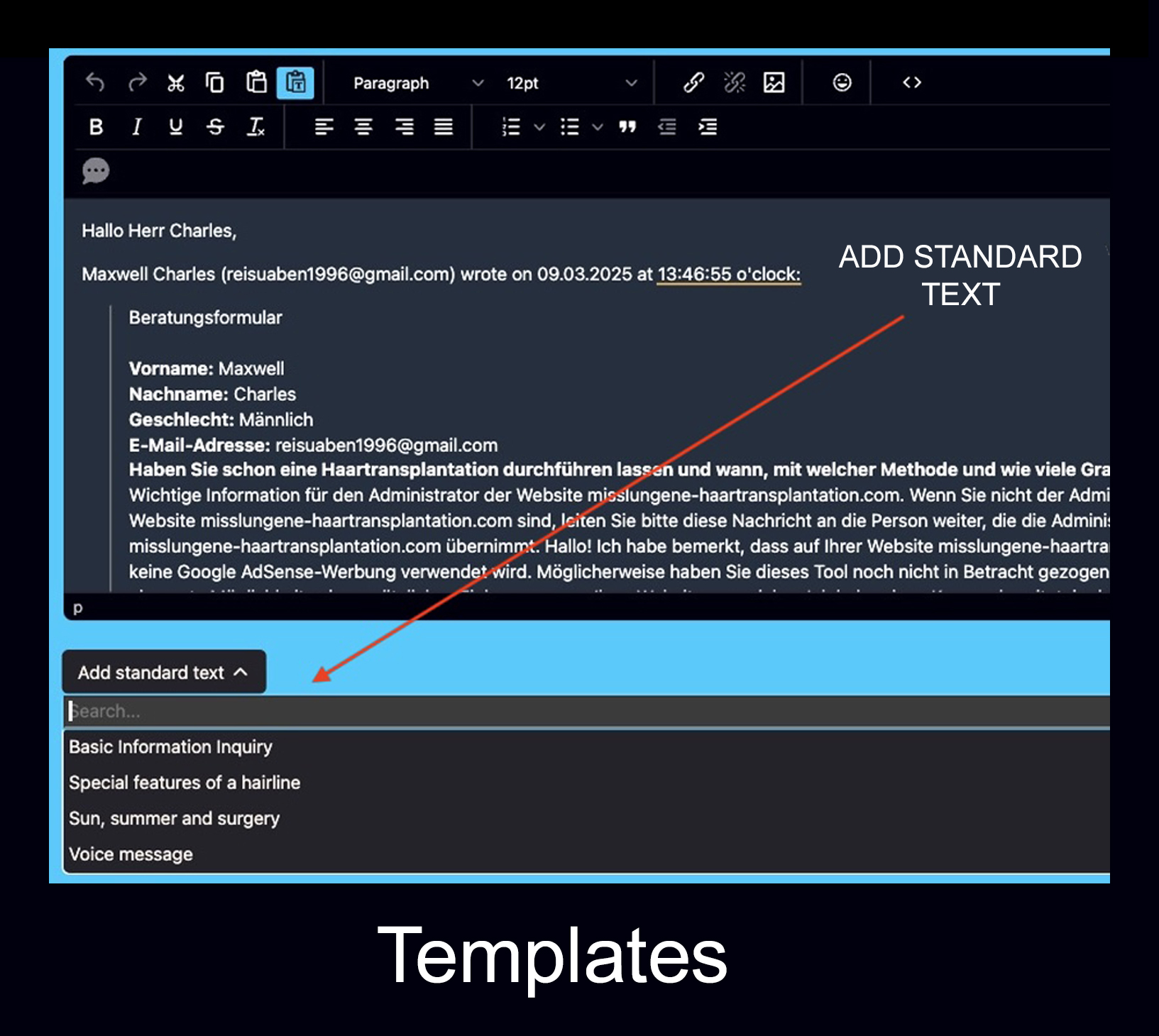
Text Templates
Reusable text templates help answer frequent questions faster and more consistently.
- Faster replies
- Consistent communication
- Useful for recurring questions
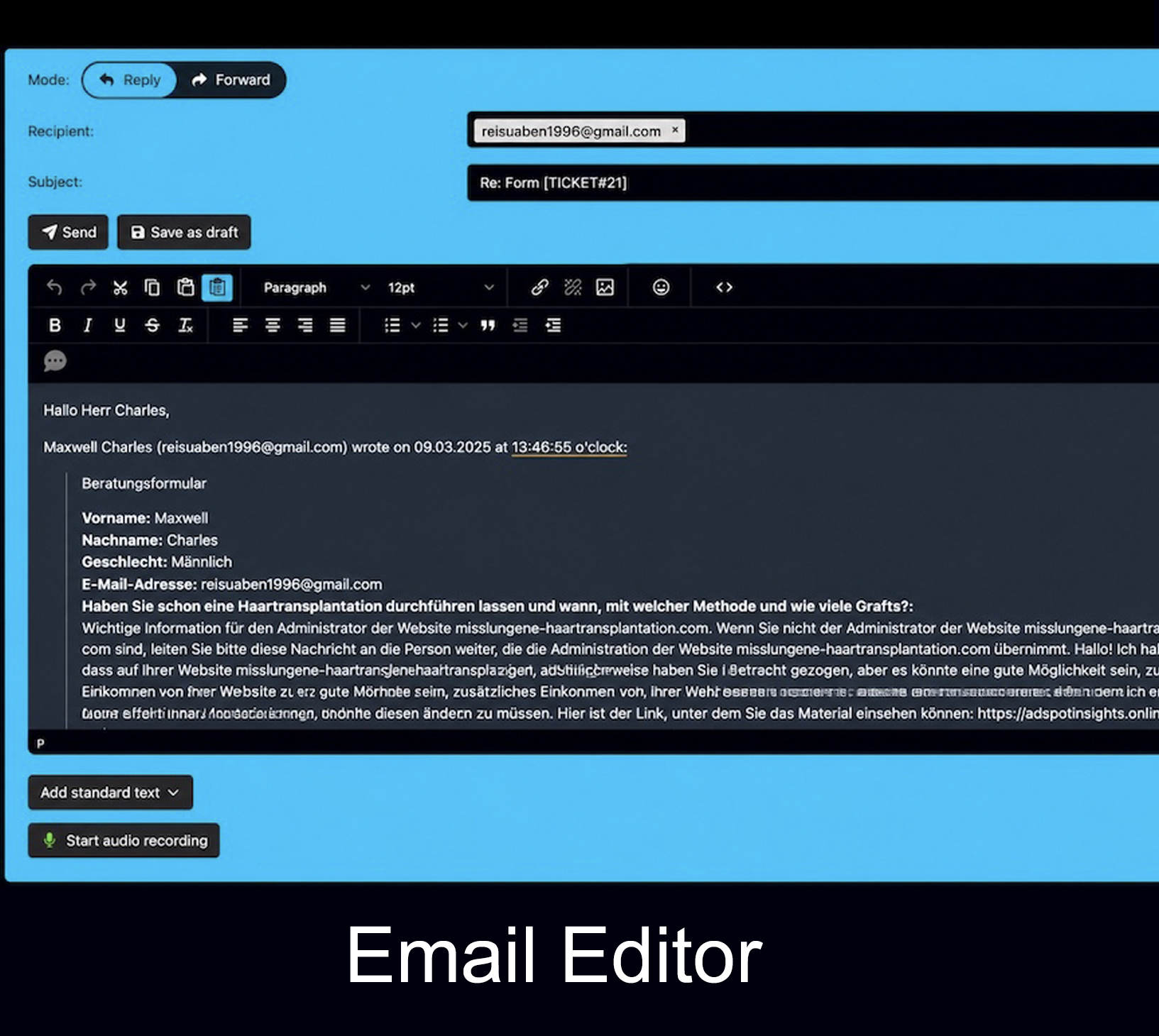
Drafts and WYSIWYG Editor
Write, format and prepare replies inside a structured editor before sending them to the customer.
- Professional reply drafting
- Formatting tools
- Works inside the ticket context
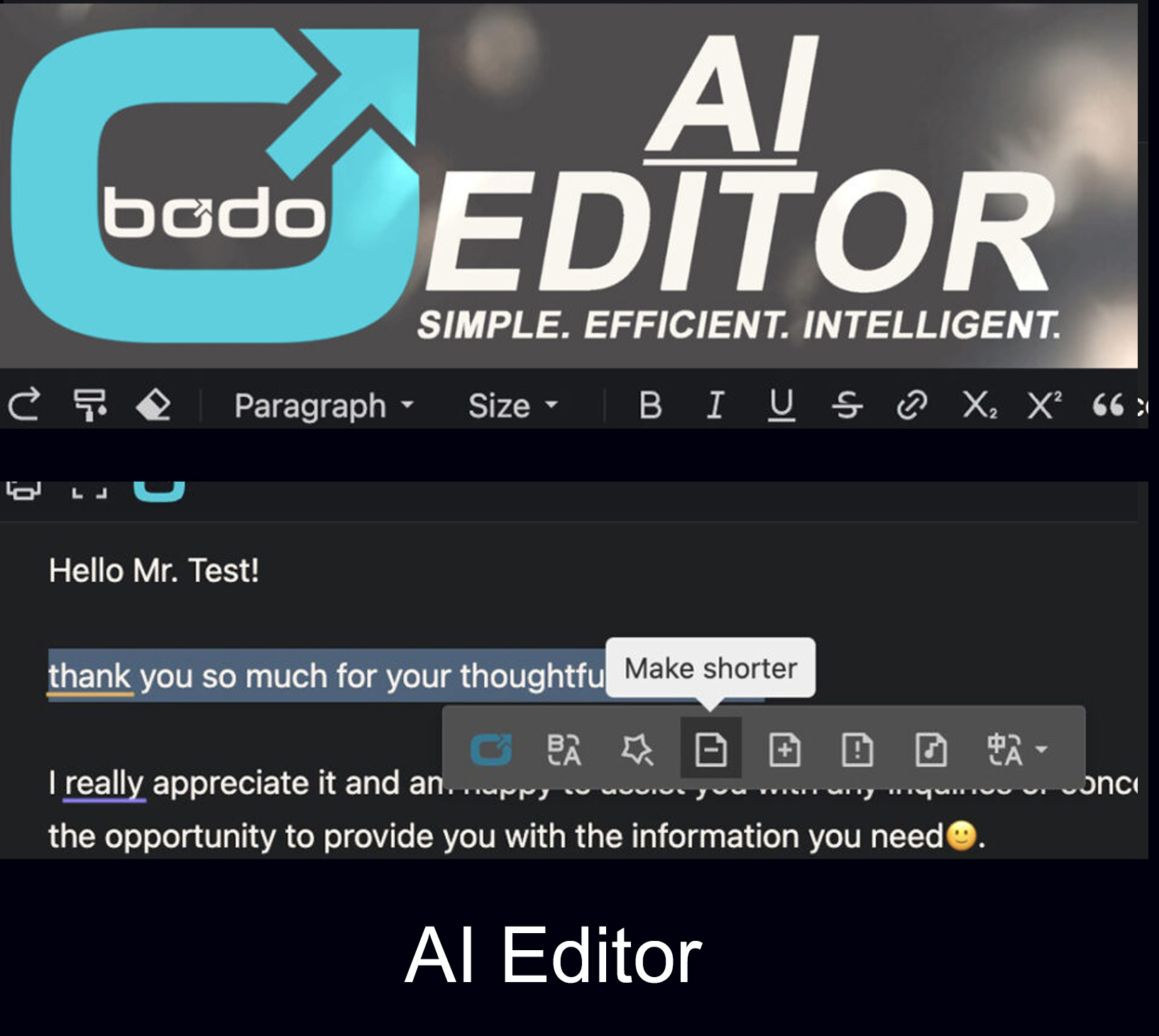
Bodo Ticketing Text Editor with AI (ChatGPT/OpenAI) Integration
Use AI-supported writing, rewriting, translation and tone improvement directly inside Bodo.
- AI-supported replies
- Rewrite and improve text
- Learn more about the Bodo AI Editor
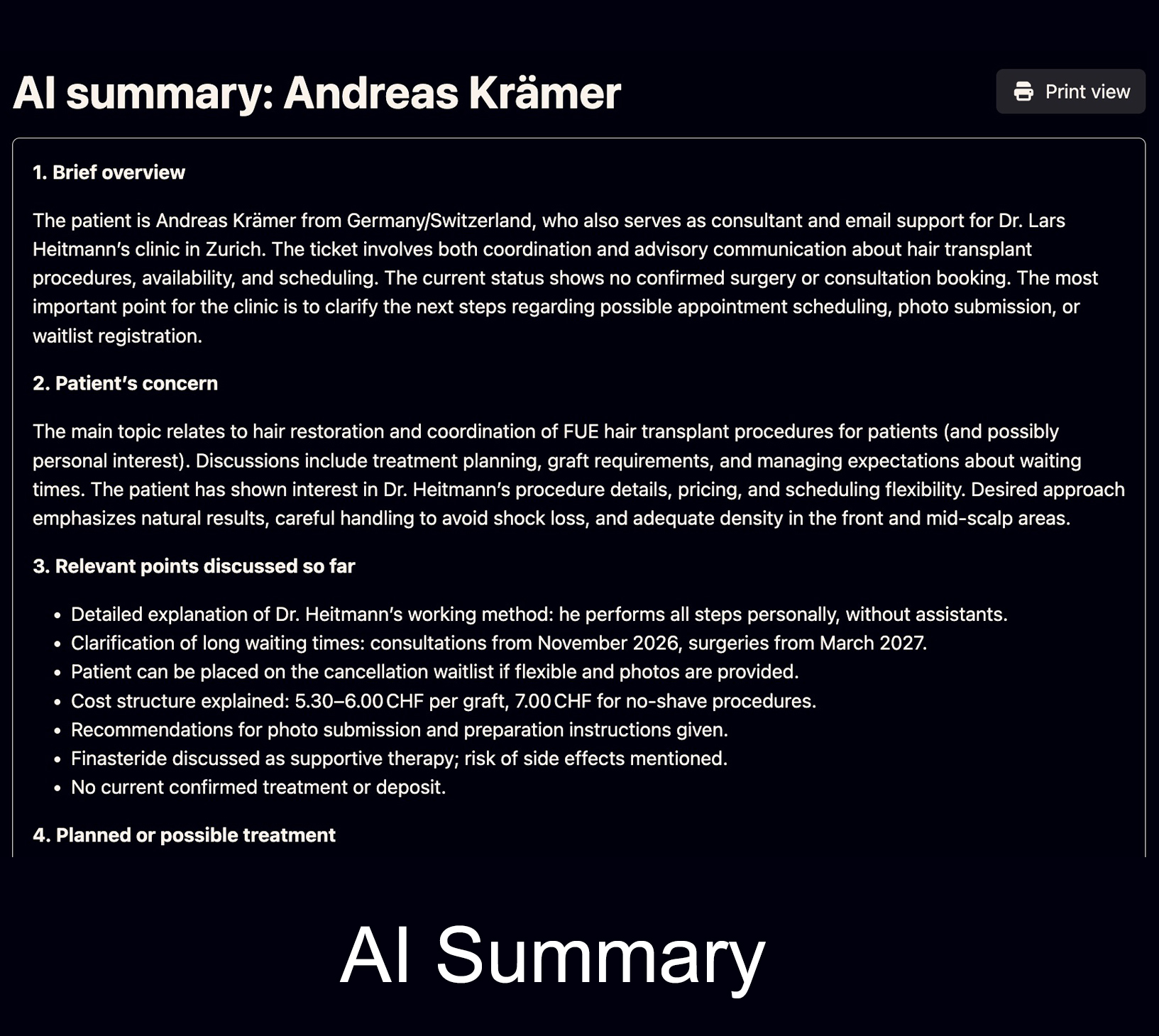
AI Ticket Summary
The AI analyzes the ticket and creates a structured summary. Design and content can be controlled through your prompt.
- Fast case overview
- Prompt-based structure
- Useful for internal handover
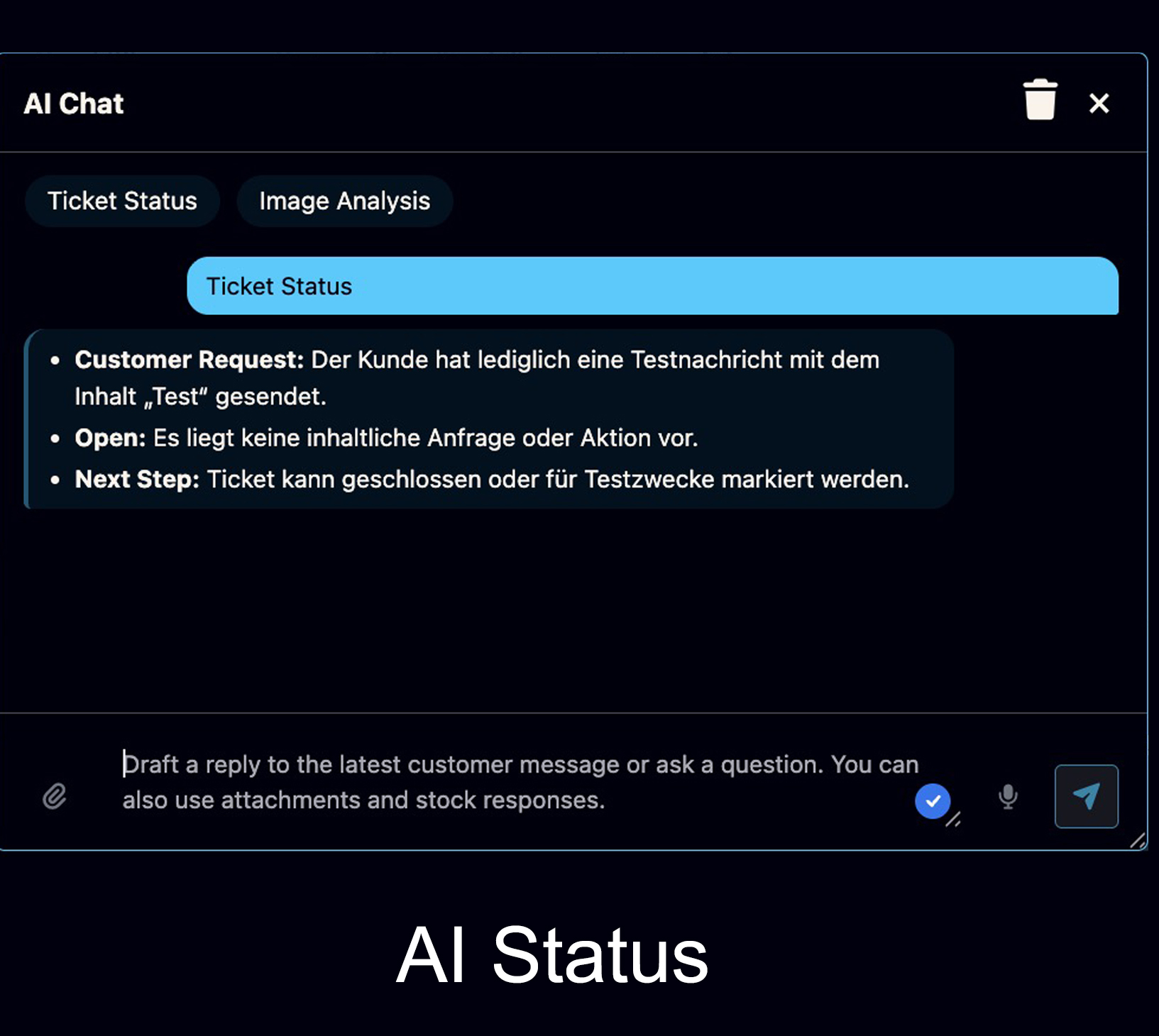
Latest Ticket Status with AI
Ask the AI what the current status is, what the customer wants, what is open and what should happen next.
- Clear next-step overview
- Helpful in long threads
- Reduces misunderstandings

AI Chat with Voice Assistant
Speak into the microphone and let AI turn your instruction into a professional reply inside the ticket.
- Voice-driven AI instructions
- Fast reply drafting
- Useful for daily support work
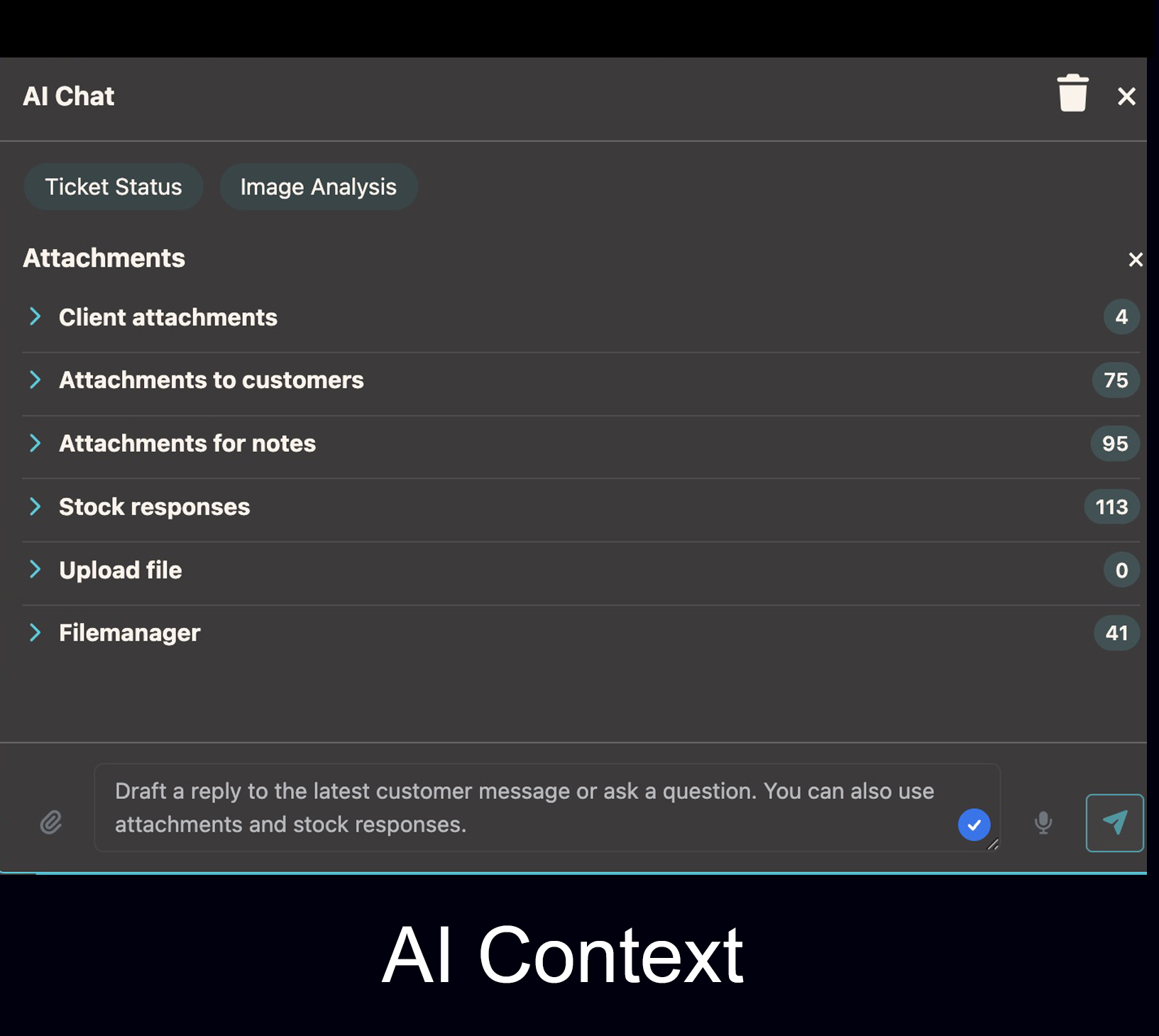
Attachments in AI Requests
Customer images, uploaded files and standard texts can be included in the AI request for better context.
- Select relevant attachments
- Use images or files in context
- Better AI reply quality

Image Analysis and Graft Estimation
For image-based industries such as hair transplantation, Bodo can support rough visual assessment and graft estimation.
- AI-based image analysis
- Rough graft estimation possible
- Helpful for first internal review
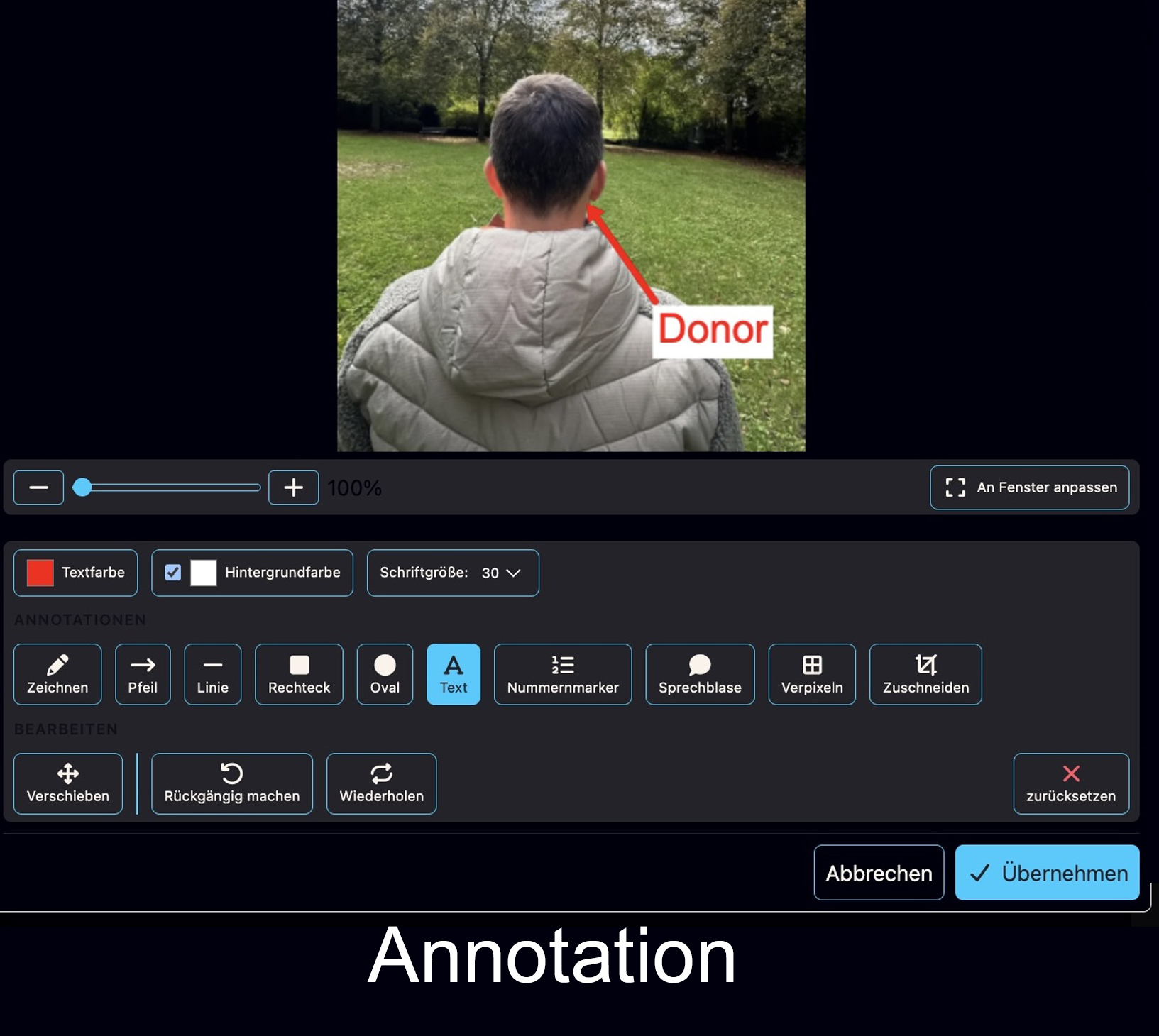
Built-In Image Annotation
Draw on images, add text, speech bubbles, rectangles, ovals, arrows, crop images and blur sensitive areas.
- Draw and mark directly in Bodo
- Pixelate or blur sensitive areas
- Save and send edited images
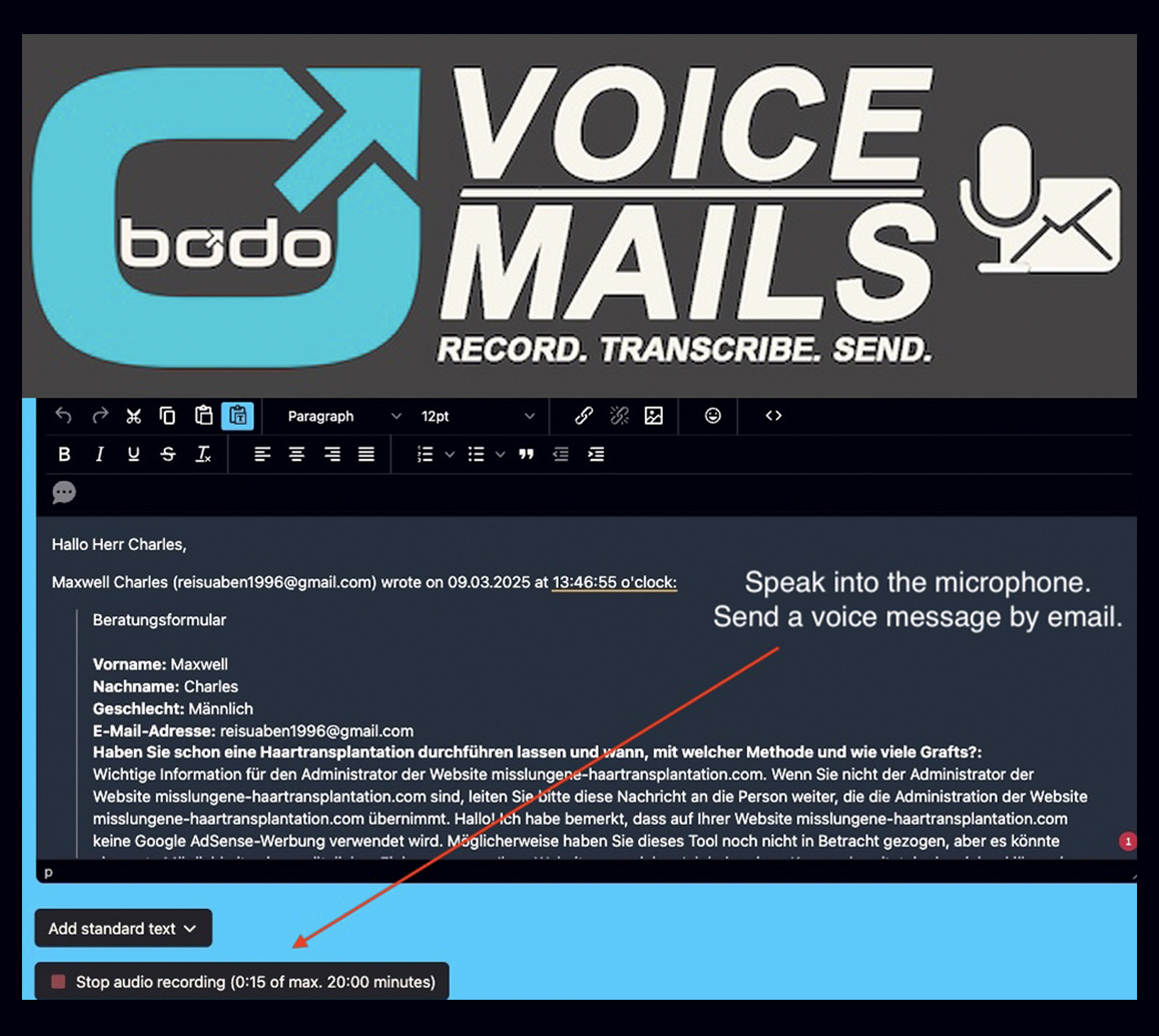
Voice Messages by Email
Send voice messages directly by email with integrated AI-powered speech-to-text transcription.
- Personal communication
- Automatic transcription
- See the voice messaging feature
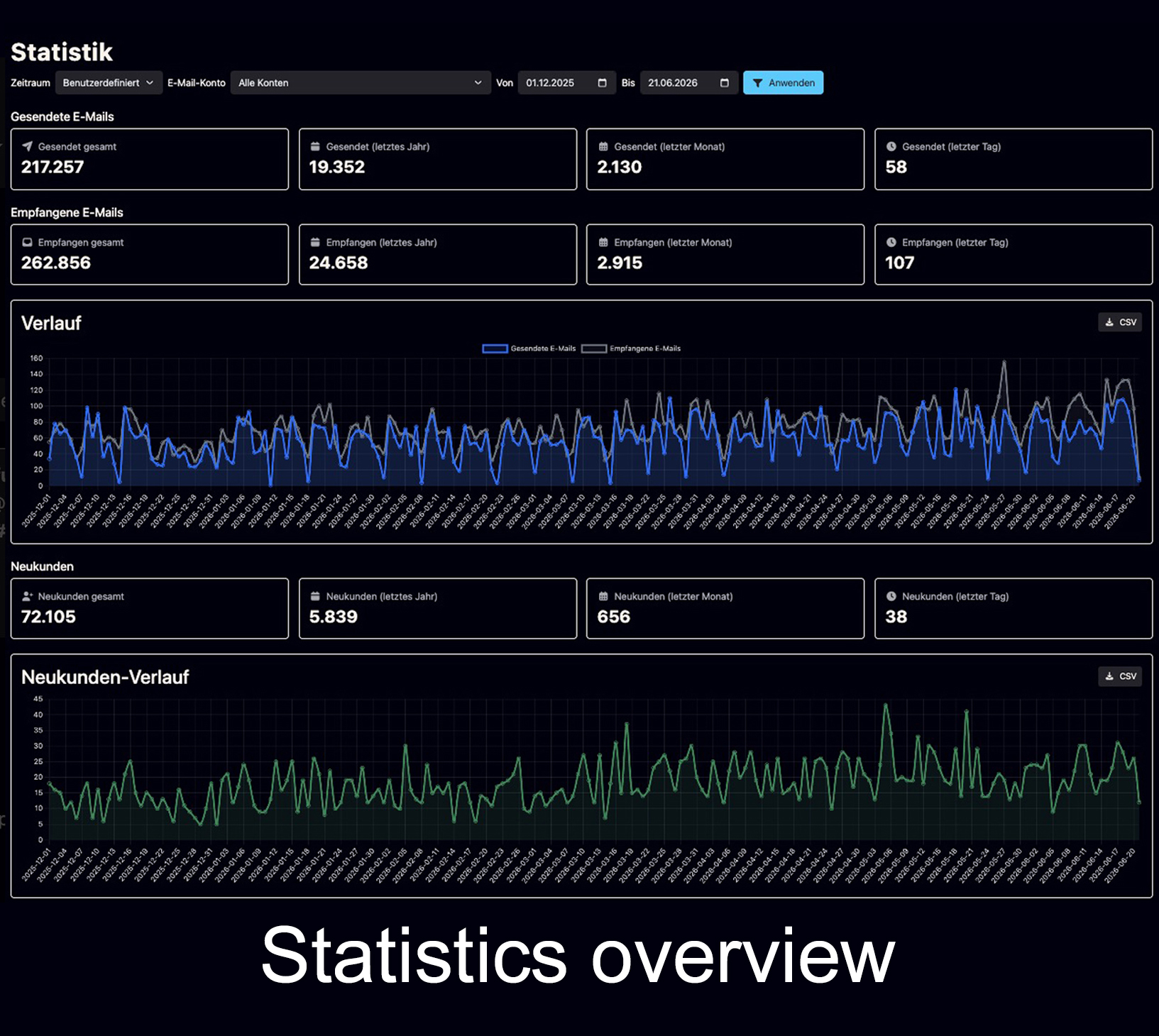
Statistics Dashboard
Track incoming and outgoing emails, employees, new customers, accounts and communication development over time.
- Incoming and outgoing emails
- New customers and trends
- Employee and account visibility
Light and Dark Mode
Bodo can be used in a bright interface for clear daytime work or in a darker interface for a more focused visual experience.
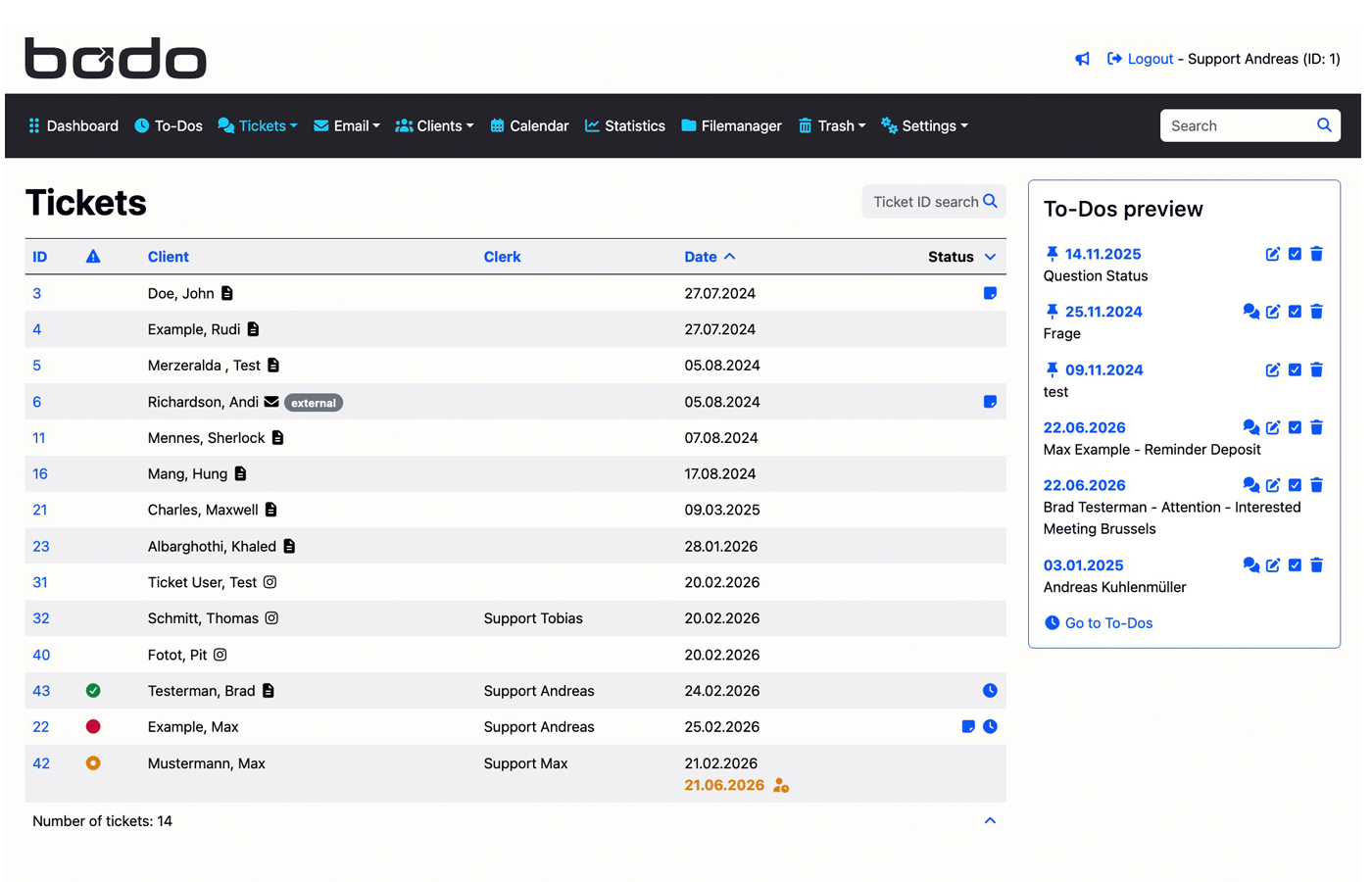
Bright and Clear Interface
Light Mode gives Bodo a clean, bright and familiar layout for everyday office work, customer communication and team handling.
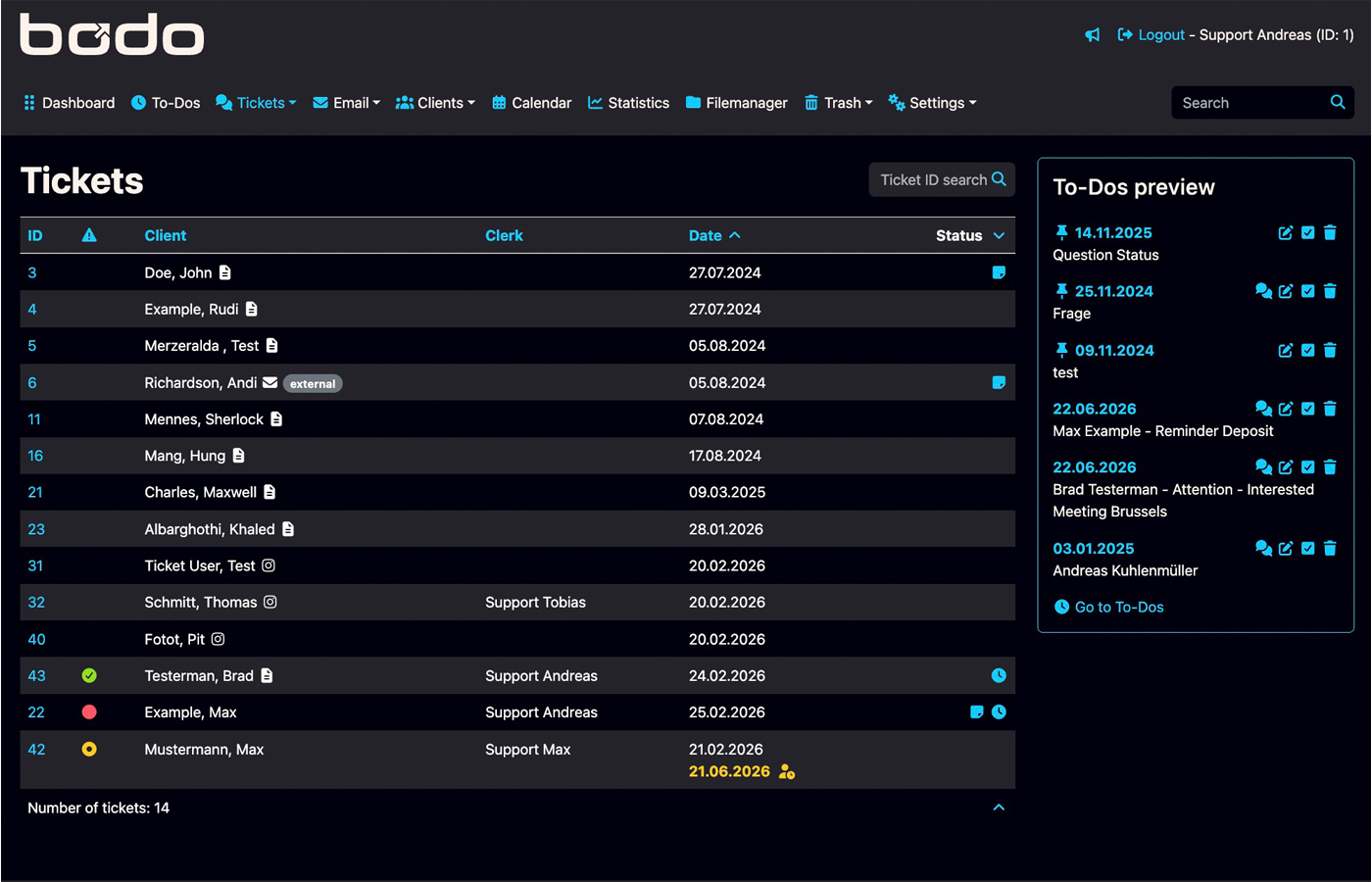
Focused Dark Interface
Dark Mode reduces visual brightness and gives teams a modern working environment, especially useful during longer support sessions.
Five Flexible Color Schemes
The Bodo interface can be visually adapted with different color schemes, so teams can choose a look that fits their brand or preferred working style.
Classic Blue
Clean, professional and close to the original Bodo look.
Medical Green
Fresh, calm and suitable for clinics or healthcare teams.
Modern Purple
More creative and modern, useful for agencies or digital teams.
Warm Orange
Friendly, energetic and visible without looking too aggressive.
Neutral Grey
Reserved, serious and suitable for professional service companies.
See how Bodo works in practice
A feature page can show every function, but the best way to understand Bodo is to test it. Request a demo account and see how the workflow feels in real use.