Send Voice Messages Directly via Email — with integrated AI-powered Speech-to-Text for automatic transcription and full traceability
Voice messages via email + AI-powered Speech-to-Text ranscription in one workflow: record, send, and instantly get an automatic text transcript directly inside the ticket.
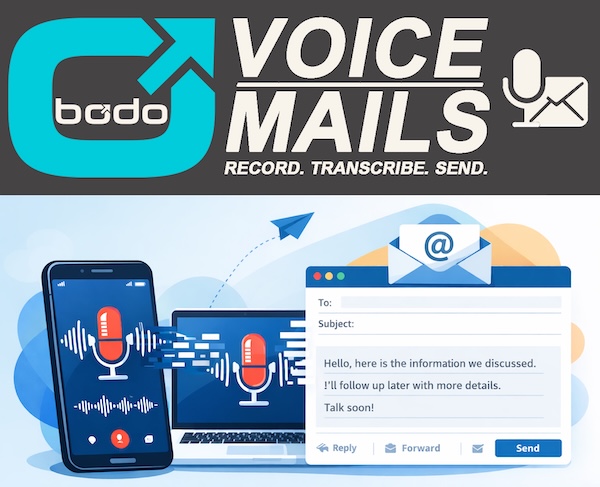
With Bodo’s Voice Messaging feature, you can record and send voice messages up to 20 minutes long directly through email — no external tools like WhatsApp or other messaging apps required. What makes it even more powerful: Bodo includes Speech-to-Text (automatic ai-powered speech-to-text transcription) so your voice message becomes readable, searchable text inside the ticket.
Voice Messages via Email with Speech-to-Text: What You Get
- Record and send voice messages via email (up to 20 minutes)
- Automatic Speech-to-Text transcription directly in the ticket
- Full traceability with a complete communication history
- Faster review — read the transcript instead of replaying long voice memos
Video: How Does Speech-to-Text Voice Messaging Work in Bodo?
Easy recording, instant delivery, and Speech-to-Text transcription
Using Voice Messaging in Bodo is straightforward: click the record button, speak your message, and send it directly via email. No extra tools needed — everything happens inside Bodo. Your message is delivered instantly, and the built-in Speech-to-Text automatically converts your voice message into a written transcript. The speech-to-text transcription appears directly in the ticket, so you can quickly scan the content, copy details, or search for keywords later.
Why AI-powered Speech-to-Text for Voice Messages via Email?
Practical, efficient, personal — and searchable through Speech-to-Text
In professional contexts (doctors, clinics, tax advisors, accountants, customer support), voice messages are often the fastest way to communicate. With Bodo, you keep that personal touch — and add Speech-to-Text so every voice memo becomes readable documentation. This improves speed, reduces misunderstandings, and makes follow-ups easier because the speech-to-text transcript can be reviewed without replaying audio.
Even though you use voice messages, everything stays organized and compliant: the full communication history is stored in the ticket for complete traceability. With Speech-to-Text transcription, your voice messages become structured, searchable text — ideal for documentation, handovers within a team, and long-term reference.
Examples: Speech-to-Text Voice Messages via Email in Real Workflows
- Doctors and Clinics: A doctor replies quickly to a concerned patient after surgery via voice message — and the Speech-to-Text transcript is saved in the ticket for documentation and easy review.
- Customer Support: Support teams send a quick voice response that feels human. With speech-to-text transcription, teammates can read the content instantly and find it later via search.
- Accountants: Confirm deadlines or answer urgent questions via voice message. The Speech-to-Text transcript keeps everything traceable and reduces back-and-forth.
- WhatsApp Alternative: Get the speed of voice messages without messenger chaos. Send voice messages via email — and keep everything professional with Speech-to-Text transcription inside the ticket.
Conclusion: Voice Messages via Email + Speech-to-Text = Faster, Cleaner Communication
Bodo’s Voice Messaging feature saves time and keeps communication personal — while AI-powered Speech-to-Text turns every voice memo into clear, usable documentation. Voice messages up to 20 minutes long, plus automatic speech-to-text transcription, help you work faster, stay organized, and keep a fully traceable record.